System Design for Frontend Engineers
SADIQTBH.COM / BLOG / ENGINEERING
System Design for Frontend
Engineers
Master these 9 skill sets - explained in depth, with pictures. Every concept defined
in plain words, shown in a diagram, and tied to a real decision you will make at
work.
Published on sadiqtbh.com
9 skill sets · 175 concepts explained one by one · Rendering · Performance · State Management · Networking · Caching · Architecture · Security · Accessibility · Observability
How to read it: each skill set gets a picture page, then its concepts one by one - what it is, why it matters, and how it is used in practice.
THE IDEA
System design is not a backend-only job
Ask a frontend engineer to design a news feed, a video app, or a shared document editor, and the questions change. It is no longer "can you build this screen?" It becomes "how does this survive a million users, a slow phone, and a bad network?"
That is system design, and most of it happens in the browser. Where the page is rendered. What state lives where. How data travels. What gets cached. What breaks when the network drops. These are frontend decisions, and they decide whether an app feels instant or broken.
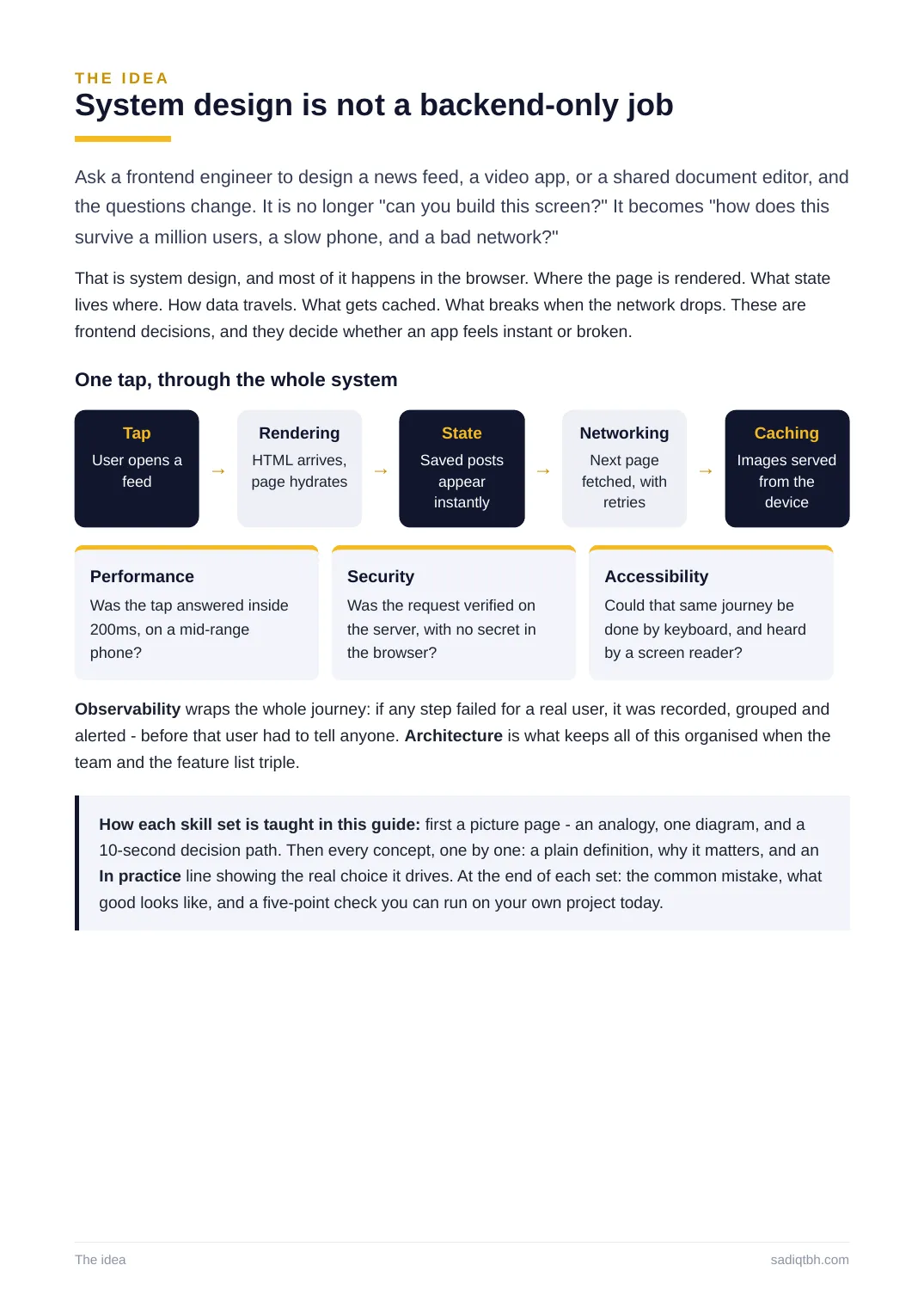
One tap, through the whole system
Tap
User opens a
feed →
Rendering
HTML arrives,
page hydrates →
State
Saved posts
appear
instantly
→
Networking
Next page
fetched, with
retries
→
Caching
Images served
from the
device
Performance
Was the tap answered inside
200ms, on a mid-range
phone?
Security
Was the request verified on
the server, with no secret in
the browser?
Accessibility
Could that same journey be
done by keyboard, and heard
by a screen reader?
Observability wraps the whole journey: if any step failed for a real user, it was recorded, grouped and alerted - before that user had to tell anyone. Architecture is what keeps all of this organised when the team and the feature list triple.
How each skill set is taught in this guide: first a picture page - an analogy, one diagram, and a 10-second decision path. Then every concept, one by one: a plain definition, why it matters, and an In practice line showing the real choice it drives. At the end of each set: the common mistake, what good looks like, and a five-point check you can run on your own project today.
The idea sadiqtbh.com
THE MAP
9 skill sets, 175 concepts, one order
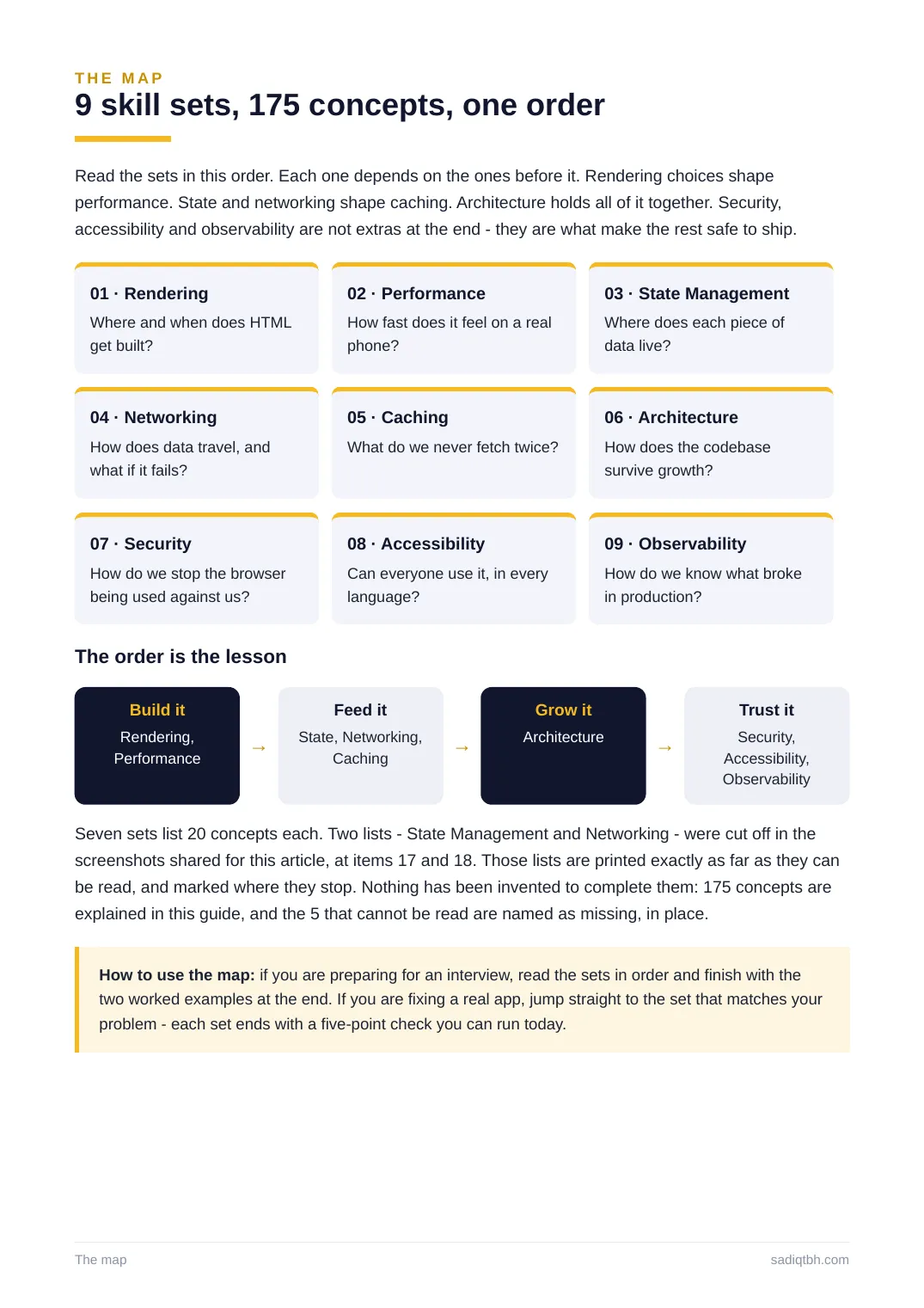
Read the sets in this order. Each one depends on the ones before it. Rendering choices shape performance. State and networking shape caching. Architecture holds all of it together. Security, accessibility and observability are not extras at the end - they are what make the rest safe to ship. 01 · Rendering
Where and when does HTML
get built?
02 · Performance
How fast does it feel on a real
phone?
03 · State Management
Where does each piece of
data live?
04 · Networking
How does data travel, and
what if it fails?
05 · Caching
What do we never fetch twice?
06 · Architecture
How does the codebase
survive growth?
07 · Security
How do we stop the browser
being used against us?
08 · Accessibility
Can everyone use it, in every
language?
09 · Observability
How do we know what broke
in production?
The order is the lesson
Build it
Rendering,
Performance →
Feed it
State, Networking,
Caching →
Grow it
Architecture →
Trust it
Security,
Accessibility,
Observability
Seven sets list 20 concepts each. Two lists - State Management and Networking - were cut off in the screenshots shared for this article, at items 17 and 18. Those lists are printed exactly as far as they can be read, and marked where they stop. Nothing has been invented to complete them: 175 concepts are explained in this guide, and the 5 that cannot be read are named as missing, in place. How to use the map: if you are preparing for an interview, read the sets in order and finish with the two worked examples at the end. If you are fixing a real app, jump straight to the set that matches your problem - each set ends with a five-point check you can run today.
The map sadiqtbh.com
SKILL SET 01 / RND
01. Rendering: where the page is born
Every page starts as a choice. Build the HTML in the visitor's browser, on the server for each request, or ahead of time at build time. Each choice trades speed, freshness and cost against the others. There is no best answer - only the right answer for that page, and a senior engineer can say which one a page uses and why.
Modern tools mix the three freely inside one app: a static home page, server-rendered product pages, and a client-rendered dashboard, side by side. The concepts on the pages that follow are the vocabulary of that choice, from the first byte to the moment the page answers a tap.
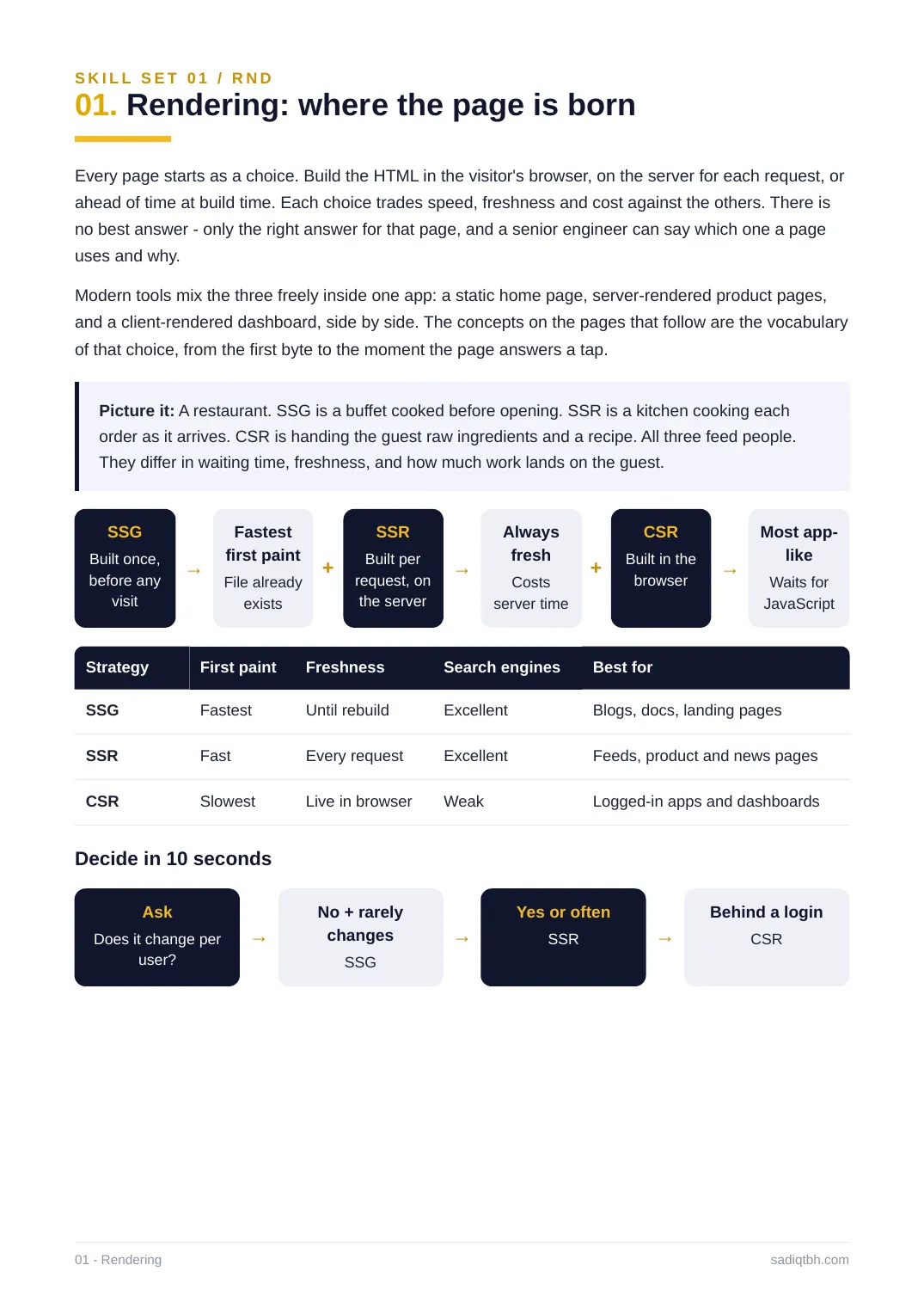
Picture it: A restaurant. SSG is a buffet cooked before opening. SSR is a kitchen cooking each order as it arrives. CSR is handing the guest raw ingredients and a recipe. All three feed people. They differ in waiting time, freshness, and how much work lands on the guest.
SSG
Built once,
before any
visit
→
Fastest
first paint
File already
exists
+
SSR
Built per
request, on
the server
→
Always
fresh
Costs
server time
+
CSR
Built in the
browser →
Most app-
like
Waits for
JavaScript
Strategy First paint Freshness Search engines Best for
SSG Fastest Until rebuild Excellent Blogs, docs, landing pages
SSR Fast Every request Excellent Feeds, product and news pages
CSR Slowest Live in browser Weak Logged-in apps and dashboards
Decide in 10 seconds
Ask
Does it change per
user?
→
No + rarely
changes
SSG
→
Yes or often
SSR →
Behind a login
CSR
01 - Rendering sadiqtbh.com
SKILL SET 01 / RND - CONCEPTS 01 TO 07
01. Rendering in detail
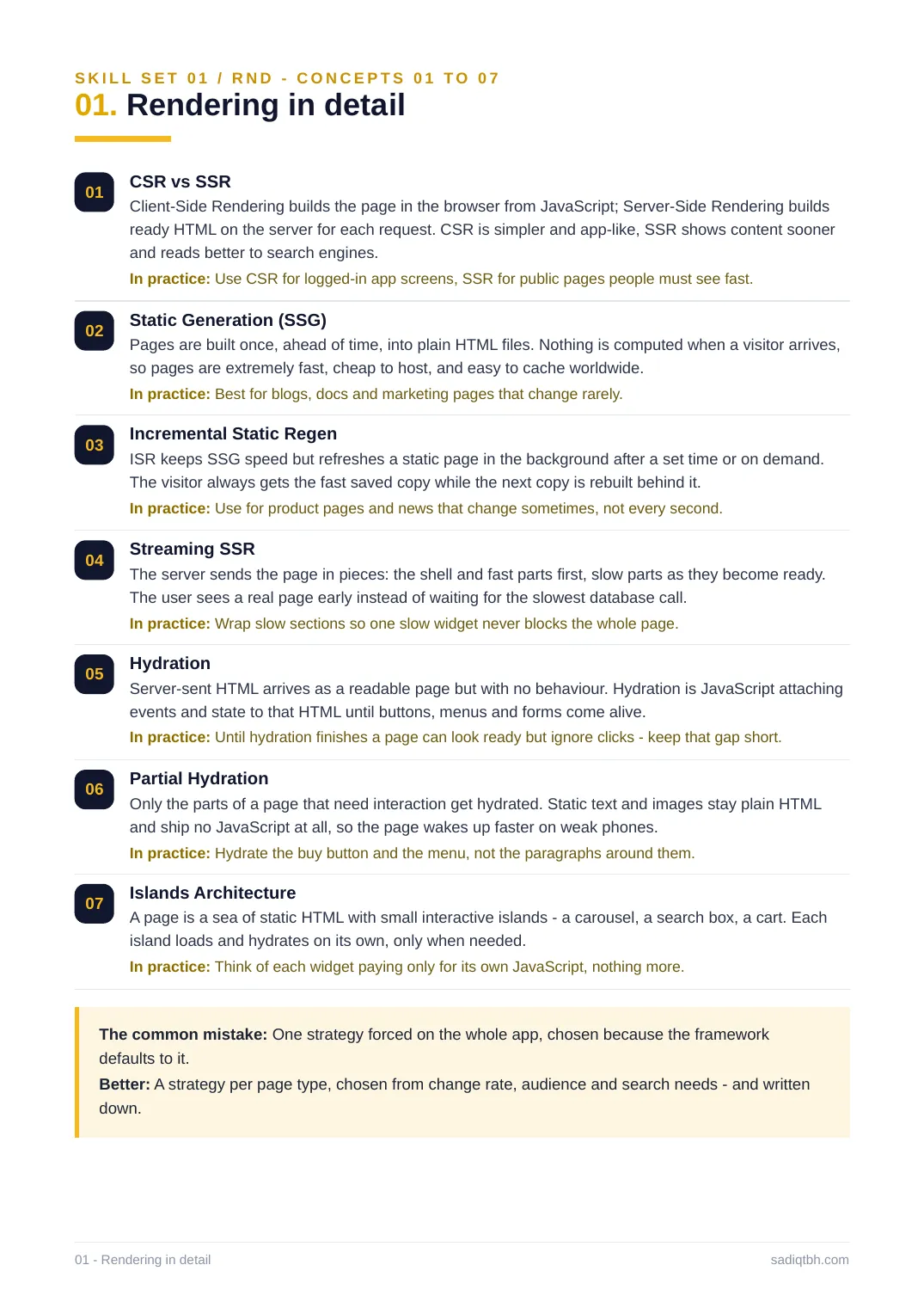
01 CSR vs SSR
Client-Side Rendering builds the page in the browser from JavaScript; Server-Side Rendering builds ready HTML on the server for each request. CSR is simpler and app-like, SSR shows content sooner and reads better to search engines.
In practice: Use CSR for logged-in app screens, SSR for public pages people must see fast. 02 Static Generation (SSG)
Pages are built once, ahead of time, into plain HTML files. Nothing is computed when a visitor arrives, so pages are extremely fast, cheap to host, and easy to cache worldwide.
In practice: Best for blogs, docs and marketing pages that change rarely.
03 Incremental Static Regen
ISR keeps SSG speed but refreshes a static page in the background after a set time or on demand. The visitor always gets the fast saved copy while the next copy is rebuilt behind it. In practice: Use for product pages and news that change sometimes, not every second.
04 Streaming SSR
The server sends the page in pieces: the shell and fast parts first, slow parts as they become ready. The user sees a real page early instead of waiting for the slowest database call.
In practice: Wrap slow sections so one slow widget never blocks the whole page.
05 Hydration
Server-sent HTML arrives as a readable page but with no behaviour. Hydration is JavaScript attaching events and state to that HTML until buttons, menus and forms come alive.
In practice: Until hydration finishes a page can look ready but ignore clicks - keep that gap short. 06 Partial Hydration
Only the parts of a page that need interaction get hydrated. Static text and images stay plain HTML and ship no JavaScript at all, so the page wakes up faster on weak phones.
In practice: Hydrate the buy button and the menu, not the paragraphs around them.
07 Islands Architecture
A page is a sea of static HTML with small interactive islands - a carousel, a search box, a cart. Each island loads and hydrates on its own, only when needed.
In practice: Think of each widget paying only for its own JavaScript, nothing more.
The common mistake: One strategy forced on the whole app, chosen because the framework defaults to it.
Better: A strategy per page type, chosen from change rate, audience and search needs - and written down.
01 - Rendering in detail sadiqtbh.com
SKILL SET 01 / RND - CONCEPTS 08 TO 14
01. Rendering in detail
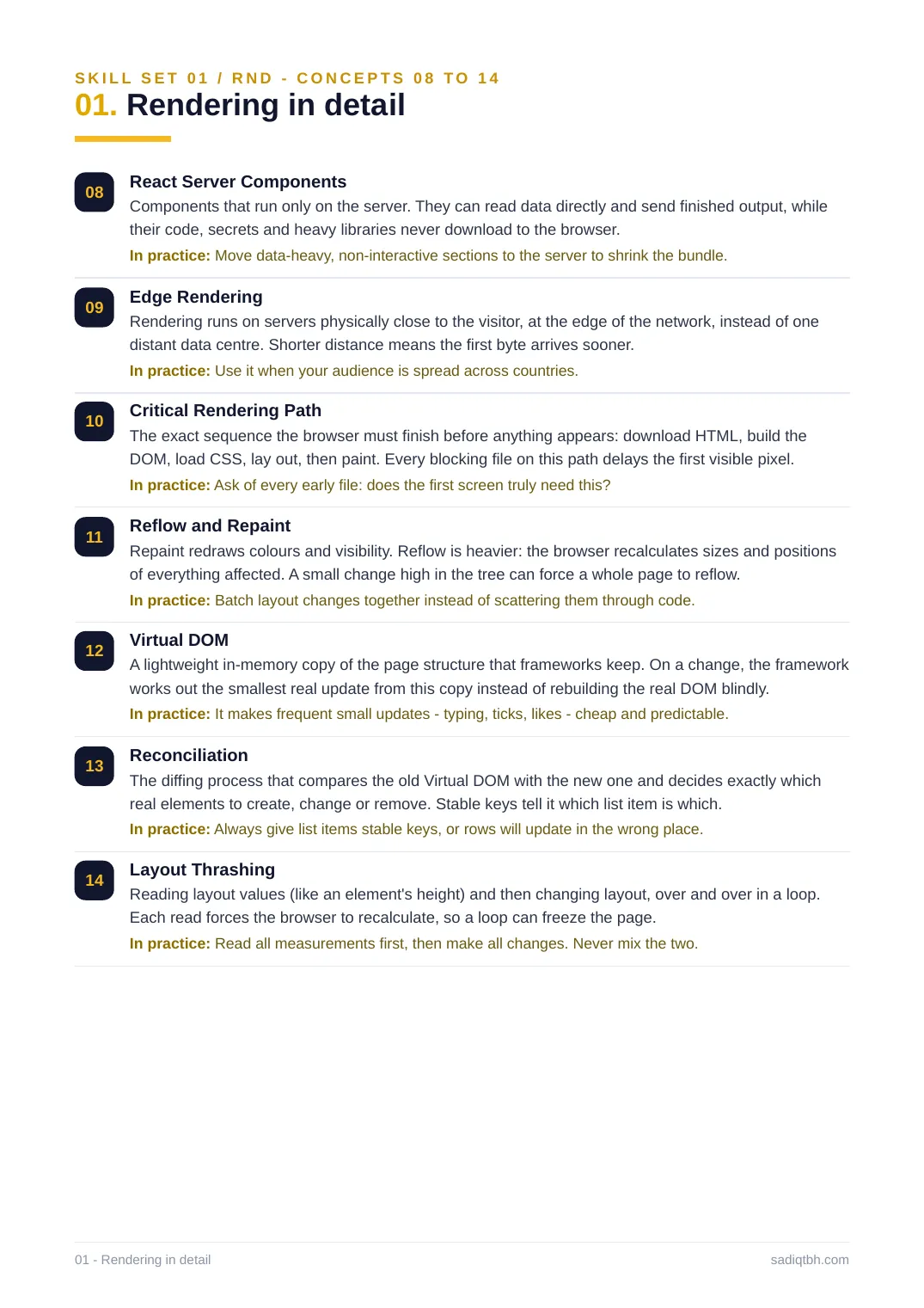
08 React Server Components
Components that run only on the server. They can read data directly and send finished output, while their code, secrets and heavy libraries never download to the browser.
In practice: Move data-heavy, non-interactive sections to the server to shrink the bundle. 09 Edge Rendering
Rendering runs on servers physically close to the visitor, at the edge of the network, instead of one distant data centre. Shorter distance means the first byte arrives sooner.
In practice: Use it when your audience is spread across countries.
10 Critical Rendering Path
The exact sequence the browser must finish before anything appears: download HTML, build the DOM, load CSS, lay out, then paint. Every blocking file on this path delays the first visible pixel. In practice: Ask of every early file: does the first screen truly need this?
11 Reflow and Repaint
Repaint redraws colours and visibility. Reflow is heavier: the browser recalculates sizes and positions of everything affected. A small change high in the tree can force a whole page to reflow. In practice: Batch layout changes together instead of scattering them through code.
12 Virtual DOM
A lightweight in-memory copy of the page structure that frameworks keep. On a change, the framework works out the smallest real update from this copy instead of rebuilding the real DOM blindly. In practice: It makes frequent small updates - typing, ticks, likes - cheap and predictable. 13 Reconciliation
The diffing process that compares the old Virtual DOM with the new one and decides exactly which real elements to create, change or remove. Stable keys tell it which list item is which. In practice: Always give list items stable keys, or rows will update in the wrong place. 14 Layout Thrashing
Reading layout values (like an element's height) and then changing layout, over and over in a loop. Each read forces the browser to recalculate, so a loop can freeze the page.
In practice: Read all measurements first, then make all changes. Never mix the two.
01 - Rendering in detail sadiqtbh.com
SKILL SET 01 / RND - CONCEPTS 15 TO 20
01. Rendering in detail
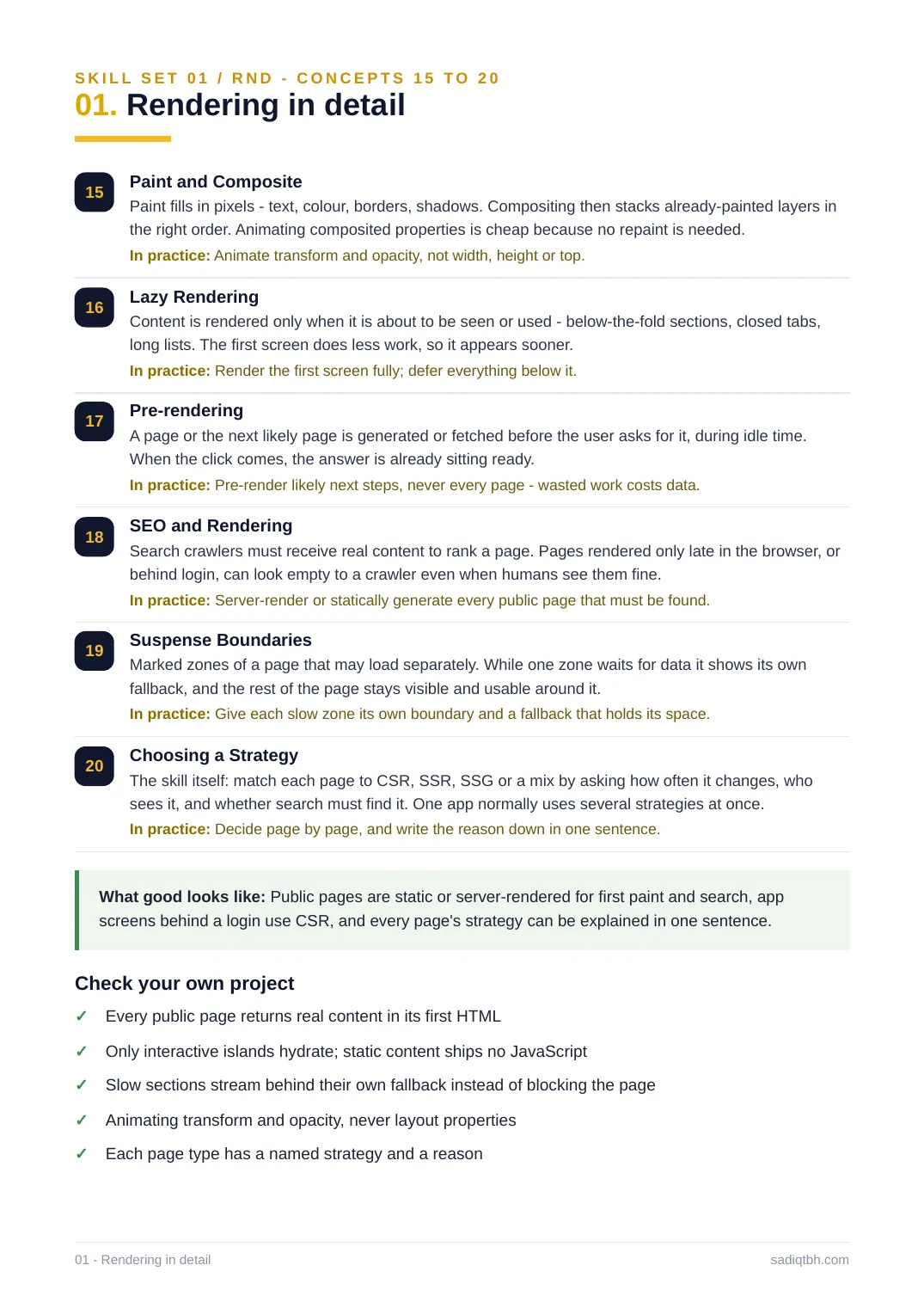
15 Paint and Composite
Paint fills in pixels - text, colour, borders, shadows. Compositing then stacks already-painted layers in the right order. Animating composited properties is cheap because no repaint is needed. In practice: Animate transform and opacity, not width, height or top.
16 Lazy Rendering
Content is rendered only when it is about to be seen or used - below-the-fold sections, closed tabs, long lists. The first screen does less work, so it appears sooner.
In practice: Render the first screen fully; defer everything below it.
17 Pre-rendering
A page or the next likely page is generated or fetched before the user asks for it, during idle time. When the click comes, the answer is already sitting ready.
In practice: Pre-render likely next steps, never every page - wasted work costs data. 18 SEO and Rendering
Search crawlers must receive real content to rank a page. Pages rendered only late in the browser, or behind login, can look empty to a crawler even when humans see them fine.
In practice: Server-render or statically generate every public page that must be found. 19 Suspense Boundaries
Marked zones of a page that may load separately. While one zone waits for data it shows its own fallback, and the rest of the page stays visible and usable around it.
In practice: Give each slow zone its own boundary and a fallback that holds its space. 20 Choosing a Strategy
The skill itself: match each page to CSR, SSR, SSG or a mix by asking how often it changes, who sees it, and whether search must find it. One app normally uses several strategies at once. In practice: Decide page by page, and write the reason down in one sentence.
What good looks like: Public pages are static or server-rendered for first paint and search, app screens behind a login use CSR, and every page's strategy can be explained in one sentence. Check your own project
Every public page returns real content in its first HTML✓
Only interactive islands hydrate; static content ships no JavaScript✓
Slow sections stream behind their own fallback instead of blocking the page✓
Animating transform and opacity, never layout properties✓
Each page type has a named strategy and a reason✓
01 - Rendering in detail sadiqtbh.com
SKILL SET 02 / PRF
02. Performance: fast is a feature
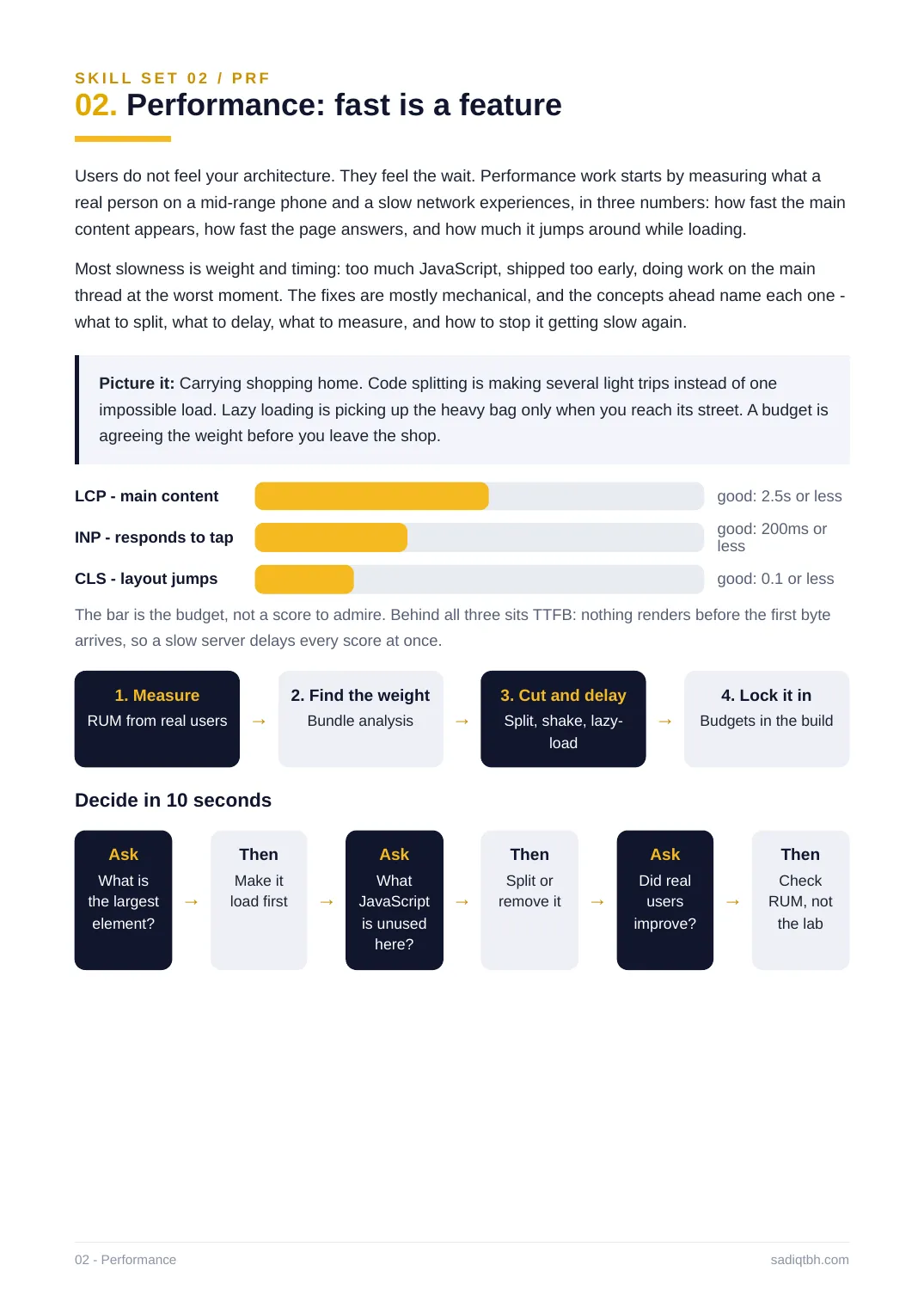
Users do not feel your architecture. They feel the wait. Performance work starts by measuring what a real person on a mid-range phone and a slow network experiences, in three numbers: how fast the main content appears, how fast the page answers, and how much it jumps around while loading. Most slowness is weight and timing: too much JavaScript, shipped too early, doing work on the main thread at the worst moment. The fixes are mostly mechanical, and the concepts ahead name each one - what to split, what to delay, what to measure, and how to stop it getting slow again. Picture it: Carrying shopping home. Code splitting is making several light trips instead of one impossible load. Lazy loading is picking up the heavy bag only when you reach its street. A budget is agreeing the weight before you leave the shop.
LCP - main content good: 2.5s or less
INP - responds to tap good: 200ms orless
CLS - layout jumps good: 0.1 or less
The bar is the budget, not a score to admire. Behind all three sits TTFB: nothing renders before the first byte arrives, so a slow server delays every score at once.
1. Measure
RUM from real users →
2. Find the weight
Bundle analysis →
3. Cut and delay
Split, shake, lazy-
load
→
4. Lock it in
Budgets in the build
Decide in 10 seconds
Ask
What is
the largest
element?
→
Then
Make it
load first →
Ask
What
JavaScript
is unused
here?
→
Then
Split or
remove it →
Ask
Did real
users
improve?
→
Then
Check
RUM, not
the lab
02 - Performance sadiqtbh.com
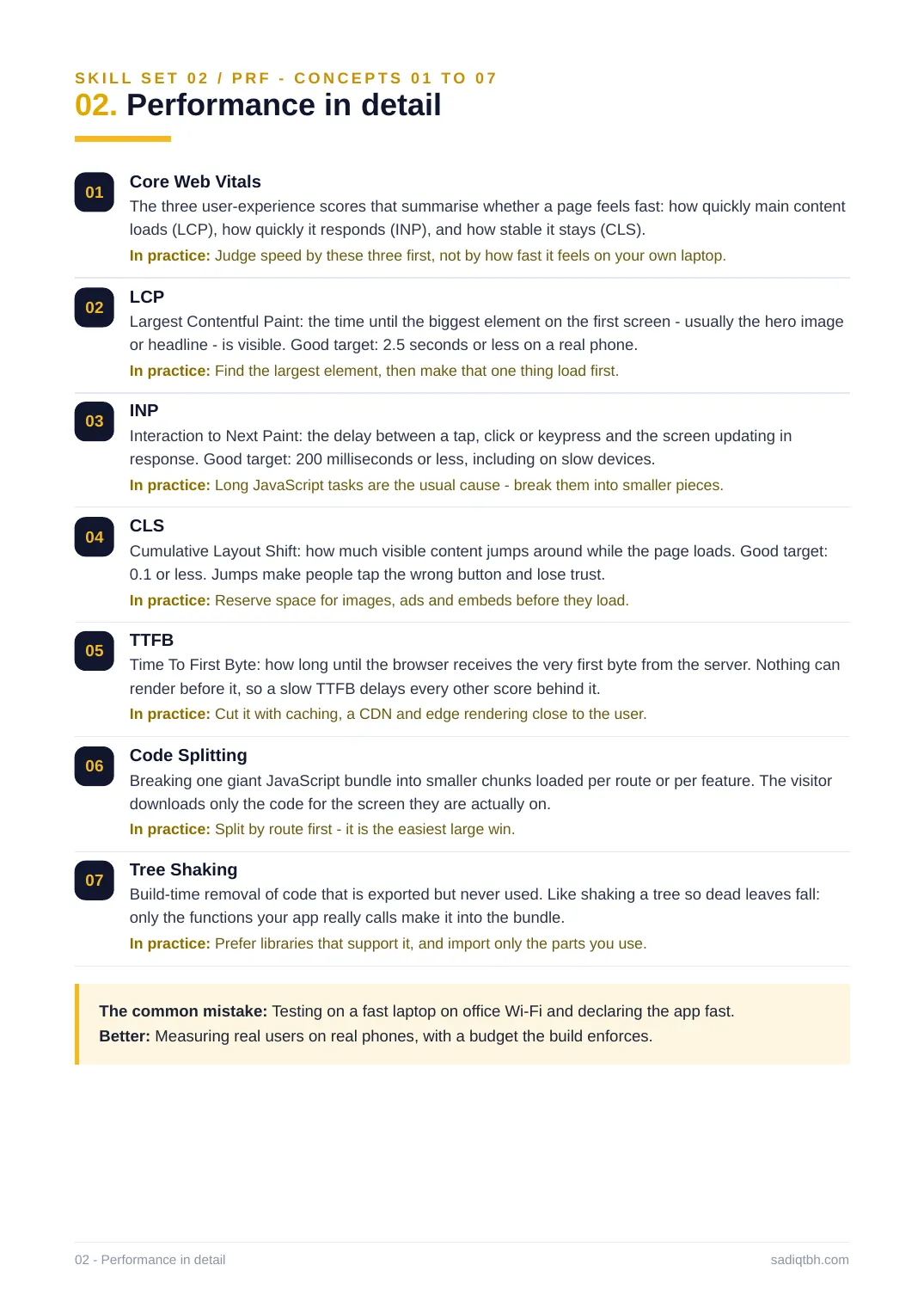
SKILL SET 02 / PRF - CONCEPTS 01 TO 07
02. Performance in detail
01 Core Web Vitals
The three user-experience scores that summarise whether a page feels fast: how quickly main content loads (LCP), how quickly it responds (INP), and how stable it stays (CLS).
In practice: Judge speed by these three first, not by how fast it feels on your own laptop. 02 LCP
Largest Contentful Paint: the time until the biggest element on the first screen - usually the hero image or headline - is visible. Good target: 2.5 seconds or less on a real phone.
In practice: Find the largest element, then make that one thing load first.
03 INP
Interaction to Next Paint: the delay between a tap, click or keypress and the screen updating in response. Good target: 200 milliseconds or less, including on slow devices.
In practice: Long JavaScript tasks are the usual cause - break them into smaller pieces. 04 CLS
Cumulative Layout Shift: how much visible content jumps around while the page loads. Good target: 0.1 or less. Jumps make people tap the wrong button and lose trust.
In practice: Reserve space for images, ads and embeds before they load.
05 TTFB
Time To First Byte: how long until the browser receives the very first byte from the server. Nothing can render before it, so a slow TTFB delays every other score behind it.
In practice: Cut it with caching, a CDN and edge rendering close to the user.
06 Code Splitting
Breaking one giant JavaScript bundle into smaller chunks loaded per route or per feature. The visitor downloads only the code for the screen they are actually on.
In practice: Split by route first - it is the easiest large win.
07 Tree Shaking
Build-time removal of code that is exported but never used. Like shaking a tree so dead leaves fall: only the functions your app really calls make it into the bundle.
In practice: Prefer libraries that support it, and import only the parts you use.
The common mistake: Testing on a fast laptop on office Wi-Fi and declaring the app fast. Better: Measuring real users on real phones, with a budget the build enforces.
02 - Performance in detail sadiqtbh.com
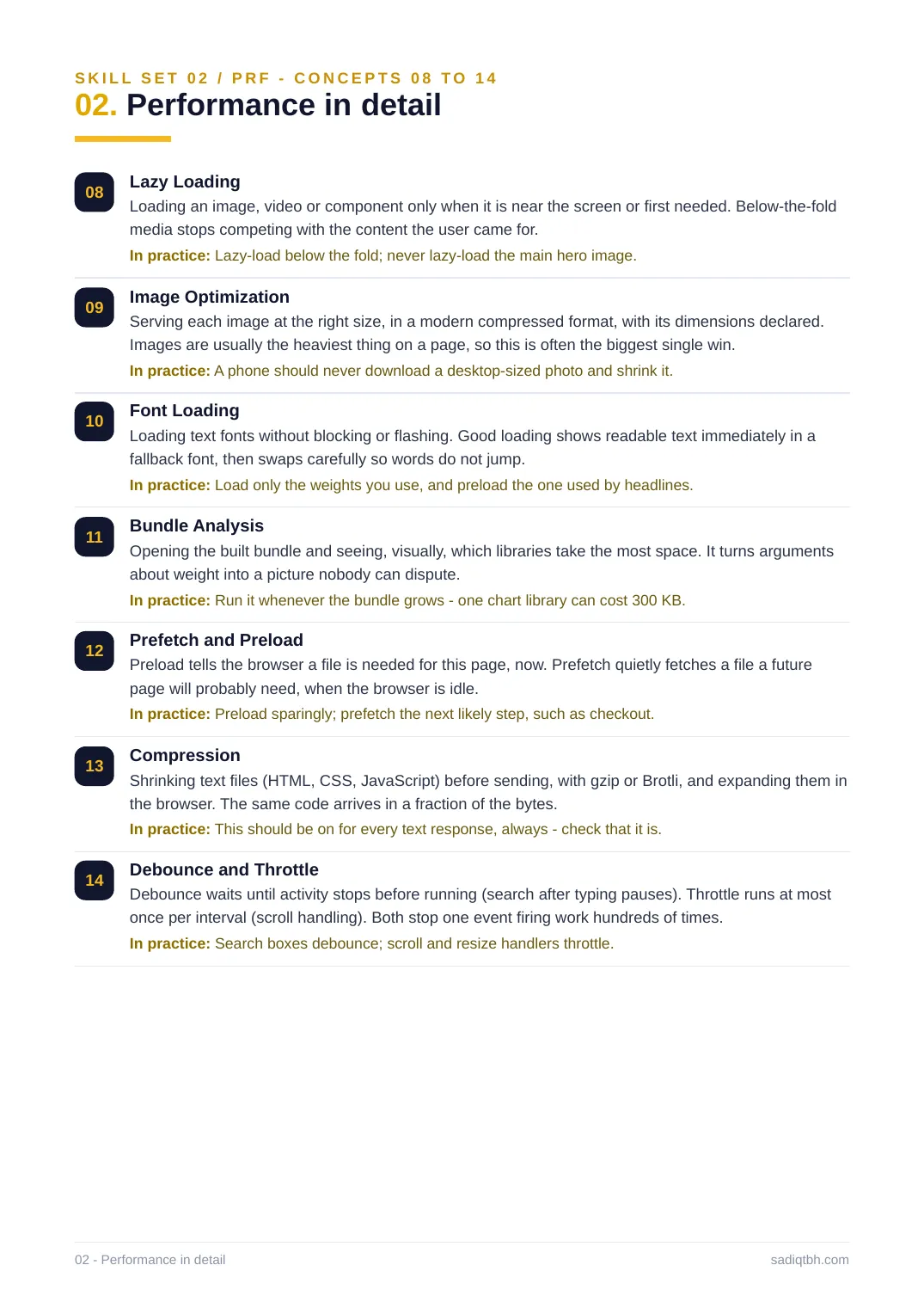
SKILL SET 02 / PRF - CONCEPTS 08 TO 14
02. Performance in detail
08 Lazy Loading
Loading an image, video or component only when it is near the screen or first needed. Below-the-fold media stops competing with the content the user came for.
In practice: Lazy-load below the fold; never lazy-load the main hero image.
09 Image Optimization
Serving each image at the right size, in a modern compressed format, with its dimensions declared. Images are usually the heaviest thing on a page, so this is often the biggest single win. In practice: A phone should never download a desktop-sized photo and shrink it.
10 Font Loading
Loading text fonts without blocking or flashing. Good loading shows readable text immediately in a fallback font, then swaps carefully so words do not jump.
In practice: Load only the weights you use, and preload the one used by headlines.
11 Bundle Analysis
Opening the built bundle and seeing, visually, which libraries take the most space. It turns arguments about weight into a picture nobody can dispute.
In practice: Run it whenever the bundle grows - one chart library can cost 300 KB.
12 Prefetch and Preload
Preload tells the browser a file is needed for this page, now. Prefetch quietly fetches a file a future page will probably need, when the browser is idle.
In practice: Preload sparingly; prefetch the next likely step, such as checkout.
13 Compression
Shrinking text files (HTML, CSS, JavaScript) before sending, with gzip or Brotli, and expanding them in the browser. The same code arrives in a fraction of the bytes.
In practice: This should be on for every text response, always - check that it is.
14 Debounce and Throttle
Debounce waits until activity stops before running (search after typing pauses). Throttle runs at most once per interval (scroll handling). Both stop one event firing work hundreds of times. In practice: Search boxes debounce; scroll and resize handlers throttle.
02 - Performance in detail sadiqtbh.com
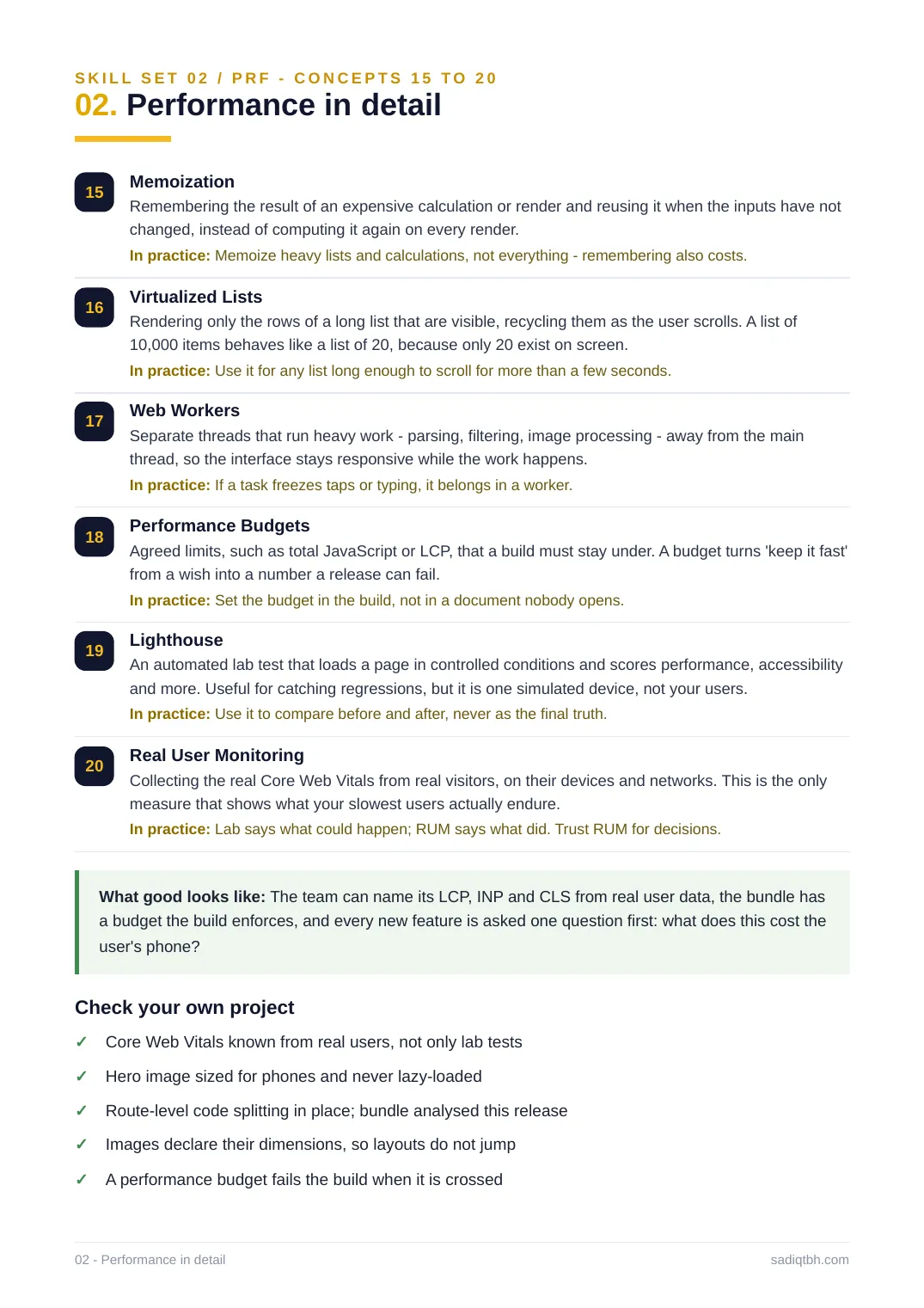
SKILL SET 02 / PRF - CONCEPTS 15 TO 20
02. Performance in detail
15 Memoization
Remembering the result of an expensive calculation or render and reusing it when the inputs have not changed, instead of computing it again on every render.
In practice: Memoize heavy lists and calculations, not everything - remembering also costs. 16 Virtualized Lists
Rendering only the rows of a long list that are visible, recycling them as the user scrolls. A list of 10,000 items behaves like a list of 20, because only 20 exist on screen.
In practice: Use it for any list long enough to scroll for more than a few seconds.
17 Web Workers
Separate threads that run heavy work - parsing, filtering, image processing - away from the main thread, so the interface stays responsive while the work happens.
In practice: If a task freezes taps or typing, it belongs in a worker.
18 Performance Budgets
Agreed limits, such as total JavaScript or LCP, that a build must stay under. A budget turns 'keep it fast' from a wish into a number a release can fail.
In practice: Set the budget in the build, not in a document nobody opens.
19 Lighthouse
An automated lab test that loads a page in controlled conditions and scores performance, accessibility and more. Useful for catching regressions, but it is one simulated device, not your users. In practice: Use it to compare before and after, never as the final truth.
20 Real User Monitoring
Collecting the real Core Web Vitals from real visitors, on their devices and networks. This is the only measure that shows what your slowest users actually endure.
In practice: Lab says what could happen; RUM says what did. Trust RUM for decisions.
What good looks like: The team can name its LCP, INP and CLS from real user data, the bundle has a budget the build enforces, and every new feature is asked one question first: what does this cost the user's phone?
Check your own project
Core Web Vitals known from real users, not only lab tests✓
Hero image sized for phones and never lazy-loaded✓
Route-level code splitting in place; bundle analysed this release✓
Images declare their dimensions, so layouts do not jump✓
A performance budget fails the build when it is crossed✓
02 - Performance in detail sadiqtbh.com
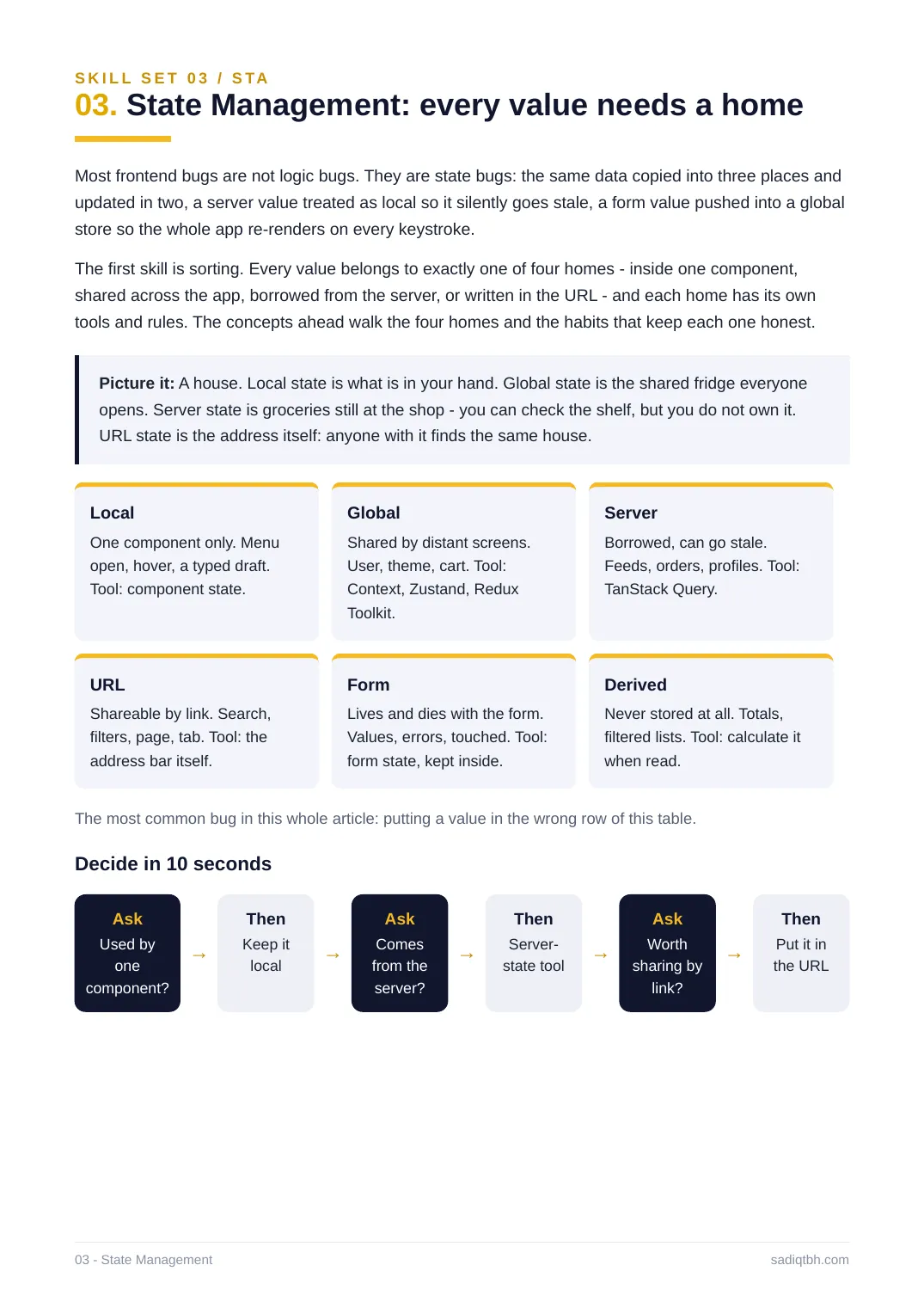
S K I L L S E T 0 3 / S TA
03. State Management: every value needs a home
Most frontend bugs are not logic bugs. They are state bugs: the same data copied into three places and updated in two, a server value treated as local so it silently goes stale, a form value pushed into a global store so the whole app re-renders on every keystroke.
The first skill is sorting. Every value belongs to exactly one of four homes - inside one component, shared across the app, borrowed from the server, or written in the URL - and each home has its own tools and rules. The concepts ahead walk the four homes and the habits that keep each one honest. Picture it: A house. Local state is what is in your hand. Global state is the shared fridge everyone opens. Server state is groceries still at the shop - you can check the shelf, but you do not own it. URL state is the address itself: anyone with it finds the same house.
Local
One component only. Menu
open, hover, a typed draft.
Tool: component state.
Global
Shared by distant screens.
User, theme, cart. Tool:
Context, Zustand, Redux
Toolkit.
Server
Borrowed, can go stale.
Feeds, orders, profiles. Tool:
TanStack Query.
URL
Shareable by link. Search,
filters, page, tab. Tool: the
address bar itself.
Form
Lives and dies with the form.
Values, errors, touched. Tool:
form state, kept inside.
Derived
Never stored at all. Totals,
filtered lists. Tool: calculate it
when read.
The most common bug in this whole article: putting a value in the wrong row of this table. Decide in 10 seconds
Ask
Used by
one
component?
→
Then
Keep it
local →
Ask
Comes
from the
server?
→
Then
Server-
state tool →
Ask
Worth
sharing by
link?
→
Then
Put it in
the URL
03 - State Management sadiqtbh.com
S K I L L S E T 0 3 / S TA - C O N C E P T S 0 1 T O 0 7
03. State Management in detail
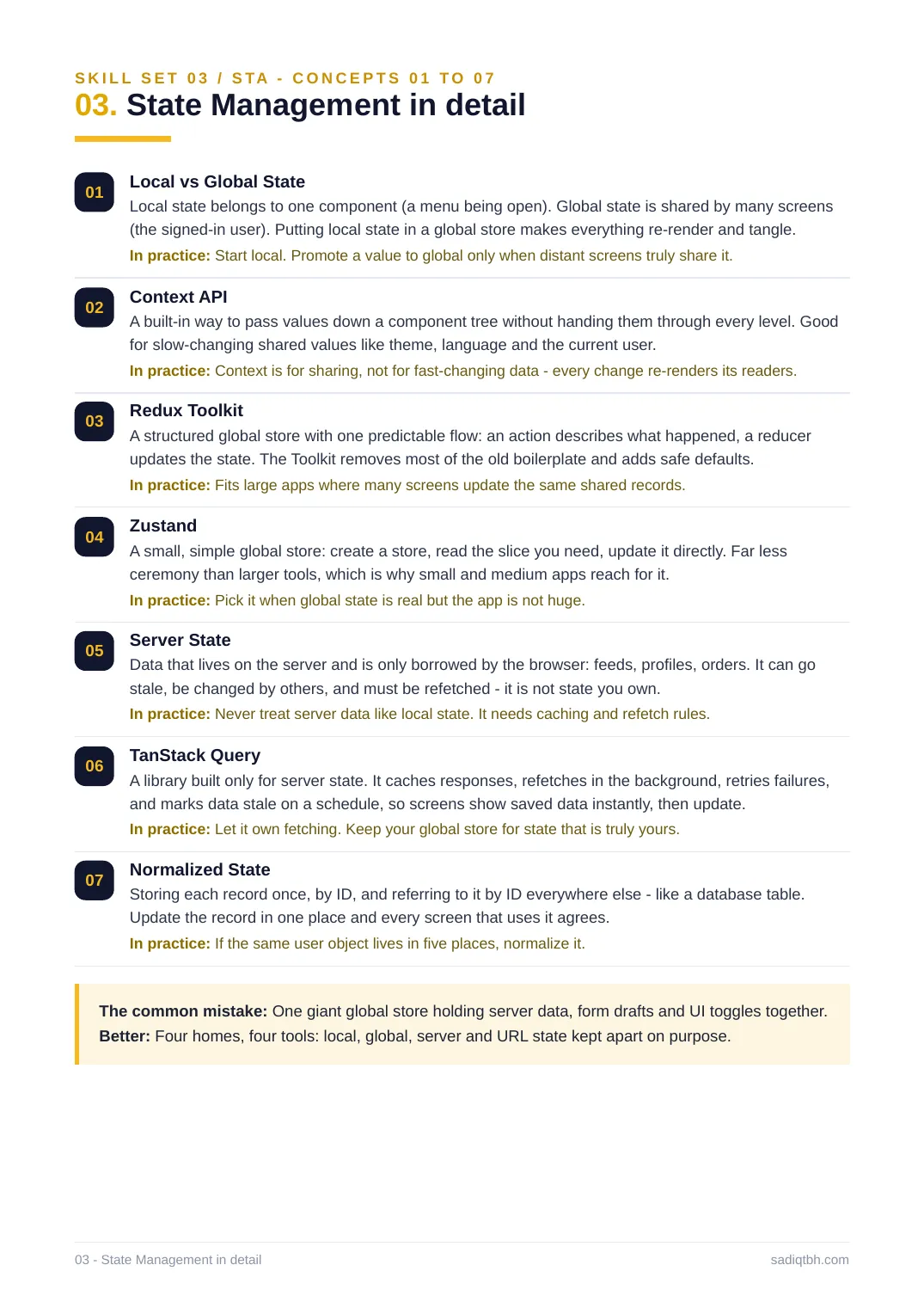
01 Local vs Global State
Local state belongs to one component (a menu being open). Global state is shared by many screens (the signed-in user). Putting local state in a global store makes everything re-render and tangle. In practice: Start local. Promote a value to global only when distant screens truly share it. 02 Context API
A built-in way to pass values down a component tree without handing them through every level. Good for slow-changing shared values like theme, language and the current user.
In practice: Context is for sharing, not for fast-changing data - every change re-renders its readers. 03 Redux Toolkit
A structured global store with one predictable flow: an action describes what happened, a reducer updates the state. The Toolkit removes most of the old boilerplate and adds safe defaults. In practice: Fits large apps where many screens update the same shared records.
04 Zustand
A small, simple global store: create a store, read the slice you need, update it directly. Far less ceremony than larger tools, which is why small and medium apps reach for it.
In practice: Pick it when global state is real but the app is not huge.
05 Server State
Data that lives on the server and is only borrowed by the browser: feeds, profiles, orders. It can go stale, be changed by others, and must be refetched - it is not state you own.
In practice: Never treat server data like local state. It needs caching and refetch rules. 06 TanStack Query
A library built only for server state. It caches responses, refetches in the background, retries failures, and marks data stale on a schedule, so screens show saved data instantly, then update. In practice: Let it own fetching. Keep your global store for state that is truly yours. 07 Normalized State
Storing each record once, by ID, and referring to it by ID everywhere else - like a database table. Update the record in one place and every screen that uses it agrees.
In practice: If the same user object lives in five places, normalize it.
The common mistake: One giant global store holding server data, form drafts and UI toggles together. Better: Four homes, four tools: local, global, server and URL state kept apart on purpose. 03 - State Management in detail sadiqtbh.com
S K I L L S E T 0 3 / S TA - C O N C E P T S 0 8 T O 1 4
03. State Management in detail
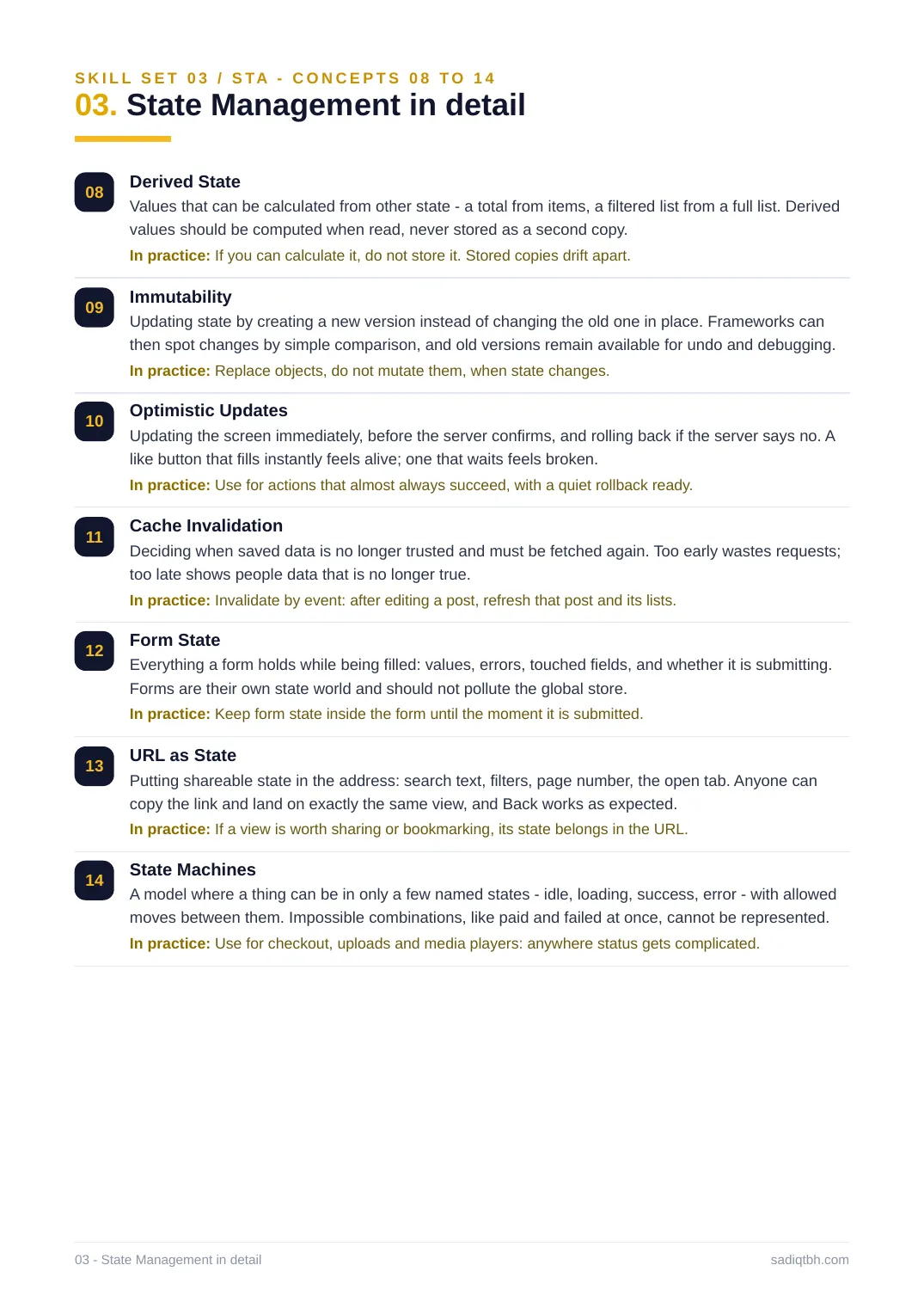
08 Derived State
Values that can be calculated from other state - a total from items, a filtered list from a full list. Derived values should be computed when read, never stored as a second copy.
In practice: If you can calculate it, do not store it. Stored copies drift apart.
09 Immutability
Updating state by creating a new version instead of changing the old one in place. Frameworks can then spot changes by simple comparison, and old versions remain available for undo and debugging. In practice: Replace objects, do not mutate them, when state changes.
10 Optimistic Updates
Updating the screen immediately, before the server confirms, and rolling back if the server says no. A like button that fills instantly feels alive; one that waits feels broken.
In practice: Use for actions that almost always succeed, with a quiet rollback ready. 11 Cache Invalidation
Deciding when saved data is no longer trusted and must be fetched again. Too early wastes requests; too late shows people data that is no longer true.
In practice: Invalidate by event: after editing a post, refresh that post and its lists. 12 Form State
Everything a form holds while being filled: values, errors, touched fields, and whether it is submitting. Forms are their own state world and should not pollute the global store.
In practice: Keep form state inside the form until the moment it is submitted.
13 URL as State
Putting shareable state in the address: search text, filters, page number, the open tab. Anyone can copy the link and land on exactly the same view, and Back works as expected.
In practice: If a view is worth sharing or bookmarking, its state belongs in the URL. 14 State Machines
A model where a thing can be in only a few named states - idle, loading, success, error - with allowed moves between them. Impossible combinations, like paid and failed at once, cannot be represented. In practice: Use for checkout, uploads and media players: anywhere status gets complicated. 03 - State Management in detail sadiqtbh.com
S K I L L S E T 0 3 / S TA - C O N C E P T S 1 5 T O 1 7
03. State Management in detail
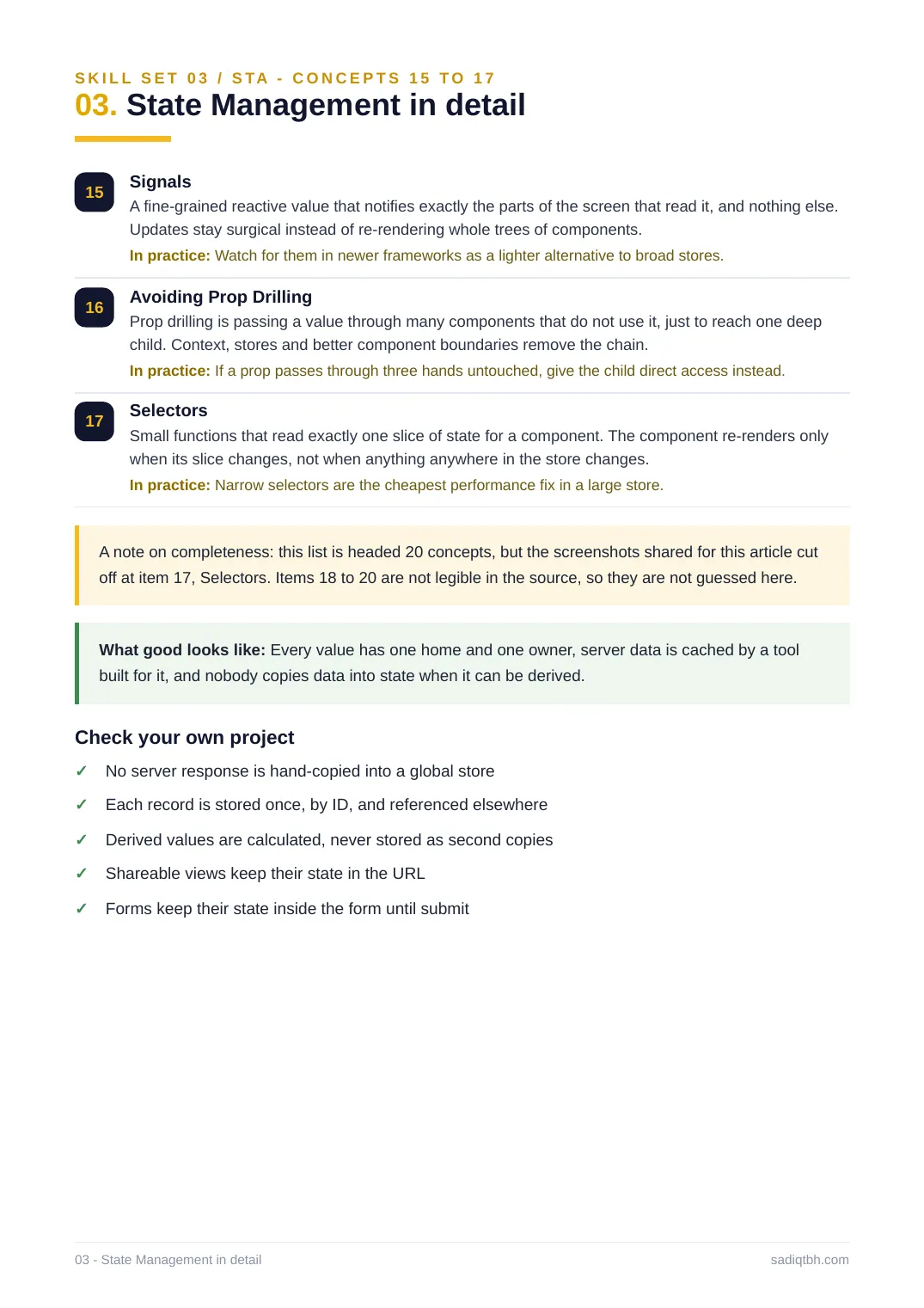
15 Signals
A fine-grained reactive value that notifies exactly the parts of the screen that read it, and nothing else. Updates stay surgical instead of re-rendering whole trees of components.
In practice: Watch for them in newer frameworks as a lighter alternative to broad stores. 16 Avoiding Prop Drilling
Prop drilling is passing a value through many components that do not use it, just to reach one deep child. Context, stores and better component boundaries remove the chain.
In practice: If a prop passes through three hands untouched, give the child direct access instead. 17 Selectors
Small functions that read exactly one slice of state for a component. The component re-renders only when its slice changes, not when anything anywhere in the store changes.
In practice: Narrow selectors are the cheapest performance fix in a large store.
A note on completeness: this list is headed 20 concepts, but the screenshots shared for this article cut off at item 17, Selectors. Items 18 to 20 are not legible in the source, so they are not guessed here. What good looks like: Every value has one home and one owner, server data is cached by a tool built for it, and nobody copies data into state when it can be derived.
Check your own project
No server response is hand-copied into a global store✓
Each record is stored once, by ID, and referenced elsewhere✓
Derived values are calculated, never stored as second copies✓
Shareable views keep their state in the URL✓
Forms keep their state inside the form until submit✓
03 - State Management in detail sadiqtbh.com
SKILL SET 04 / NET
04. Networking: design for failure
The network is the least reliable part of any system, and the frontend lives on it. So networking skill is mostly failure skill: what happens on a slow train, a dropped connection, a server answering 'too many requests', or a user tapping the same button five times.
First comes the shape of the conversation - which API style, how lists arrive, how live updates flow. Then comes the defensive layer that junior code skips: retries that back off, requests that cancel and dedupe, a queue for offline actions, and a timeout on every single call.
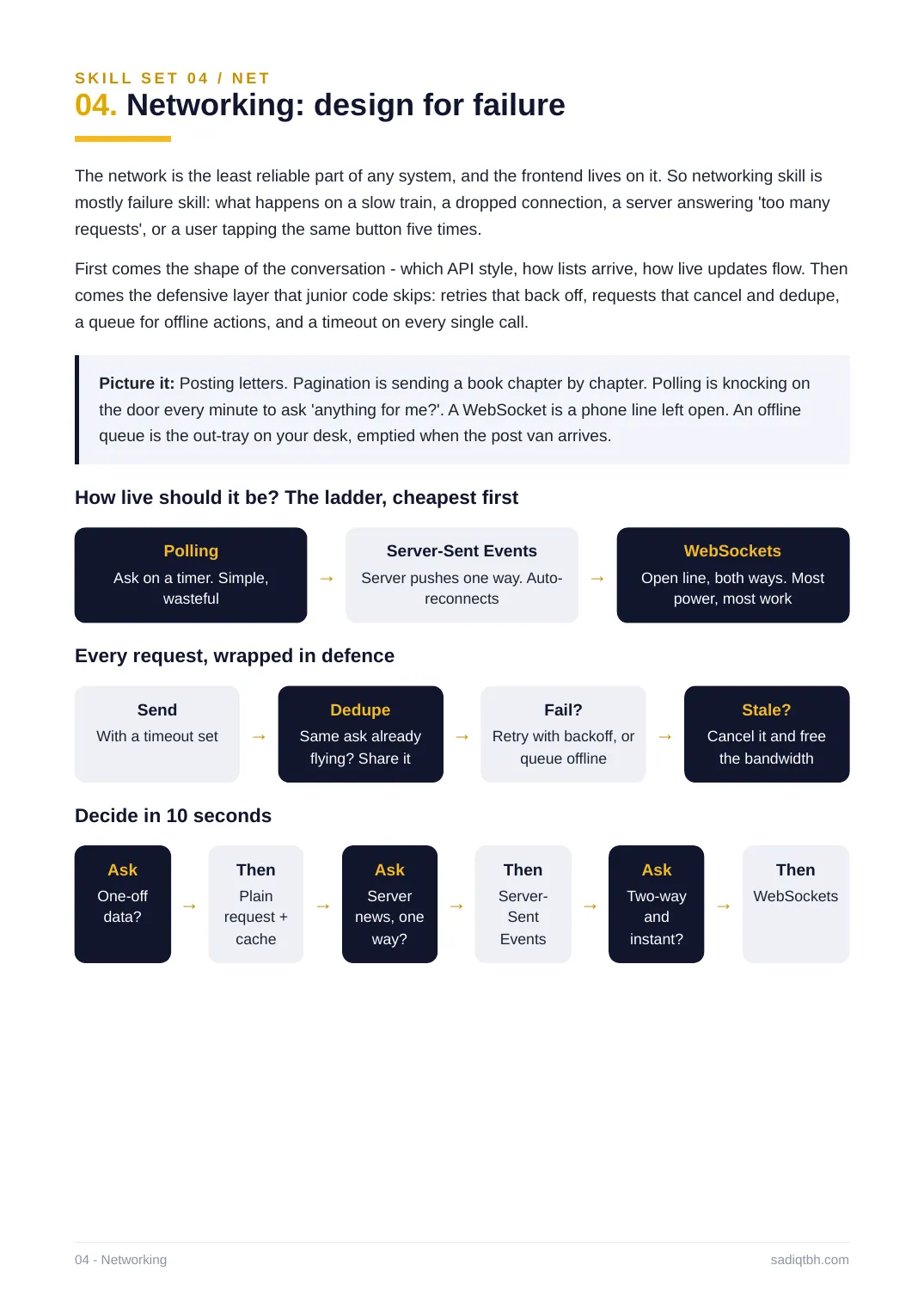
Picture it: Posting letters. Pagination is sending a book chapter by chapter. Polling is knocking on the door every minute to ask 'anything for me?'. A WebSocket is a phone line left open. An offline queue is the out-tray on your desk, emptied when the post van arrives.
How live should it be? The ladder, cheapest first
Polling
Ask on a timer. Simple,
wasteful
→
Server-Sent Events
Server pushes one way. Auto-
reconnects
→
WebSockets
Open line, both ways. Most
power, most work
Every request, wrapped in defence
Send
With a timeout set →
Dedupe
Same ask already
flying? Share it
→
Fail?
Retry with backoff, or
queue offline
→
Stale?
Cancel it and free
the bandwidth
Decide in 10 seconds
Ask
One-off
data? →
Then
Plain
request +
cache
→
Ask
Server
news, one
way?
→
Then
Server-
Sent
Events
→
Ask
Two-way
and
instant?
→
Then
WebSockets
04 - Networking sadiqtbh.com
SKILL SET 04 / NET - CONCEPTS 01 TO 07
04. Networking in detail
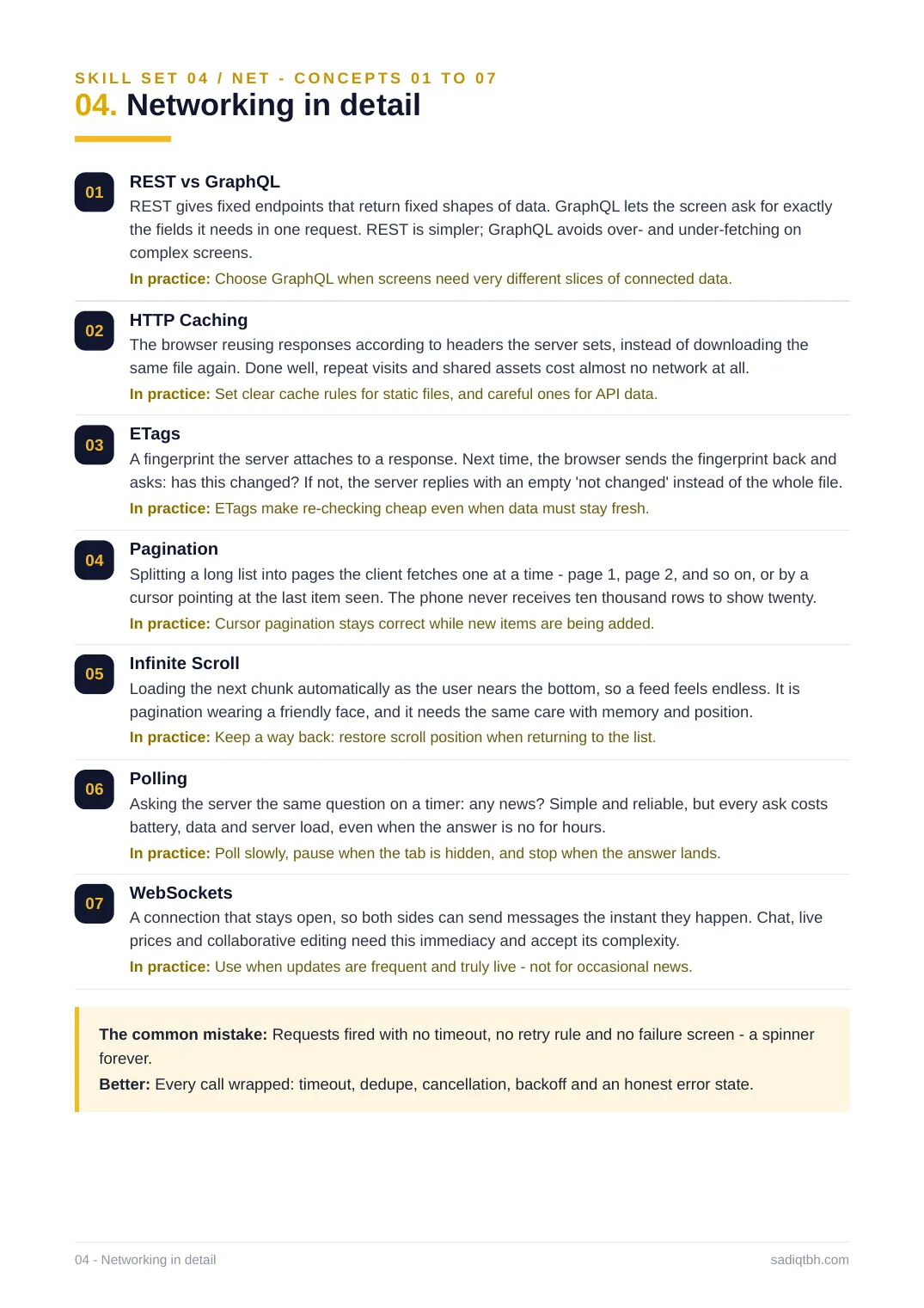
01 REST vs GraphQL
REST gives fixed endpoints that return fixed shapes of data. GraphQL lets the screen ask for exactly the fields it needs in one request. REST is simpler; GraphQL avoids over- and under-fetching on complex screens.
In practice: Choose GraphQL when screens need very different slices of connected data. 02 HTTP Caching
The browser reusing responses according to headers the server sets, instead of downloading the same file again. Done well, repeat visits and shared assets cost almost no network at all. In practice: Set clear cache rules for static files, and careful ones for API data.
03 ETags
A fingerprint the server attaches to a response. Next time, the browser sends the fingerprint back and asks: has this changed? If not, the server replies with an empty 'not changed' instead of the whole file. In practice: ETags make re-checking cheap even when data must stay fresh.
04 Pagination
Splitting a long list into pages the client fetches one at a time - page 1, page 2, and so on, or by a cursor pointing at the last item seen. The phone never receives ten thousand rows to show twenty. In practice: Cursor pagination stays correct while new items are being added.
05 Infinite Scroll
Loading the next chunk automatically as the user nears the bottom, so a feed feels endless. It is pagination wearing a friendly face, and it needs the same care with memory and position. In practice: Keep a way back: restore scroll position when returning to the list.
06 Polling
Asking the server the same question on a timer: any news? Simple and reliable, but every ask costs battery, data and server load, even when the answer is no for hours.
In practice: Poll slowly, pause when the tab is hidden, and stop when the answer lands. 07 WebSockets
A connection that stays open, so both sides can send messages the instant they happen. Chat, live prices and collaborative editing need this immediacy and accept its complexity.
In practice: Use when updates are frequent and truly live - not for occasional news.
The common mistake: Requests fired with no timeout, no retry rule and no failure screen - a spinner forever.
Better: Every call wrapped: timeout, dedupe, cancellation, backoff and an honest error state. 04 - Networking in detail sadiqtbh.com
SKILL SET 04 / NET - CONCEPTS 08 TO 14
04. Networking in detail
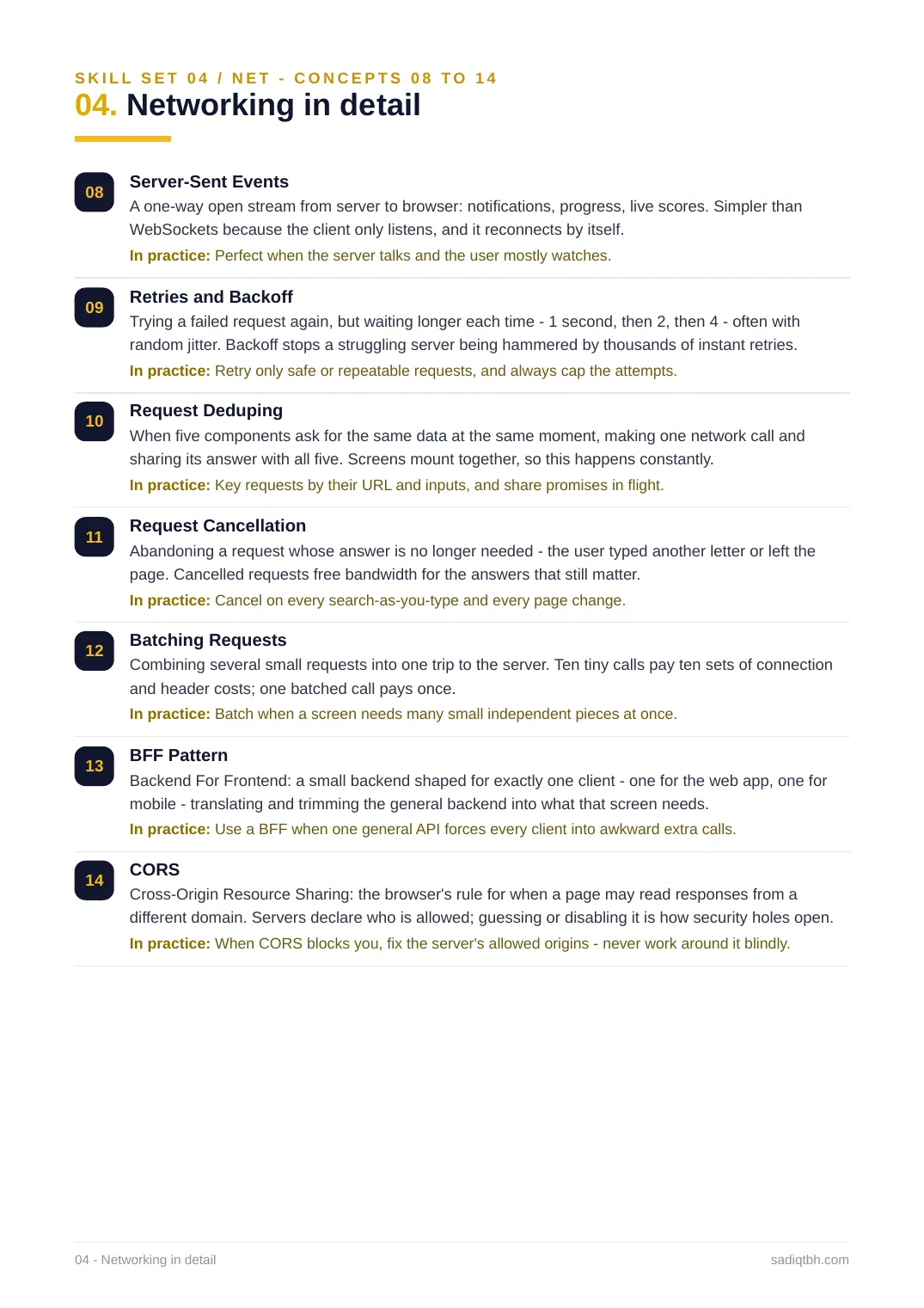
08 Server-Sent Events
A one-way open stream from server to browser: notifications, progress, live scores. Simpler than WebSockets because the client only listens, and it reconnects by itself.
In practice: Perfect when the server talks and the user mostly watches.
09 Retries and Backoff
Trying a failed request again, but waiting longer each time - 1 second, then 2, then 4 - often with random jitter. Backoff stops a struggling server being hammered by thousands of instant retries. In practice: Retry only safe or repeatable requests, and always cap the attempts.
10 Request Deduping
When five components ask for the same data at the same moment, making one network call and sharing its answer with all five. Screens mount together, so this happens constantly. In practice: Key requests by their URL and inputs, and share promises in flight.
11 Request Cancellation
Abandoning a request whose answer is no longer needed - the user typed another letter or left the page. Cancelled requests free bandwidth for the answers that still matter.
In practice: Cancel on every search-as-you-type and every page change.
12 Batching Requests
Combining several small requests into one trip to the server. Ten tiny calls pay ten sets of connection and header costs; one batched call pays once.
In practice: Batch when a screen needs many small independent pieces at once.
13 BFF Pattern
Backend For Frontend: a small backend shaped for exactly one client - one for the web app, one for mobile - translating and trimming the general backend into what that screen needs.
In practice: Use a BFF when one general API forces every client into awkward extra calls. 14 CORS
Cross-Origin Resource Sharing: the browser's rule for when a page may read responses from a different domain. Servers declare who is allowed; guessing or disabling it is how security holes open. In practice: When CORS blocks you, fix the server's allowed origins - never work around it blindly. 04 - Networking in detail sadiqtbh.com
SKILL SET 04 / NET - CONCEPTS 15 TO 18
04. Networking in detail
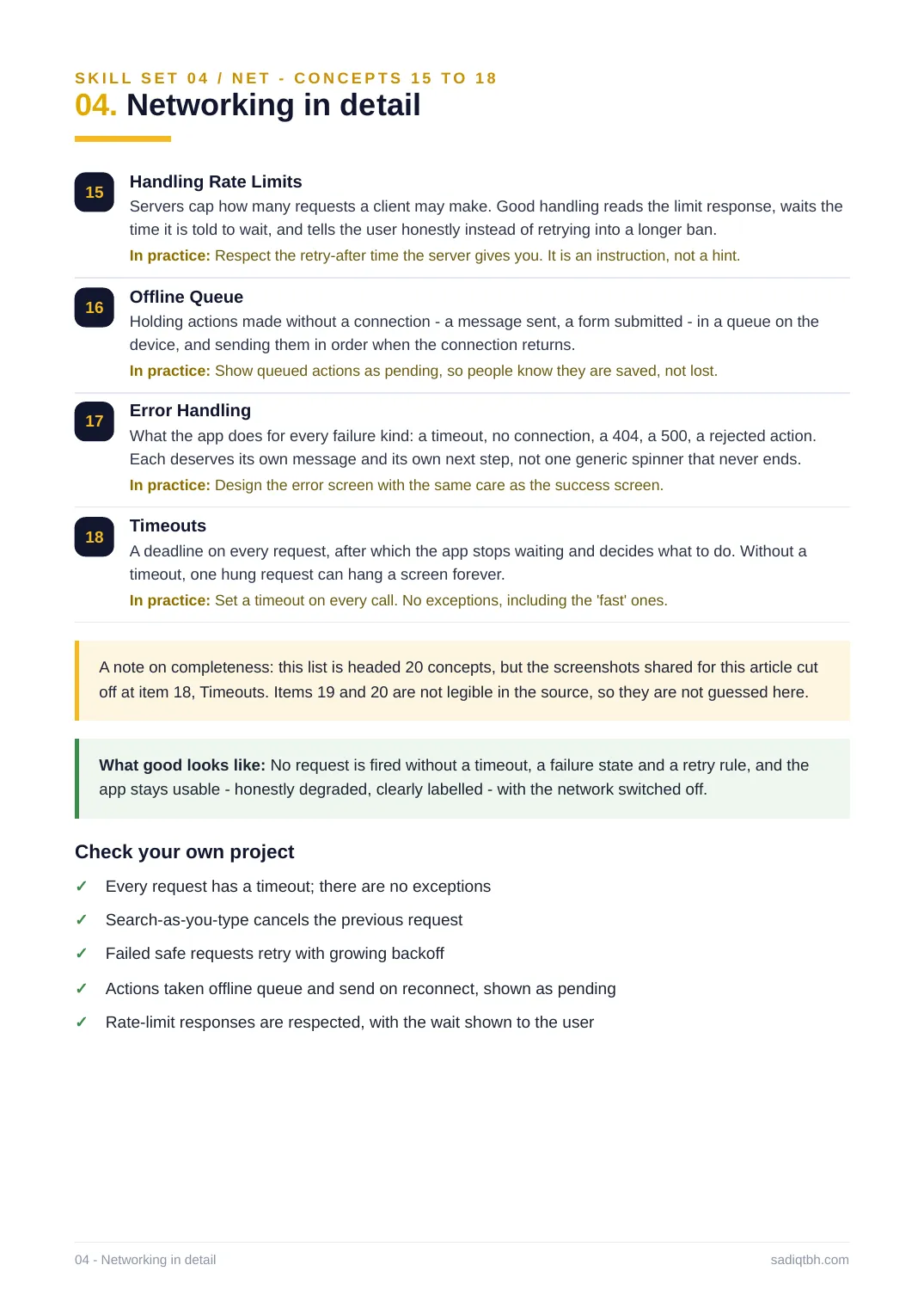
15 Handling Rate Limits
Servers cap how many requests a client may make. Good handling reads the limit response, waits the time it is told to wait, and tells the user honestly instead of retrying into a longer ban. In practice: Respect the retry-after time the server gives you. It is an instruction, not a hint. 16 Offline Queue
Holding actions made without a connection - a message sent, a form submitted - in a queue on the device, and sending them in order when the connection returns.
In practice: Show queued actions as pending, so people know they are saved, not lost. 17 Error Handling
What the app does for every failure kind: a timeout, no connection, a 404, a 500, a rejected action. Each deserves its own message and its own next step, not one generic spinner that never ends. In practice: Design the error screen with the same care as the success screen.
18 Timeouts
A deadline on every request, after which the app stops waiting and decides what to do. Without a timeout, one hung request can hang a screen forever.
In practice: Set a timeout on every call. No exceptions, including the 'fast' ones.
A note on completeness: this list is headed 20 concepts, but the screenshots shared for this article cut off at item 18, Timeouts. Items 19 and 20 are not legible in the source, so they are not guessed here. What good looks like: No request is fired without a timeout, a failure state and a retry rule, and the app stays usable - honestly degraded, clearly labelled - with the network switched off. Check your own project
Every request has a timeout; there are no exceptions✓
Search-as-you-type cancels the previous request✓
Failed safe requests retry with growing backoff✓
Actions taken offline queue and send on reconnect, shown as pending✓
Rate-limit responses are respected, with the wait shown to the user✓
04 - Networking in detail sadiqtbh.com
SKILL SET 05 / CHE
05. Caching: the fastest request is no request
Every other set in this guide makes the app do work. Caching is how it avoids doing the same work twice: keep a copy close to the user, know exactly when that copy is too old, and replace it before anyone notices. The hard part is never storing. It is freshness.
The browser offers layers, from the automatic browser cache up to a service worker that can run the whole app offline. The concepts ahead climb those layers closest-first, then face the two questions every cache must answer: what counts as the same thing, and what happens when the copy and the original disagree.
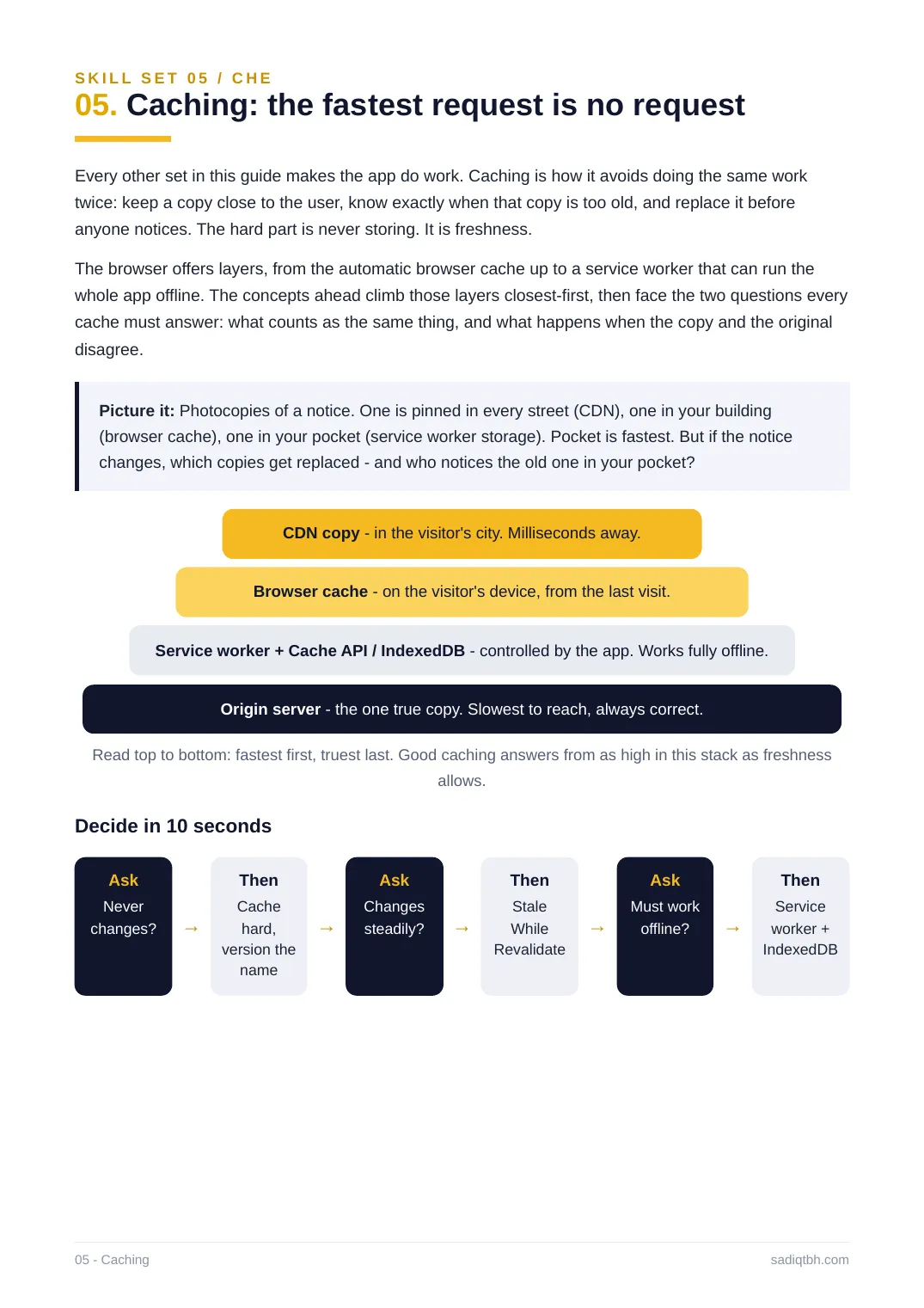
Picture it: Photocopies of a notice. One is pinned in every street (CDN), one in your building (browser cache), one in your pocket (service worker storage). Pocket is fastest. But if the notice changes, which copies get replaced - and who notices the old one in your pocket?
CDN copy - in the visitor's city. Milliseconds away.
Browser cache - on the visitor's device, from the last visit.
Service worker + Cache API / IndexedDB - controlled by the app. Works fully offline.
Origin server - the one true copy. Slowest to reach, always correct.
Read top to bottom: fastest first, truest last. Good caching answers from as high in this stack as freshness allows.
Decide in 10 seconds
Ask
Never
changes? →
Then
Cache
hard,
version the
name
→
Ask
Changes
steadily? →
Then
Stale
While
Revalidate
→
Ask
Must work
offline? →
Then
Service
worker +
IndexedDB
05 - Caching sadiqtbh.com
SKILL SET 05 / CHE - CONCEPTS 01 TO 07
05. Caching in detail
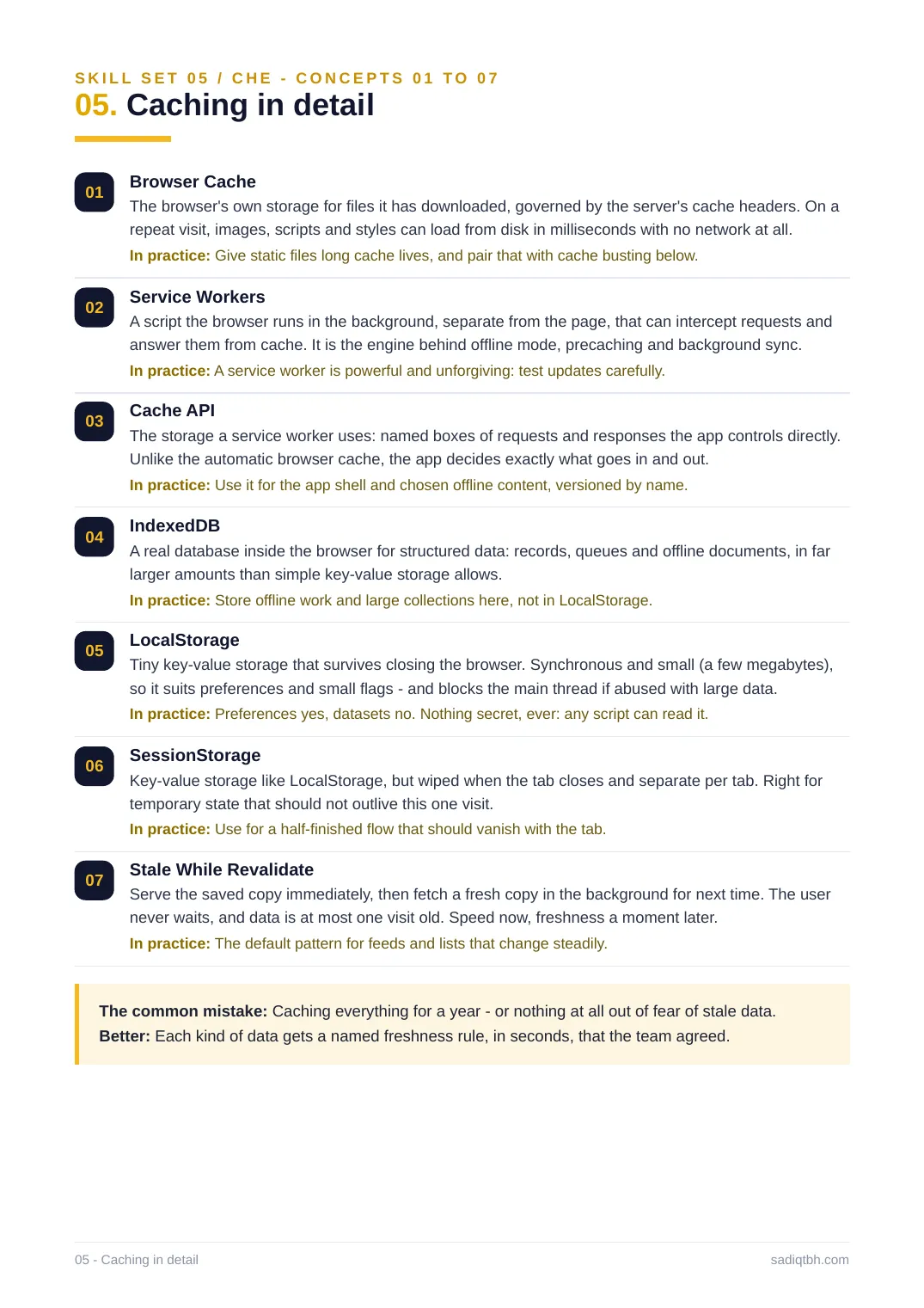
01 Browser Cache
The browser's own storage for files it has downloaded, governed by the server's cache headers. On a repeat visit, images, scripts and styles can load from disk in milliseconds with no network at all. In practice: Give static files long cache lives, and pair that with cache busting below. 02 Service Workers
A script the browser runs in the background, separate from the page, that can intercept requests and answer them from cache. It is the engine behind offline mode, precaching and background sync. In practice: A service worker is powerful and unforgiving: test updates carefully.
03 Cache API
The storage a service worker uses: named boxes of requests and responses the app controls directly. Unlike the automatic browser cache, the app decides exactly what goes in and out.
In practice: Use it for the app shell and chosen offline content, versioned by name.
04 IndexedDB
A real database inside the browser for structured data: records, queues and offline documents, in far larger amounts than simple key-value storage allows.
In practice: Store offline work and large collections here, not in LocalStorage.
05 LocalStorage
Tiny key-value storage that survives closing the browser. Synchronous and small (a few megabytes), so it suits preferences and small flags - and blocks the main thread if abused with large data. In practice: Preferences yes, datasets no. Nothing secret, ever: any script can read it. 06 SessionStorage
Key-value storage like LocalStorage, but wiped when the tab closes and separate per tab. Right for temporary state that should not outlive this one visit.
In practice: Use for a half-finished flow that should vanish with the tab.
07 Stale While Revalidate
Serve the saved copy immediately, then fetch a fresh copy in the background for next time. The user never waits, and data is at most one visit old. Speed now, freshness a moment later.
In practice: The default pattern for feeds and lists that change steadily.
The common mistake: Caching everything for a year - or nothing at all out of fear of stale data. Better: Each kind of data gets a named freshness rule, in seconds, that the team agreed. 05 - Caching in detail sadiqtbh.com
SKILL SET 05 / CHE - CONCEPTS 08 TO 14
05. Caching in detail
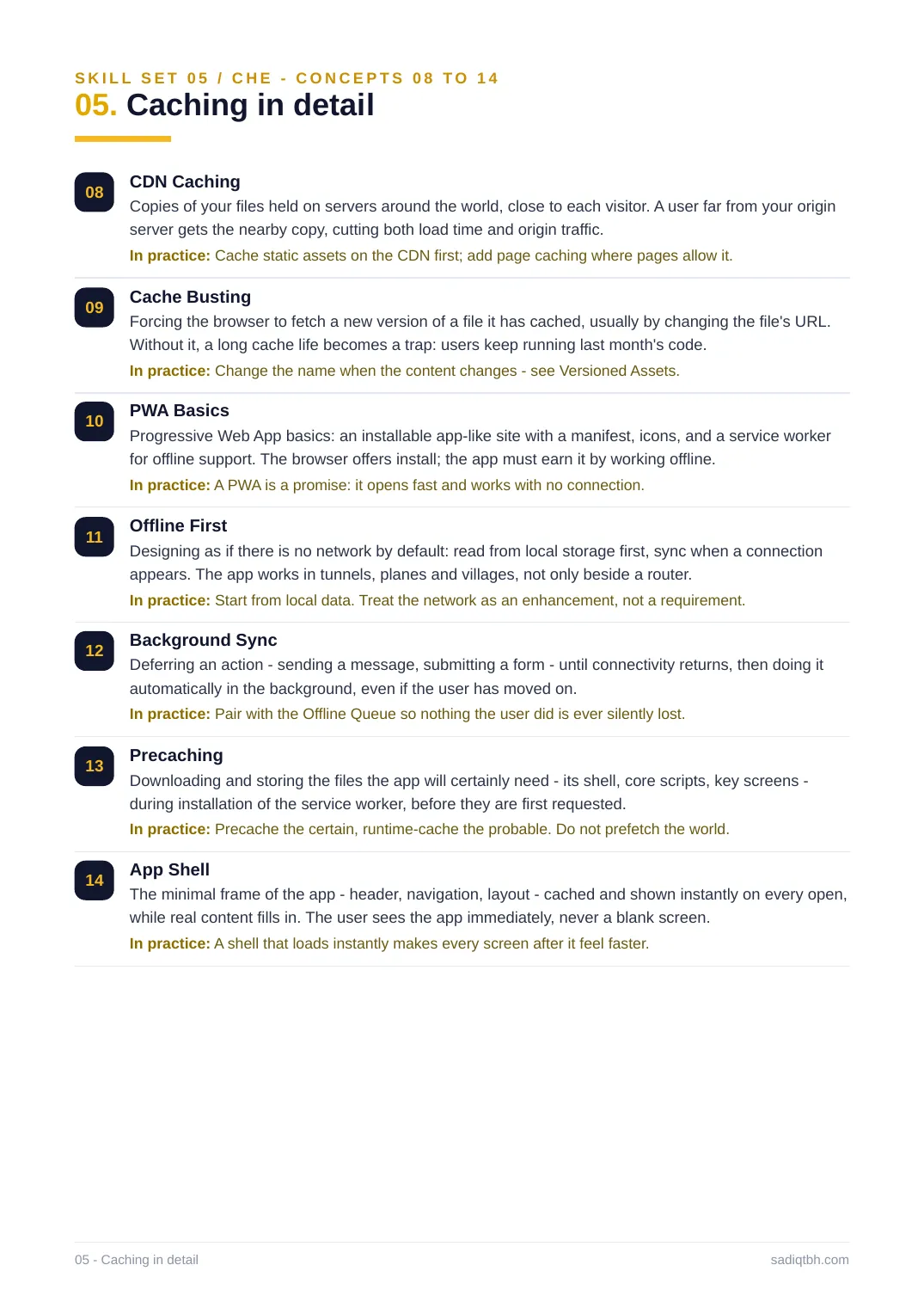
08 CDN Caching
Copies of your files held on servers around the world, close to each visitor. A user far from your origin server gets the nearby copy, cutting both load time and origin traffic.
In practice: Cache static assets on the CDN first; add page caching where pages allow it. 09 Cache Busting
Forcing the browser to fetch a new version of a file it has cached, usually by changing the file's URL. Without it, a long cache life becomes a trap: users keep running last month's code.
In practice: Change the name when the content changes - see Versioned Assets.
10 PWA Basics
Progressive Web App basics: an installable app-like site with a manifest, icons, and a service worker for offline support. The browser offers install; the app must earn it by working offline. In practice: A PWA is a promise: it opens fast and works with no connection.
11 Offline First
Designing as if there is no network by default: read from local storage first, sync when a connection appears. The app works in tunnels, planes and villages, not only beside a router.
In practice: Start from local data. Treat the network as an enhancement, not a requirement. 12 Background Sync
Deferring an action - sending a message, submitting a form - until connectivity returns, then doing it automatically in the background, even if the user has moved on.
In practice: Pair with the Offline Queue so nothing the user did is ever silently lost. 13 Precaching
Downloading and storing the files the app will certainly need - its shell, core scripts, key screens - during installation of the service worker, before they are first requested.
In practice: Precache the certain, runtime-cache the probable. Do not prefetch the world. 14 App Shell
The minimal frame of the app - header, navigation, layout - cached and shown instantly on every open, while real content fills in. The user sees the app immediately, never a blank screen. In practice: A shell that loads instantly makes every screen after it feel faster.
05 - Caching in detail sadiqtbh.com
SKILL SET 05 / CHE - CONCEPTS 15 TO 20
05. Caching in detail
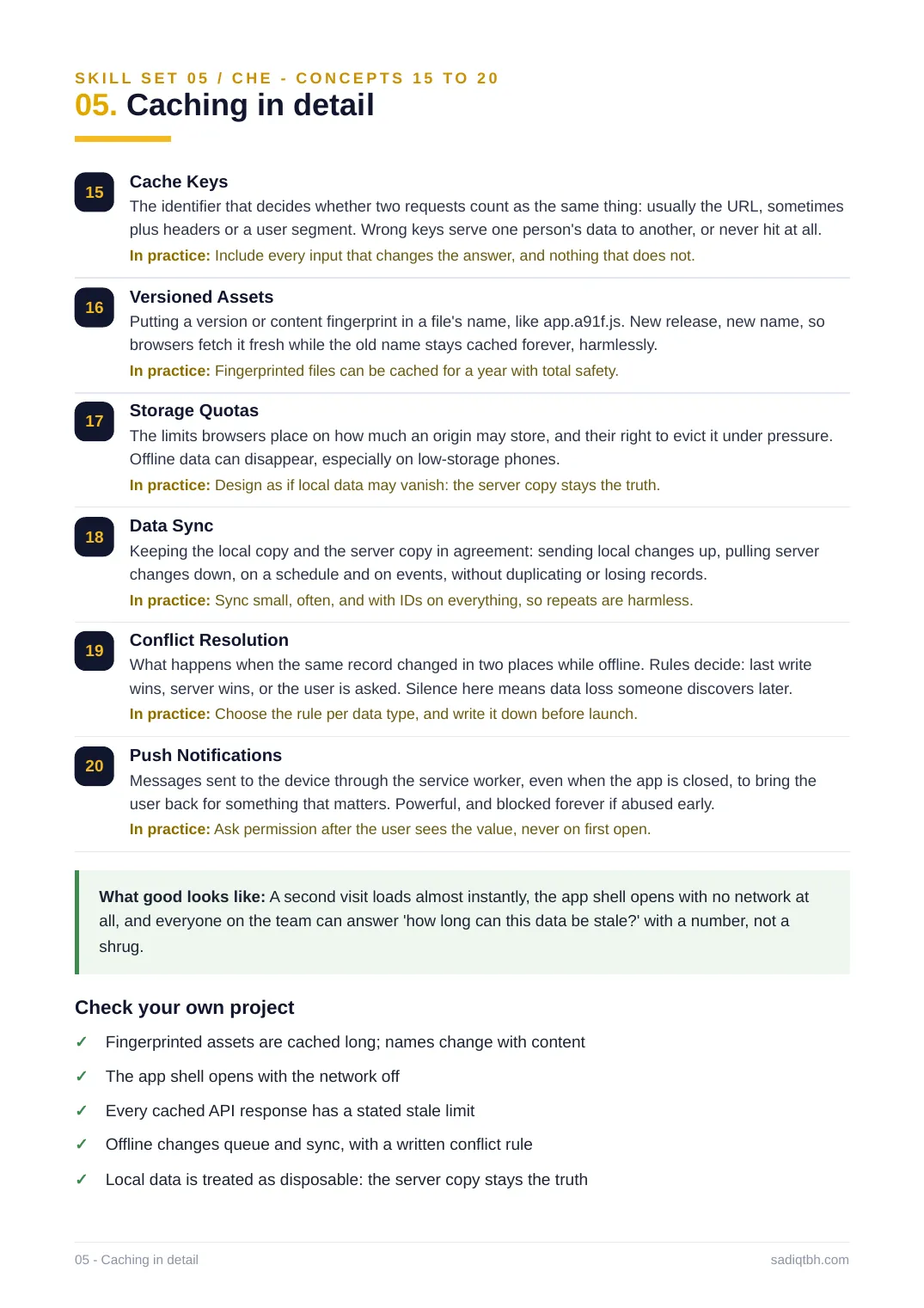
15 Cache Keys
The identifier that decides whether two requests count as the same thing: usually the URL, sometimes plus headers or a user segment. Wrong keys serve one person's data to another, or never hit at all. In practice: Include every input that changes the answer, and nothing that does not.
16 Versioned Assets
Putting a version or content fingerprint in a file's name, like app.a91f.js. New release, new name, so browsers fetch it fresh while the old name stays cached forever, harmlessly.
In practice: Fingerprinted files can be cached for a year with total safety.
17 Storage Quotas
The limits browsers place on how much an origin may store, and their right to evict it under pressure. Offline data can disappear, especially on low-storage phones.
In practice: Design as if local data may vanish: the server copy stays the truth.
18 Data Sync
Keeping the local copy and the server copy in agreement: sending local changes up, pulling server changes down, on a schedule and on events, without duplicating or losing records.
In practice: Sync small, often, and with IDs on everything, so repeats are harmless.
19 Conflict Resolution
What happens when the same record changed in two places while offline. Rules decide: last write wins, server wins, or the user is asked. Silence here means data loss someone discovers later. In practice: Choose the rule per data type, and write it down before launch.
20 Push Notifications
Messages sent to the device through the service worker, even when the app is closed, to bring the user back for something that matters. Powerful, and blocked forever if abused early.
In practice: Ask permission after the user sees the value, never on first open.
What good looks like: A second visit loads almost instantly, the app shell opens with no network at all, and everyone on the team can answer 'how long can this data be stale?' with a number, not a shrug.
Check your own project
Fingerprinted assets are cached long; names change with content✓
The app shell opens with the network off✓
Every cached API response has a stated stale limit✓
Offline changes queue and sync, with a written conflict rule✓
Local data is treated as disposable: the server copy stays the truth✓
05 - Caching in detail sadiqtbh.com
SKILL SET 06 / ARC
06. Architecture: survive the second year
Any codebase works on day one. Architecture is what decides whether it still works on day seven hundred, with ten engineers, three products and one deadline. It is the set of choices that are expensive to change later, so they are worth making slowly and writing down.
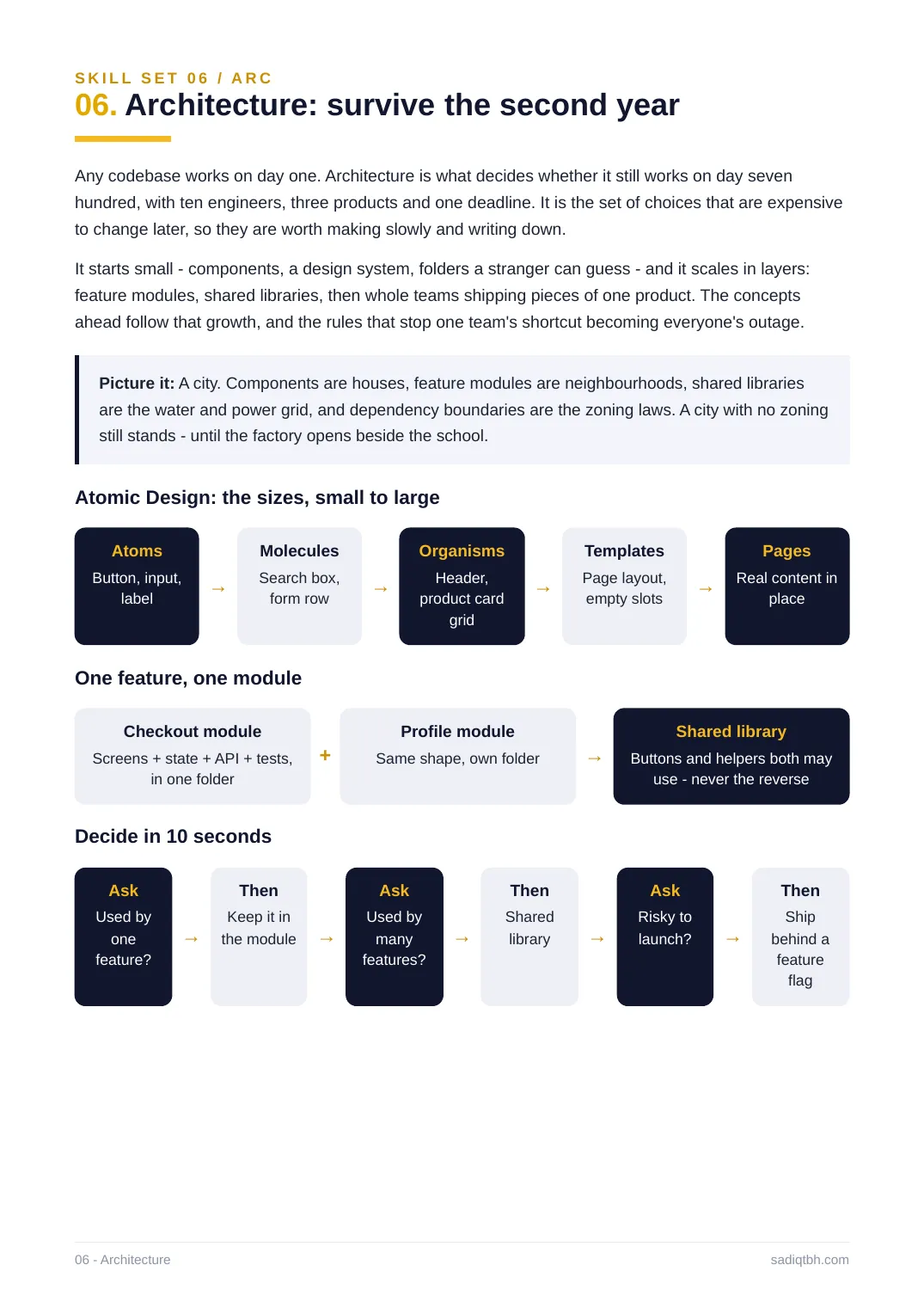
It starts small - components, a design system, folders a stranger can guess - and it scales in layers: feature modules, shared libraries, then whole teams shipping pieces of one product. The concepts ahead follow that growth, and the rules that stop one team's shortcut becoming everyone's outage. Picture it: A city. Components are houses, feature modules are neighbourhoods, shared libraries are the water and power grid, and dependency boundaries are the zoning laws. A city with no zoning still stands - until the factory opens beside the school.
Atomic Design: the sizes, small to large
Atoms
Button, input,
label →
Molecules
Search box,
form row →
Organisms
Header,
product card
grid
→
Templates
Page layout,
empty slots →
Pages
Real content in
place
One feature, one module
Checkout module
Screens + state + API + tests,
in one folder
+
Profile module
Same shape, own folder →
Shared library
Buttons and helpers both may
use - never the reverse
Decide in 10 seconds
Ask
Used by
one
feature?
→
Then
Keep it in
the module →
Ask
Used by
many
features?
→
Then
Shared
library →
Ask
Risky to
launch? →
Then
Ship
behind a
feature
flag
06 - Architecture sadiqtbh.com
SKILL SET 06 / ARC - CONCEPTS 01 TO 07
06. Architecture in detail
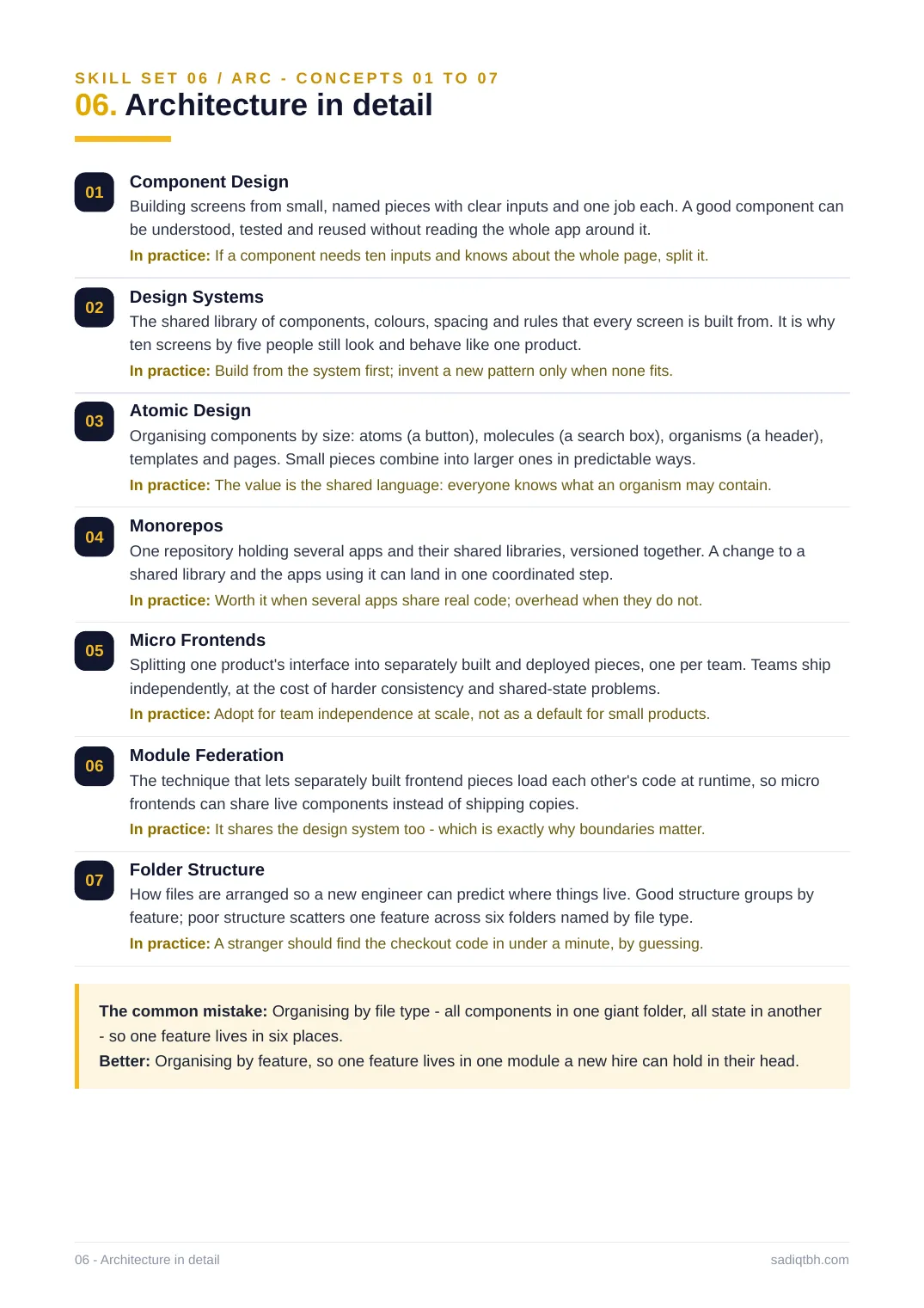
01 Component Design
Building screens from small, named pieces with clear inputs and one job each. A good component can be understood, tested and reused without reading the whole app around it.
In practice: If a component needs ten inputs and knows about the whole page, split it. 02 Design Systems
The shared library of components, colours, spacing and rules that every screen is built from. It is why ten screens by five people still look and behave like one product.
In practice: Build from the system first; invent a new pattern only when none fits.
03 Atomic Design
Organising components by size: atoms (a button), molecules (a search box), organisms (a header), templates and pages. Small pieces combine into larger ones in predictable ways.
In practice: The value is the shared language: everyone knows what an organism may contain. 04 Monorepos
One repository holding several apps and their shared libraries, versioned together. A change to a shared library and the apps using it can land in one coordinated step.
In practice: Worth it when several apps share real code; overhead when they do not.
05 Micro Frontends
Splitting one product's interface into separately built and deployed pieces, one per team. Teams ship independently, at the cost of harder consistency and shared-state problems.
In practice: Adopt for team independence at scale, not as a default for small products. 06 Module Federation
The technique that lets separately built frontend pieces load each other's code at runtime, so micro frontends can share live components instead of shipping copies.
In practice: It shares the design system too - which is exactly why boundaries matter. 07 Folder Structure
How files are arranged so a new engineer can predict where things live. Good structure groups by feature; poor structure scatters one feature across six folders named by file type.
In practice: A stranger should find the checkout code in under a minute, by guessing. The common mistake: Organising by file type - all components in one giant folder, all state in another - so one feature lives in six places.
Better: Organising by feature, so one feature lives in one module a new hire can hold in their head. 06 - Architecture in detail sadiqtbh.com
SKILL SET 06 / ARC - CONCEPTS 08 TO 14
06. Architecture in detail
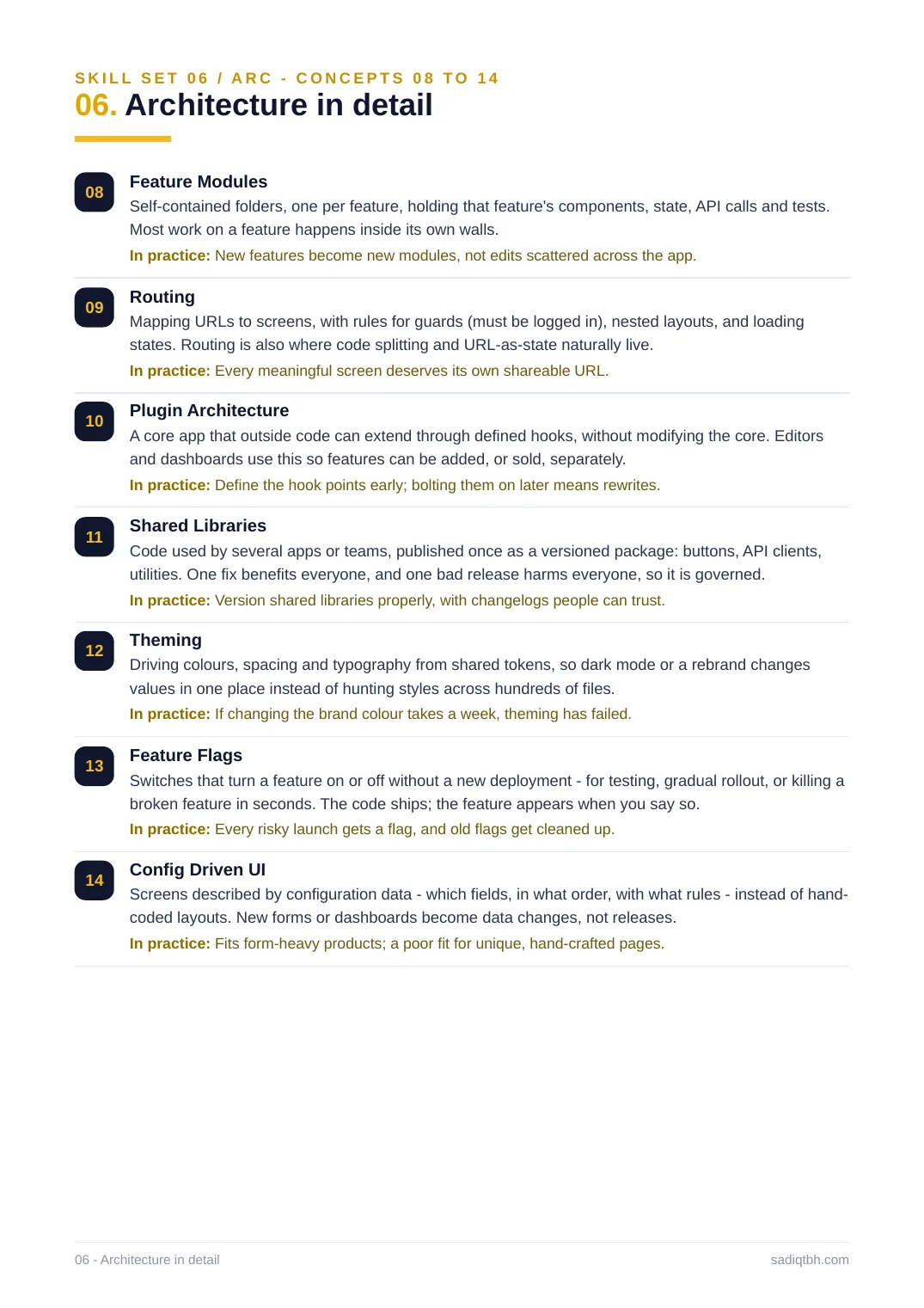
08 Feature Modules
Self-contained folders, one per feature, holding that feature's components, state, API calls and tests. Most work on a feature happens inside its own walls.
In practice: New features become new modules, not edits scattered across the app.
09 Routing
Mapping URLs to screens, with rules for guards (must be logged in), nested layouts, and loading states. Routing is also where code splitting and URL-as-state naturally live.
In practice: Every meaningful screen deserves its own shareable URL.
10 Plugin Architecture
A core app that outside code can extend through defined hooks, without modifying the core. Editors and dashboards use this so features can be added, or sold, separately.
In practice: Define the hook points early; bolting them on later means rewrites.
11 Shared Libraries
Code used by several apps or teams, published once as a versioned package: buttons, API clients, utilities. One fix benefits everyone, and one bad release harms everyone, so it is governed. In practice: Version shared libraries properly, with changelogs people can trust.
12 Theming
Driving colours, spacing and typography from shared tokens, so dark mode or a rebrand changes values in one place instead of hunting styles across hundreds of files.
In practice: If changing the brand colour takes a week, theming has failed.
13 Feature Flags
Switches that turn a feature on or off without a new deployment - for testing, gradual rollout, or killing a broken feature in seconds. The code ships; the feature appears when you say so.
In practice: Every risky launch gets a flag, and old flags get cleaned up.
14 Config Driven UI
Screens described by configuration data - which fields, in what order, with what rules - instead of hand- coded layouts. New forms or dashboards become data changes, not releases.
In practice: Fits form-heavy products; a poor fit for unique, hand-crafted pages.
06 - Architecture in detail sadiqtbh.com
SKILL SET 06 / ARC - CONCEPTS 15 TO 20
06. Architecture in detail
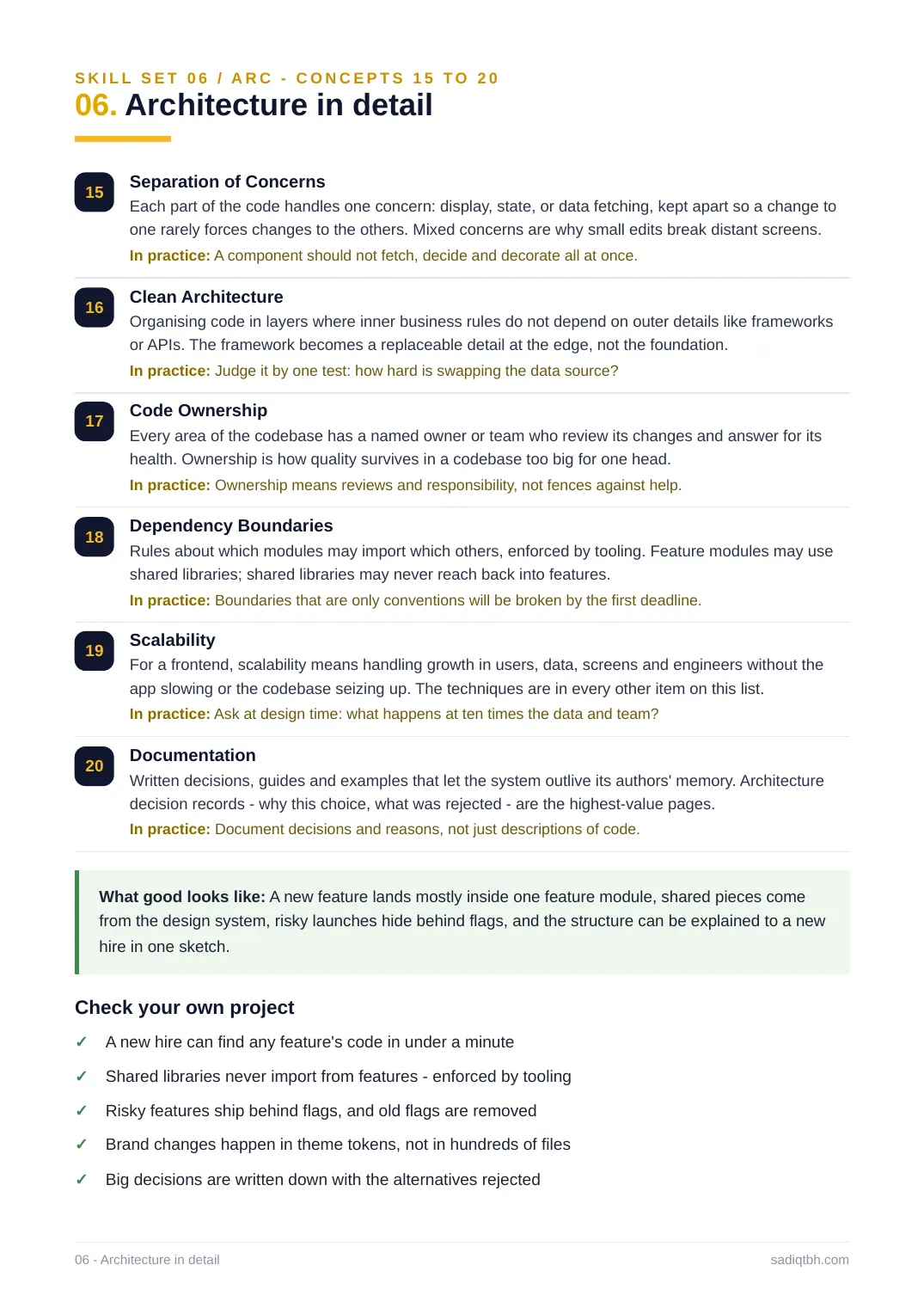
15 Separation of Concerns
Each part of the code handles one concern: display, state, or data fetching, kept apart so a change to one rarely forces changes to the others. Mixed concerns are why small edits break distant screens. In practice: A component should not fetch, decide and decorate all at once.
16 Clean Architecture
Organising code in layers where inner business rules do not depend on outer details like frameworks or APIs. The framework becomes a replaceable detail at the edge, not the foundation.
In practice: Judge it by one test: how hard is swapping the data source?
17 Code Ownership
Every area of the codebase has a named owner or team who review its changes and answer for its health. Ownership is how quality survives in a codebase too big for one head.
In practice: Ownership means reviews and responsibility, not fences against help.
18 Dependency Boundaries
Rules about which modules may import which others, enforced by tooling. Feature modules may use shared libraries; shared libraries may never reach back into features.
In practice: Boundaries that are only conventions will be broken by the first deadline. 19 Scalability
For a frontend, scalability means handling growth in users, data, screens and engineers without the app slowing or the codebase seizing up. The techniques are in every other item on this list. In practice: Ask at design time: what happens at ten times the data and team?
20 Documentation
Written decisions, guides and examples that let the system outlive its authors' memory. Architecture decision records - why this choice, what was rejected - are the highest-value pages.
In practice: Document decisions and reasons, not just descriptions of code.
What good looks like: A new feature lands mostly inside one feature module, shared pieces come from the design system, risky launches hide behind flags, and the structure can be explained to a new hire in one sketch.
Check your own project
A new hire can find any feature's code in under a minute✓
Shared libraries never import from features - enforced by tooling✓
Risky features ship behind flags, and old flags are removed✓
Brand changes happen in theme tokens, not in hundreds of files✓
Big decisions are written down with the alternatives rejected✓
06 - Architecture in detail sadiqtbh.com
SKILL SET 07 / SEC
07. Security: the browser is public
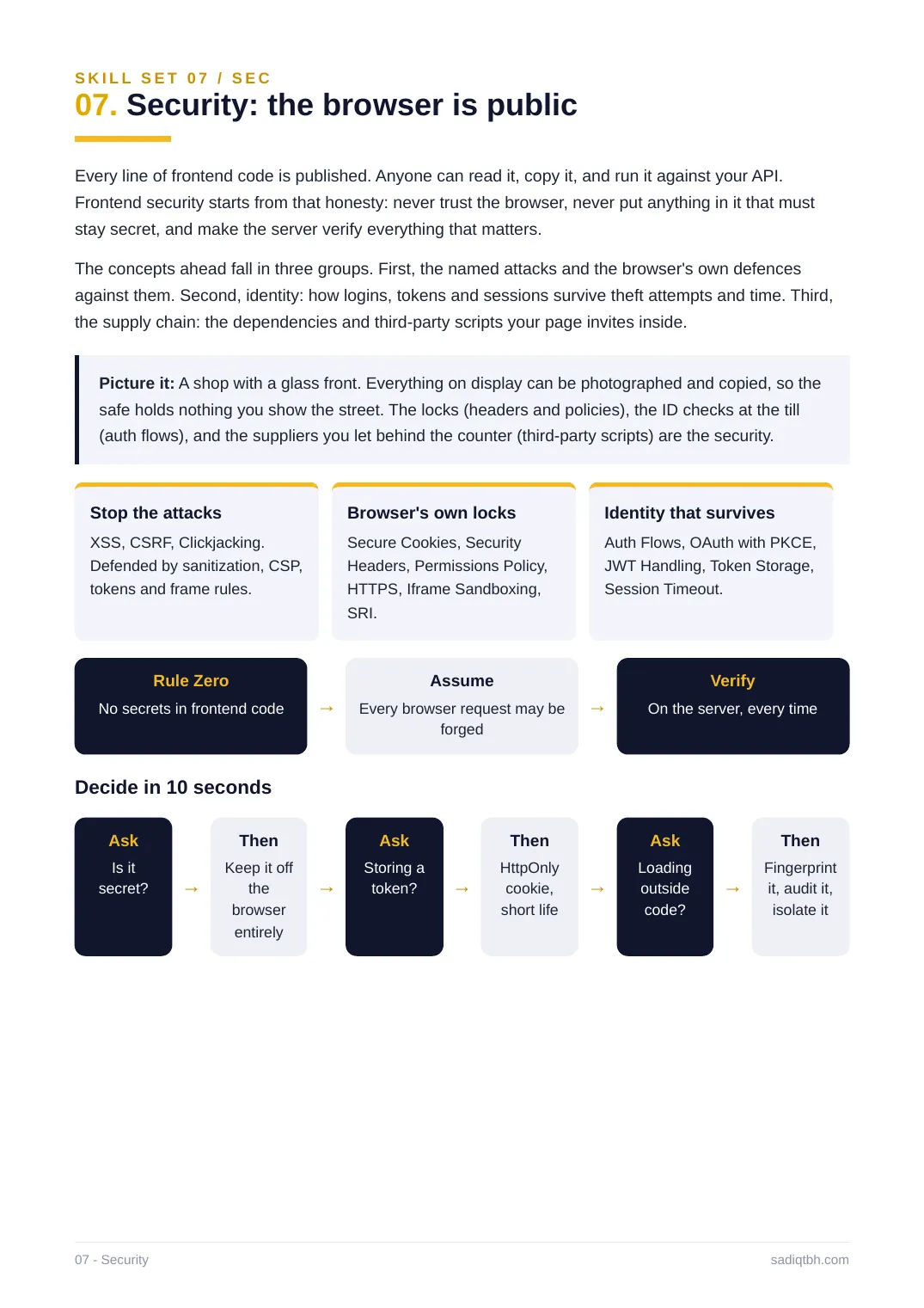
Every line of frontend code is published. Anyone can read it, copy it, and run it against your API. Frontend security starts from that honesty: never trust the browser, never put anything in it that must stay secret, and make the server verify everything that matters.
The concepts ahead fall in three groups. First, the named attacks and the browser's own defences against them. Second, identity: how logins, tokens and sessions survive theft attempts and time. Third, the supply chain: the dependencies and third-party scripts your page invites inside.
Picture it: A shop with a glass front. Everything on display can be photographed and copied, so the safe holds nothing you show the street. The locks (headers and policies), the ID checks at the till (auth flows), and the suppliers you let behind the counter (third-party scripts) are the security. Stop the attacks
XSS, CSRF, Clickjacking.
Defended by sanitization, CSP,
tokens and frame rules.
Browser's own locks
Secure Cookies, Security
Headers, Permissions Policy,
HTTPS, Iframe Sandboxing,
SRI.
Identity that survives
Auth Flows, OAuth with PKCE,
JWT Handling, Token Storage,
Session Timeout.
Rule Zero
No secrets in frontend code →
Assume
Every browser request may be
forged
→
Verify
On the server, every time
Decide in 10 seconds
Ask
Is it
secret? →
Then
Keep it off
the
browser
entirely
→
Ask
Storing a
token? →
Then
HttpOnly
cookie,
short life
→
Ask
Loading
outside
code?
→
Then
Fingerprint
it, audit it,
isolate it
07 - Security sadiqtbh.com
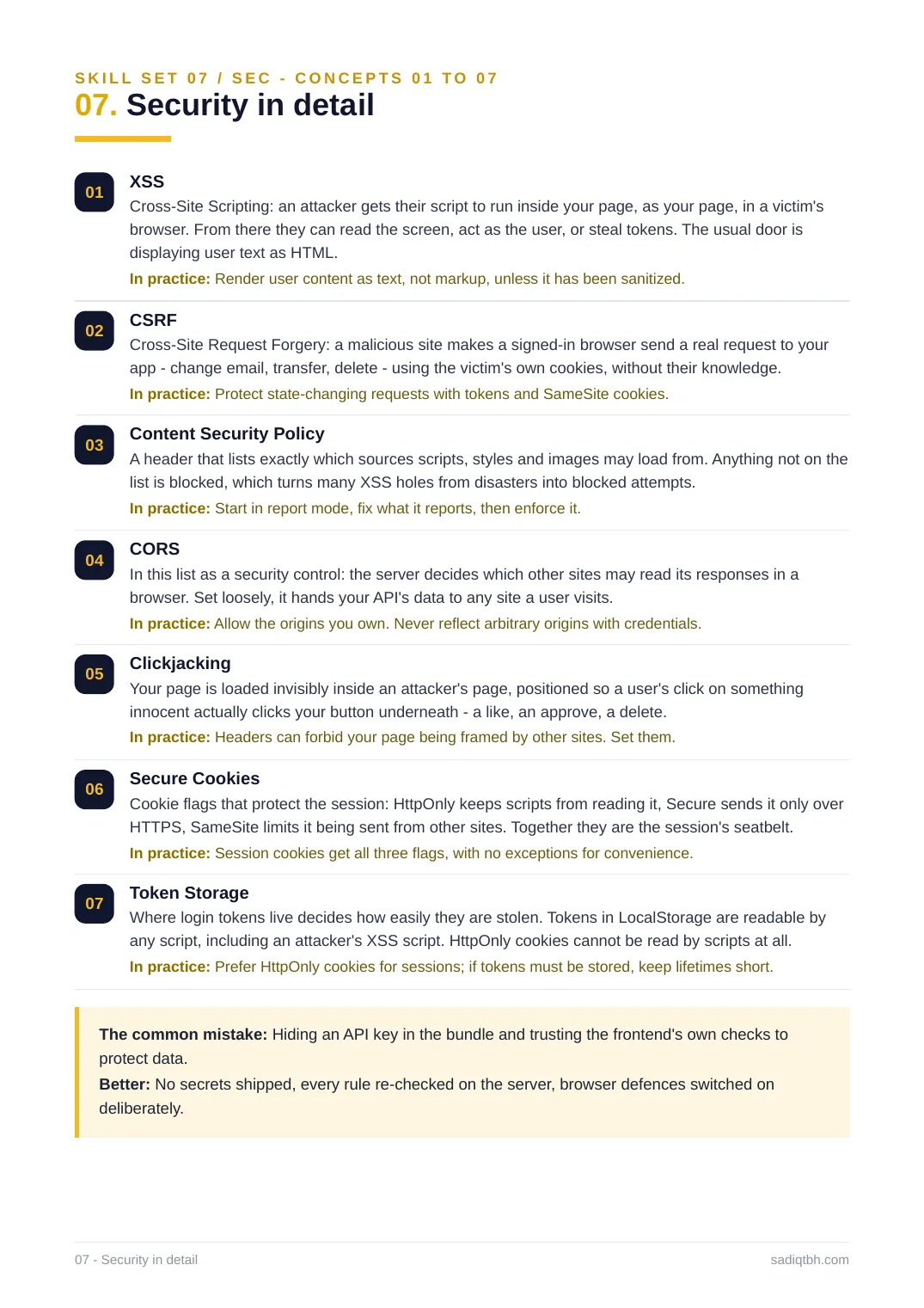
SKILL SET 07 / SEC - CONCEPTS 01 TO 07
07. Security in detail
01 XSS
Cross-Site Scripting: an attacker gets their script to run inside your page, as your page, in a victim's browser. From there they can read the screen, act as the user, or steal tokens. The usual door is displaying user text as HTML.
In practice: Render user content as text, not markup, unless it has been sanitized.
02 CSRF
Cross-Site Request Forgery: a malicious site makes a signed-in browser send a real request to your app - change email, transfer, delete - using the victim's own cookies, without their knowledge. In practice: Protect state-changing requests with tokens and SameSite cookies.
03 Content Security Policy
A header that lists exactly which sources scripts, styles and images may load from. Anything not on the list is blocked, which turns many XSS holes from disasters into blocked attempts.
In practice: Start in report mode, fix what it reports, then enforce it.
04 CORS
In this list as a security control: the server decides which other sites may read its responses in a browser. Set loosely, it hands your API's data to any site a user visits.
In practice: Allow the origins you own. Never reflect arbitrary origins with credentials. 05 Clickjacking
Your page is loaded invisibly inside an attacker's page, positioned so a user's click on something innocent actually clicks your button underneath - a like, an approve, a delete.
In practice: Headers can forbid your page being framed by other sites. Set them.
06 Secure Cookies
Cookie flags that protect the session: HttpOnly keeps scripts from reading it, Secure sends it only over HTTPS, SameSite limits it being sent from other sites. Together they are the session's seatbelt. In practice: Session cookies get all three flags, with no exceptions for convenience. 07 Token Storage
Where login tokens live decides how easily they are stolen. Tokens in LocalStorage are readable by any script, including an attacker's XSS script. HttpOnly cookies cannot be read by scripts at all. In practice: Prefer HttpOnly cookies for sessions; if tokens must be stored, keep lifetimes short. The common mistake: Hiding an API key in the bundle and trusting the frontend's own checks to protect data.
Better: No secrets shipped, every rule re-checked on the server, browser defences switched on deliberately.
07 - Security in detail sadiqtbh.com
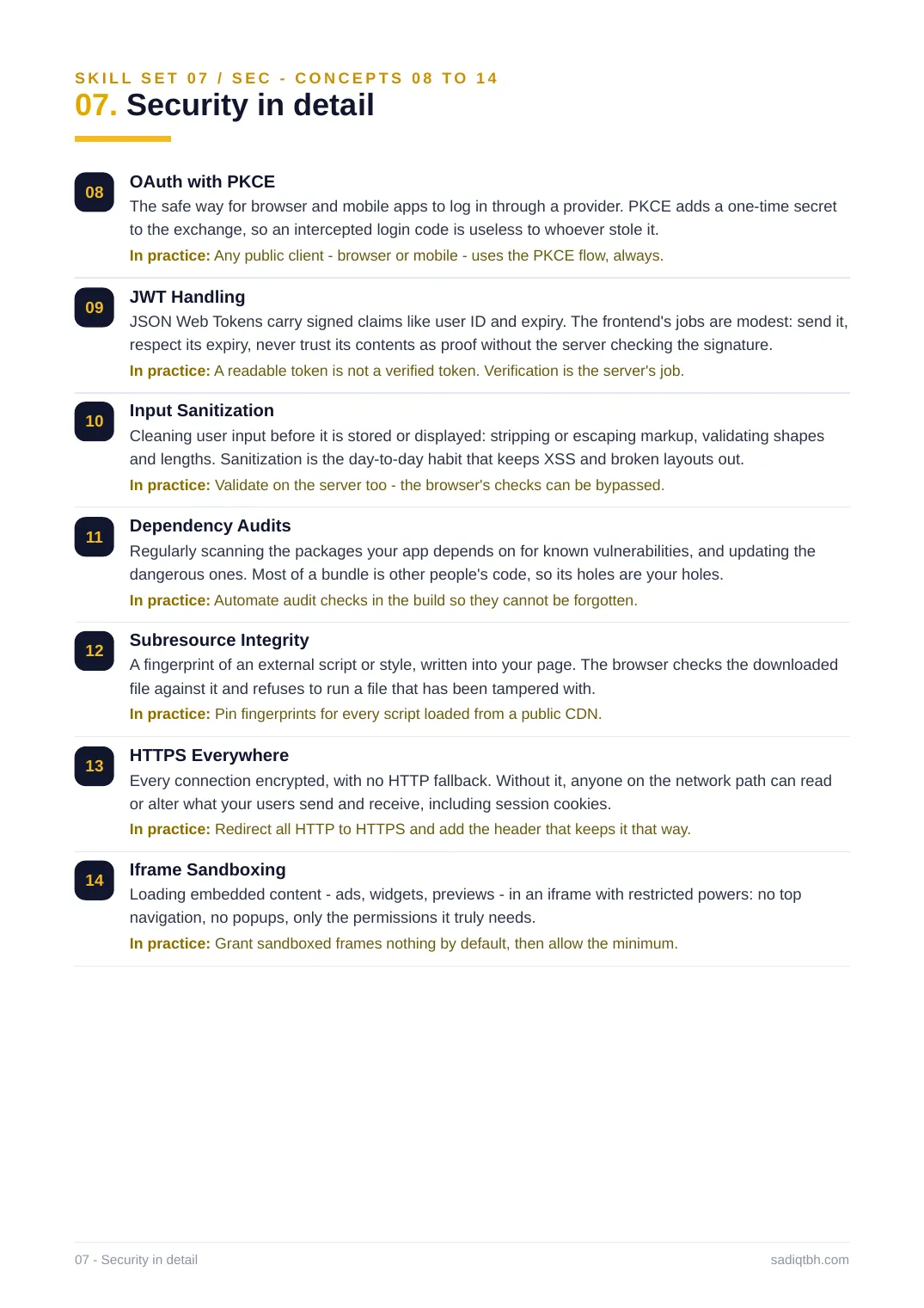
SKILL SET 07 / SEC - CONCEPTS 08 TO 14
07. Security in detail
08 OAuth with PKCE
The safe way for browser and mobile apps to log in through a provider. PKCE adds a one-time secret to the exchange, so an intercepted login code is useless to whoever stole it.
In practice: Any public client - browser or mobile - uses the PKCE flow, always.
09 JWT Handling
JSON Web Tokens carry signed claims like user ID and expiry. The frontend's jobs are modest: send it, respect its expiry, never trust its contents as proof without the server checking the signature. In practice: A readable token is not a verified token. Verification is the server's job. 10 Input Sanitization
Cleaning user input before it is stored or displayed: stripping or escaping markup, validating shapes and lengths. Sanitization is the day-to-day habit that keeps XSS and broken layouts out. In practice: Validate on the server too - the browser's checks can be bypassed.
11 Dependency Audits
Regularly scanning the packages your app depends on for known vulnerabilities, and updating the dangerous ones. Most of a bundle is other people's code, so its holes are your holes. In practice: Automate audit checks in the build so they cannot be forgotten.
12 Subresource Integrity
A fingerprint of an external script or style, written into your page. The browser checks the downloaded file against it and refuses to run a file that has been tampered with.
In practice: Pin fingerprints for every script loaded from a public CDN.
13 HTTPS Everywhere
Every connection encrypted, with no HTTP fallback. Without it, anyone on the network path can read or alter what your users send and receive, including session cookies.
In practice: Redirect all HTTP to HTTPS and add the header that keeps it that way.
14 Iframe Sandboxing
Loading embedded content - ads, widgets, previews - in an iframe with restricted powers: no top navigation, no popups, only the permissions it truly needs.
In practice: Grant sandboxed frames nothing by default, then allow the minimum.
07 - Security in detail sadiqtbh.com
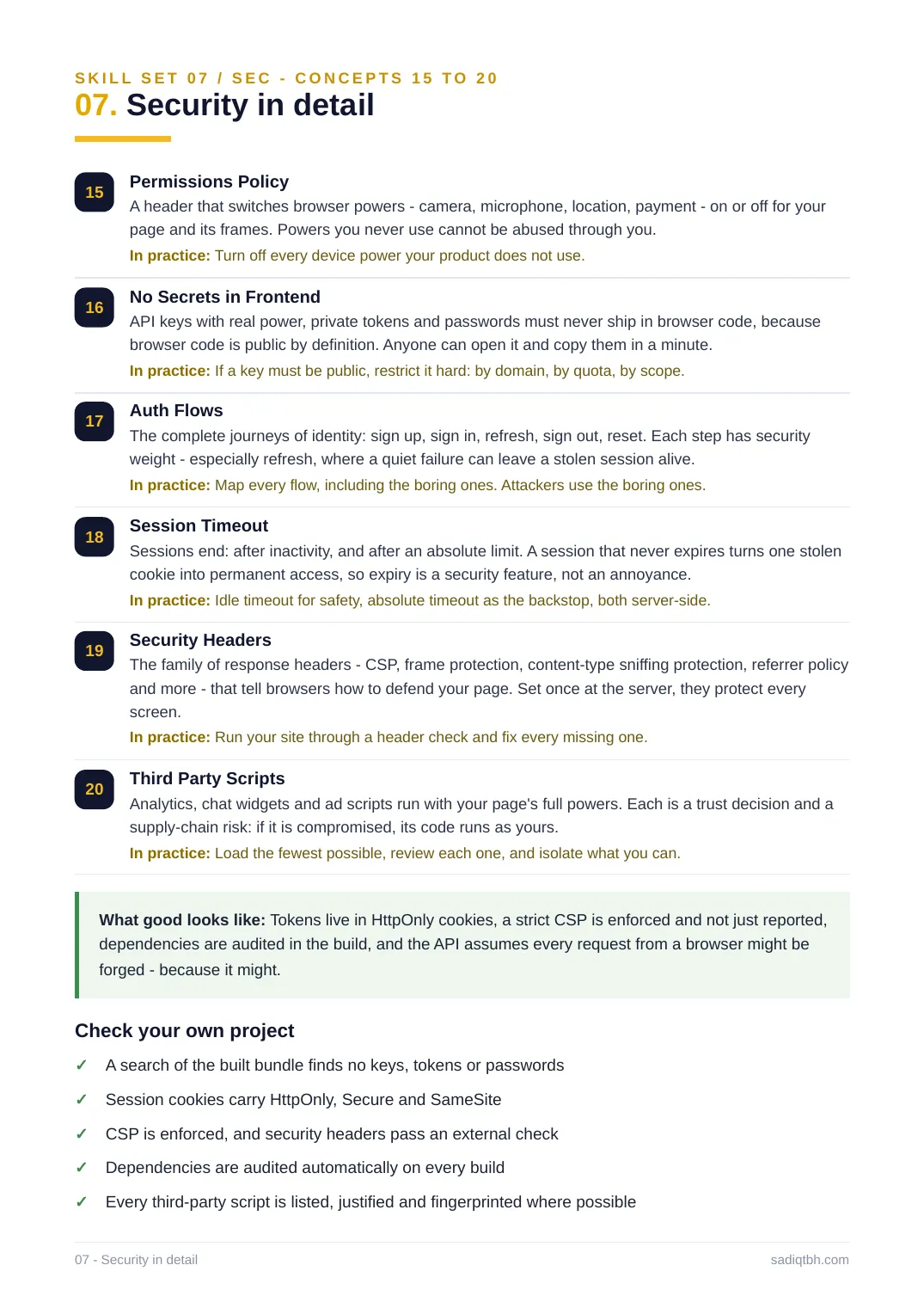
SKILL SET 07 / SEC - CONCEPTS 15 TO 20
07. Security in detail
15 Permissions Policy
A header that switches browser powers - camera, microphone, location, payment - on or off for your page and its frames. Powers you never use cannot be abused through you.
In practice: Turn off every device power your product does not use.
16 No Secrets in Frontend
API keys with real power, private tokens and passwords must never ship in browser code, because browser code is public by definition. Anyone can open it and copy them in a minute.
In practice: If a key must be public, restrict it hard: by domain, by quota, by scope. 17 Auth Flows
The complete journeys of identity: sign up, sign in, refresh, sign out, reset. Each step has security weight - especially refresh, where a quiet failure can leave a stolen session alive.
In practice: Map every flow, including the boring ones. Attackers use the boring ones. 18 Session Timeout
Sessions end: after inactivity, and after an absolute limit. A session that never expires turns one stolen cookie into permanent access, so expiry is a security feature, not an annoyance.
In practice: Idle timeout for safety, absolute timeout as the backstop, both server-side. 19 Security Headers
The family of response headers - CSP, frame protection, content-type sniffing protection, referrer policy and more - that tell browsers how to defend your page. Set once at the server, they protect every screen.
In practice: Run your site through a header check and fix every missing one.
20 Third Party Scripts
Analytics, chat widgets and ad scripts run with your page's full powers. Each is a trust decision and a supply-chain risk: if it is compromised, its code runs as yours.
In practice: Load the fewest possible, review each one, and isolate what you can.
What good looks like: Tokens live in HttpOnly cookies, a strict CSP is enforced and not just reported, dependencies are audited in the build, and the API assumes every request from a browser might be forged - because it might.
Check your own project
A search of the built bundle finds no keys, tokens or passwords✓
Session cookies carry HttpOnly, Secure and SameSite✓
CSP is enforced, and security headers pass an external check✓
Dependencies are audited automatically on every build✓
Every third-party script is listed, justified and fingerprinted where possible✓
07 - Security in detail sadiqtbh.com
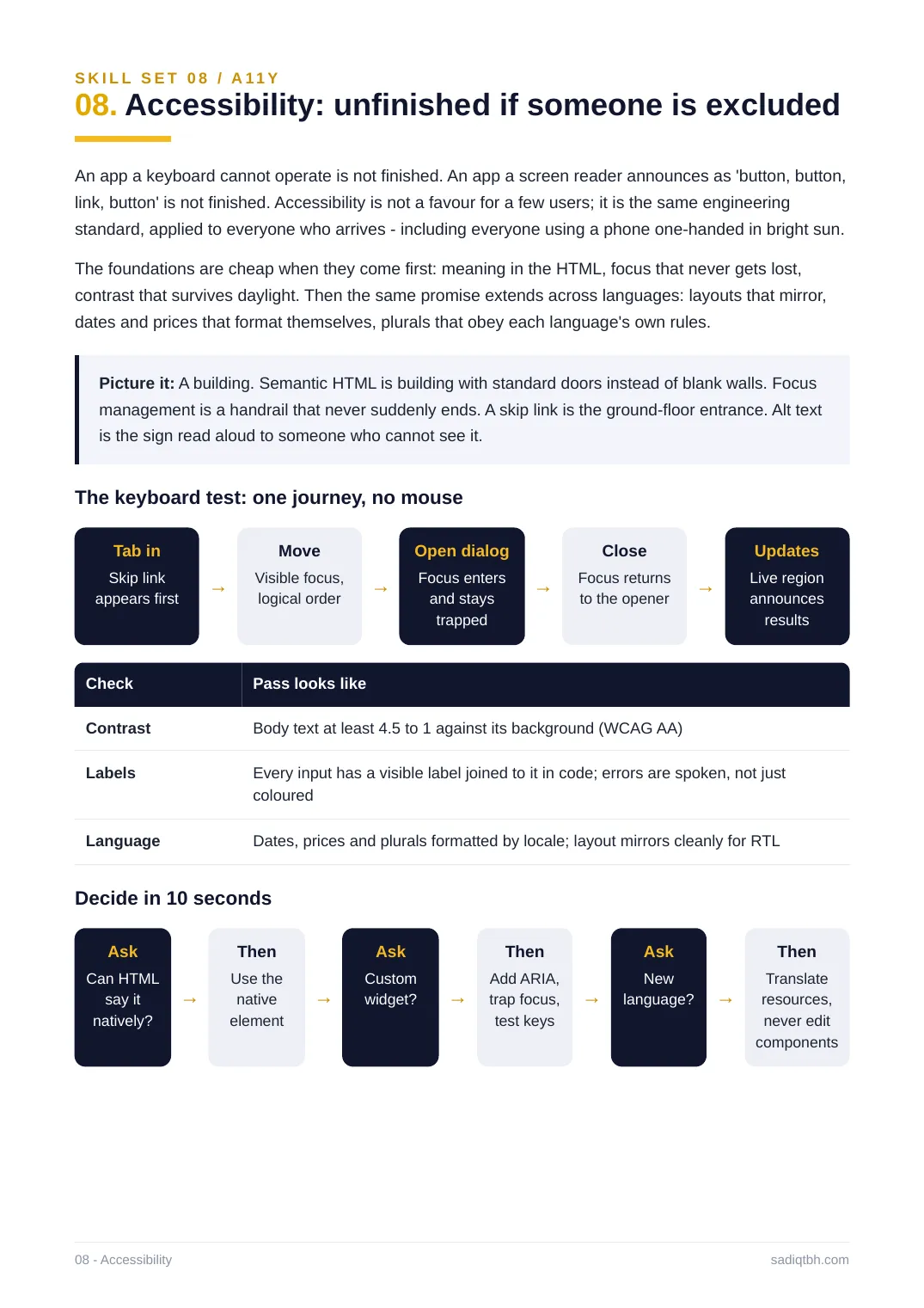
S K I L L S E T 0 8 / A 11 Y
08. Accessibility: unfinished if someone is excluded
An app a keyboard cannot operate is not finished. An app a screen reader announces as 'button, button, link, button' is not finished. Accessibility is not a favour for a few users; it is the same engineering standard, applied to everyone who arrives - including everyone using a phone one-handed in bright sun. The foundations are cheap when they come first: meaning in the HTML, focus that never gets lost, contrast that survives daylight. Then the same promise extends across languages: layouts that mirror, dates and prices that format themselves, plurals that obey each language's own rules. Picture it: A building. Semantic HTML is building with standard doors instead of blank walls. Focus management is a handrail that never suddenly ends. A skip link is the ground-floor entrance. Alt text is the sign read aloud to someone who cannot see it.
The keyboard test: one journey, no mouse
Tab in
Skip link
appears first →
Move
Visible focus,
logical order →
Open dialog
Focus enters
and stays
trapped
→
Close
Focus returns
to the opener →
Updates
Live region
announces
results
Check Pass looks like
Contrast Body text at least 4.5 to 1 against its background (WCAG AA)
Labels Every input has a visible label joined to it in code; errors are spoken, not just coloured
Language Dates, prices and plurals formatted by locale; layout mirrors cleanly for RTL Decide in 10 seconds
Ask
Can HTML
say it
natively?
→
Then
Use the
native
element
→
Ask
Custom
widget? →
Then
Add ARIA,
trap focus,
test keys
→
Ask
New
language? →
Then
Translate
resources,
never edit
components
08 - Accessibility sadiqtbh.com
S K I L L S E T 0 8 / A 11 Y - C O N C E P T S 0 1 T O 0 7
08. Accessibility in detail
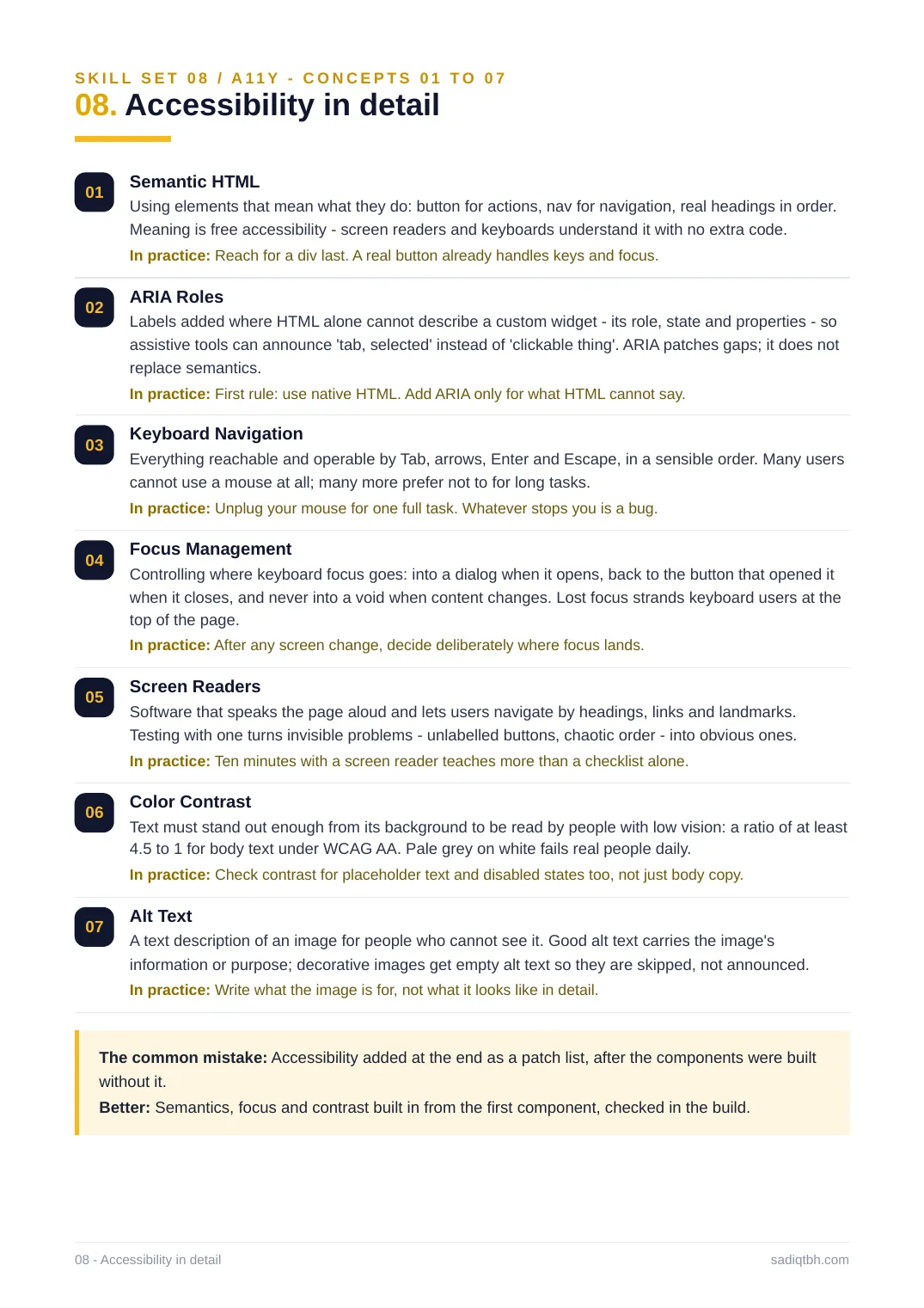
01 Semantic HTML
Using elements that mean what they do: button for actions, nav for navigation, real headings in order. Meaning is free accessibility - screen readers and keyboards understand it with no extra code. In practice: Reach for a div last. A real button already handles keys and focus.
02 ARIA Roles
Labels added where HTML alone cannot describe a custom widget - its role, state and properties - so assistive tools can announce 'tab, selected' instead of 'clickable thing'. ARIA patches gaps; it does not replace semantics.
In practice: First rule: use native HTML. Add ARIA only for what HTML cannot say.
03 Keyboard Navigation
Everything reachable and operable by Tab, arrows, Enter and Escape, in a sensible order. Many users cannot use a mouse at all; many more prefer not to for long tasks.
In practice: Unplug your mouse for one full task. Whatever stops you is a bug.
04 Focus Management
Controlling where keyboard focus goes: into a dialog when it opens, back to the button that opened it when it closes, and never into a void when content changes. Lost focus strands keyboard users at the top of the page.
In practice: After any screen change, decide deliberately where focus lands.
05 Screen Readers
Software that speaks the page aloud and lets users navigate by headings, links and landmarks. Testing with one turns invisible problems - unlabelled buttons, chaotic order - into obvious ones. In practice: Ten minutes with a screen reader teaches more than a checklist alone.
06 Color Contrast
Text must stand out enough from its background to be read by people with low vision: a ratio of at least 4.5 to 1 for body text under WCAG AA. Pale grey on white fails real people daily.
In practice: Check contrast for placeholder text and disabled states too, not just body copy. 07 Alt Text
A text description of an image for people who cannot see it. Good alt text carries the image's information or purpose; decorative images get empty alt text so they are skipped, not announced. In practice: Write what the image is for, not what it looks like in detail.
The common mistake: Accessibility added at the end as a patch list, after the components were built without it.
Better: Semantics, focus and contrast built in from the first component, checked in the build. 08 - Accessibility in detail sadiqtbh.com
S K I L L S E T 0 8 / A 11 Y - C O N C E P T S 0 8 T O 1 4
08. Accessibility in detail
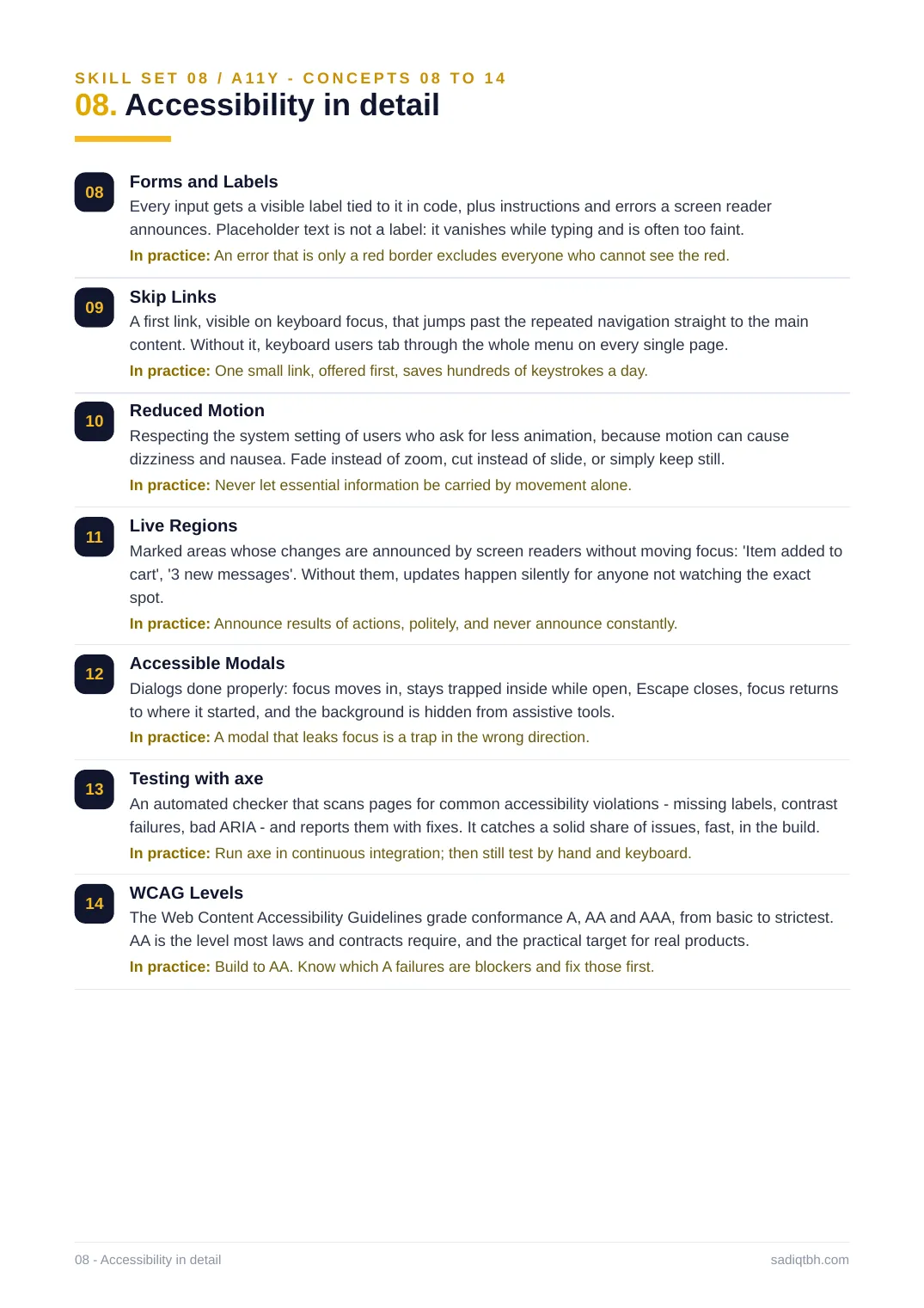
08 Forms and Labels
Every input gets a visible label tied to it in code, plus instructions and errors a screen reader announces. Placeholder text is not a label: it vanishes while typing and is often too faint. In practice: An error that is only a red border excludes everyone who cannot see the red. 09 Skip Links
A first link, visible on keyboard focus, that jumps past the repeated navigation straight to the main content. Without it, keyboard users tab through the whole menu on every single page.
In practice: One small link, offered first, saves hundreds of keystrokes a day.
10 Reduced Motion
Respecting the system setting of users who ask for less animation, because motion can cause dizziness and nausea. Fade instead of zoom, cut instead of slide, or simply keep still. In practice: Never let essential information be carried by movement alone.
11 Live Regions
Marked areas whose changes are announced by screen readers without moving focus: 'Item added to cart', '3 new messages'. Without them, updates happen silently for anyone not watching the exact spot.
In practice: Announce results of actions, politely, and never announce constantly.
12 Accessible Modals
Dialogs done properly: focus moves in, stays trapped inside while open, Escape closes, focus returns to where it started, and the background is hidden from assistive tools.
In practice: A modal that leaks focus is a trap in the wrong direction.
13 Testing with axe
An automated checker that scans pages for common accessibility violations - missing labels, contrast failures, bad ARIA - and reports them with fixes. It catches a solid share of issues, fast, in the build. In practice: Run axe in continuous integration; then still test by hand and keyboard. 14 WCAG Levels
The Web Content Accessibility Guidelines grade conformance A, AA and AAA, from basic to strictest. AA is the level most laws and contracts require, and the practical target for real products. In practice: Build to AA. Know which A failures are blockers and fix those first.
08 - Accessibility in detail sadiqtbh.com
S K I L L S E T 0 8 / A 11 Y - C O N C E P T S 1 5 T O 2 0
08. Accessibility in detail
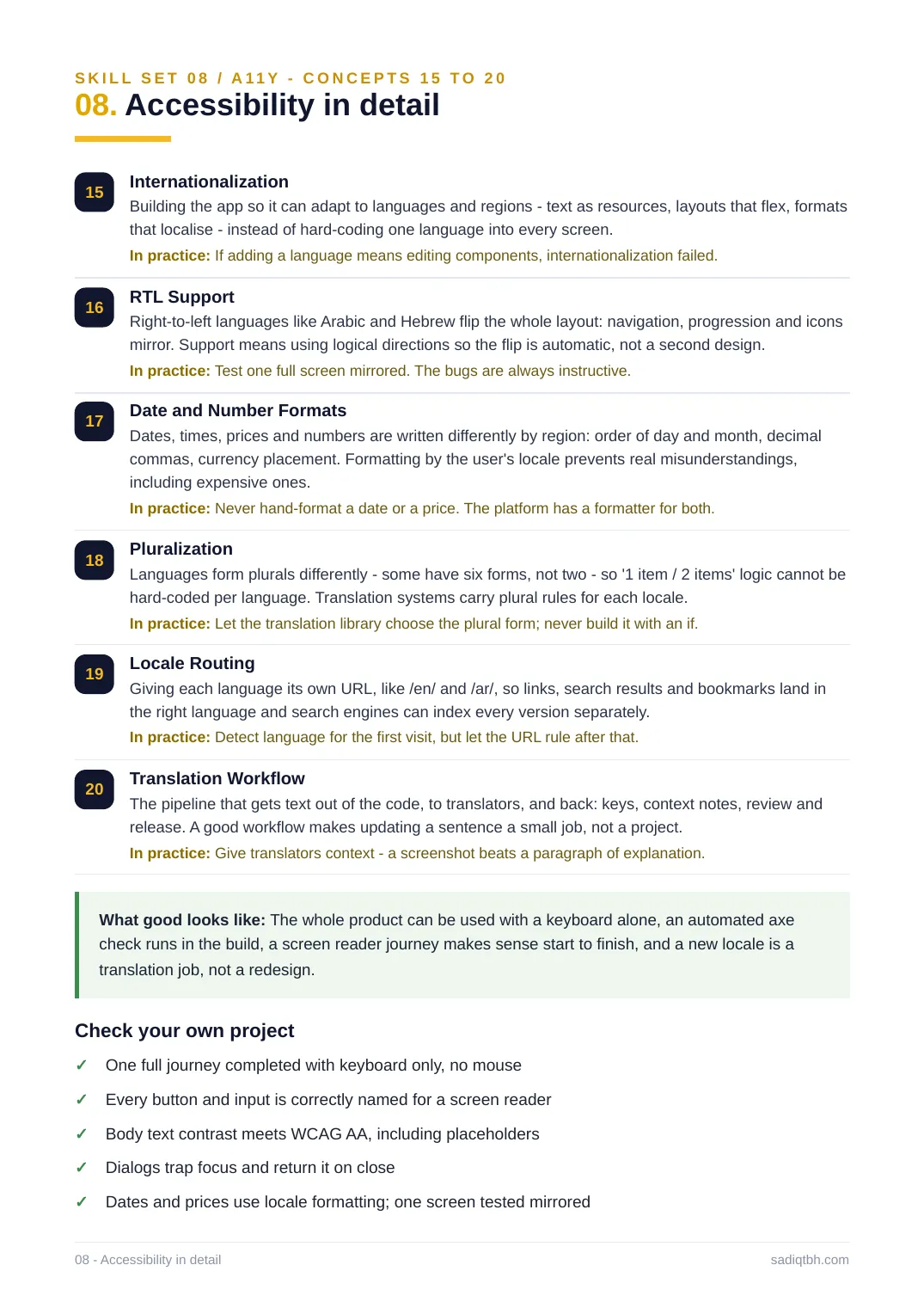
15 Internationalization
Building the app so it can adapt to languages and regions - text as resources, layouts that flex, formats that localise - instead of hard-coding one language into every screen.
In practice: If adding a language means editing components, internationalization failed. 16 RTL Support
Right-to-left languages like Arabic and Hebrew flip the whole layout: navigation, progression and icons mirror. Support means using logical directions so the flip is automatic, not a second design. In practice: Test one full screen mirrored. The bugs are always instructive.
17 Date and Number Formats
Dates, times, prices and numbers are written differently by region: order of day and month, decimal commas, currency placement. Formatting by the user's locale prevents real misunderstandings, including expensive ones.
In practice: Never hand-format a date or a price. The platform has a formatter for both. 18 Pluralization
Languages form plurals differently - some have six forms, not two - so '1 item / 2 items' logic cannot be hard-coded per language. Translation systems carry plural rules for each locale.
In practice: Let the translation library choose the plural form; never build it with an if. 19 Locale Routing
Giving each language its own URL, like /en/ and /ar/, so links, search results and bookmarks land in the right language and search engines can index every version separately.
In practice: Detect language for the first visit, but let the URL rule after that.
20 Translation Workflow
The pipeline that gets text out of the code, to translators, and back: keys, context notes, review and release. A good workflow makes updating a sentence a small job, not a project.
In practice: Give translators context - a screenshot beats a paragraph of explanation. What good looks like: The whole product can be used with a keyboard alone, an automated axe check runs in the build, a screen reader journey makes sense start to finish, and a new locale is a translation job, not a redesign.
Check your own project
One full journey completed with keyboard only, no mouse✓
Every button and input is correctly named for a screen reader✓
Body text contrast meets WCAG AA, including placeholders✓
Dialogs trap focus and return it on close✓
Dates and prices use locale formatting; one screen tested mirrored✓
08 - Accessibility in detail sadiqtbh.com
SKILL SET 09 / OBS
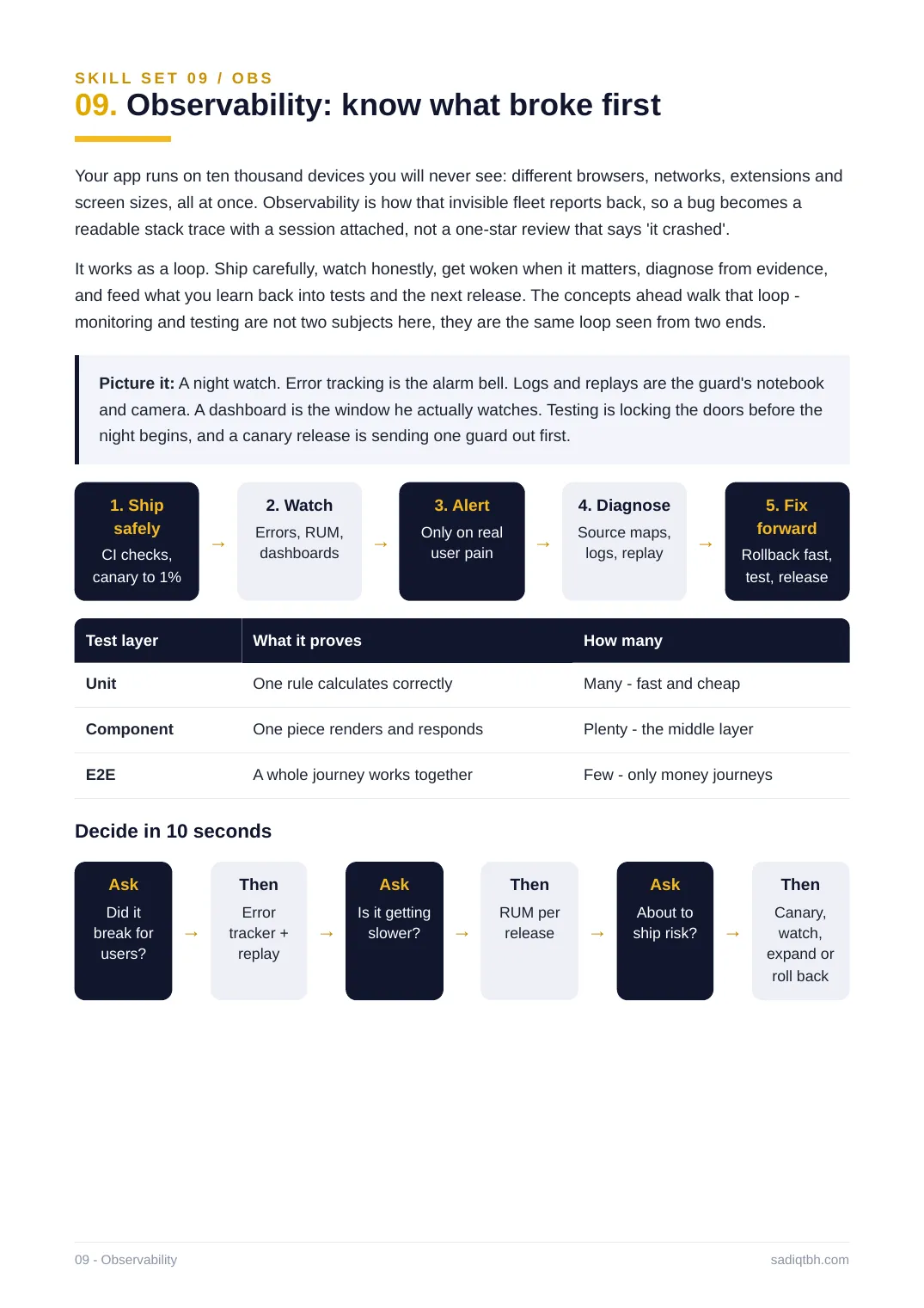
09. Observability: know what broke first
Your app runs on ten thousand devices you will never see: different browsers, networks, extensions and screen sizes, all at once. Observability is how that invisible fleet reports back, so a bug becomes a readable stack trace with a session attached, not a one-star review that says 'it crashed'. It works as a loop. Ship carefully, watch honestly, get woken when it matters, diagnose from evidence, and feed what you learn back into tests and the next release. The concepts ahead walk that loop - monitoring and testing are not two subjects here, they are the same loop seen from two ends. Picture it: A night watch. Error tracking is the alarm bell. Logs and replays are the guard's notebook and camera. A dashboard is the window he actually watches. Testing is locking the doors before the night begins, and a canary release is sending one guard out first.
1. Ship
safely
CI checks,
canary to 1%
→
2. Watch
Errors, RUM,
dashboards →
3. Alert
Only on real
user pain →
4. Diagnose
Source maps,
logs, replay →
5. Fix
forward
Rollback fast,
test, release
Test layer What it proves How many
Unit One rule calculates correctly Many - fast and cheap
Component One piece renders and responds Plenty - the middle layer
E2E A whole journey works together Few - only money journeys
Decide in 10 seconds
Ask
Did it
break for
users?
→
Then
Error
tracker +
replay
→
Ask
Is it getting
slower? →
Then
RUM per
release →
Ask
About to
ship risk? →
Then
Canary,
watch,
expand or
roll back
09 - Observability sadiqtbh.com
SKILL SET 09 / OBS - CONCEPTS 01 TO 07
09. Observability in detail
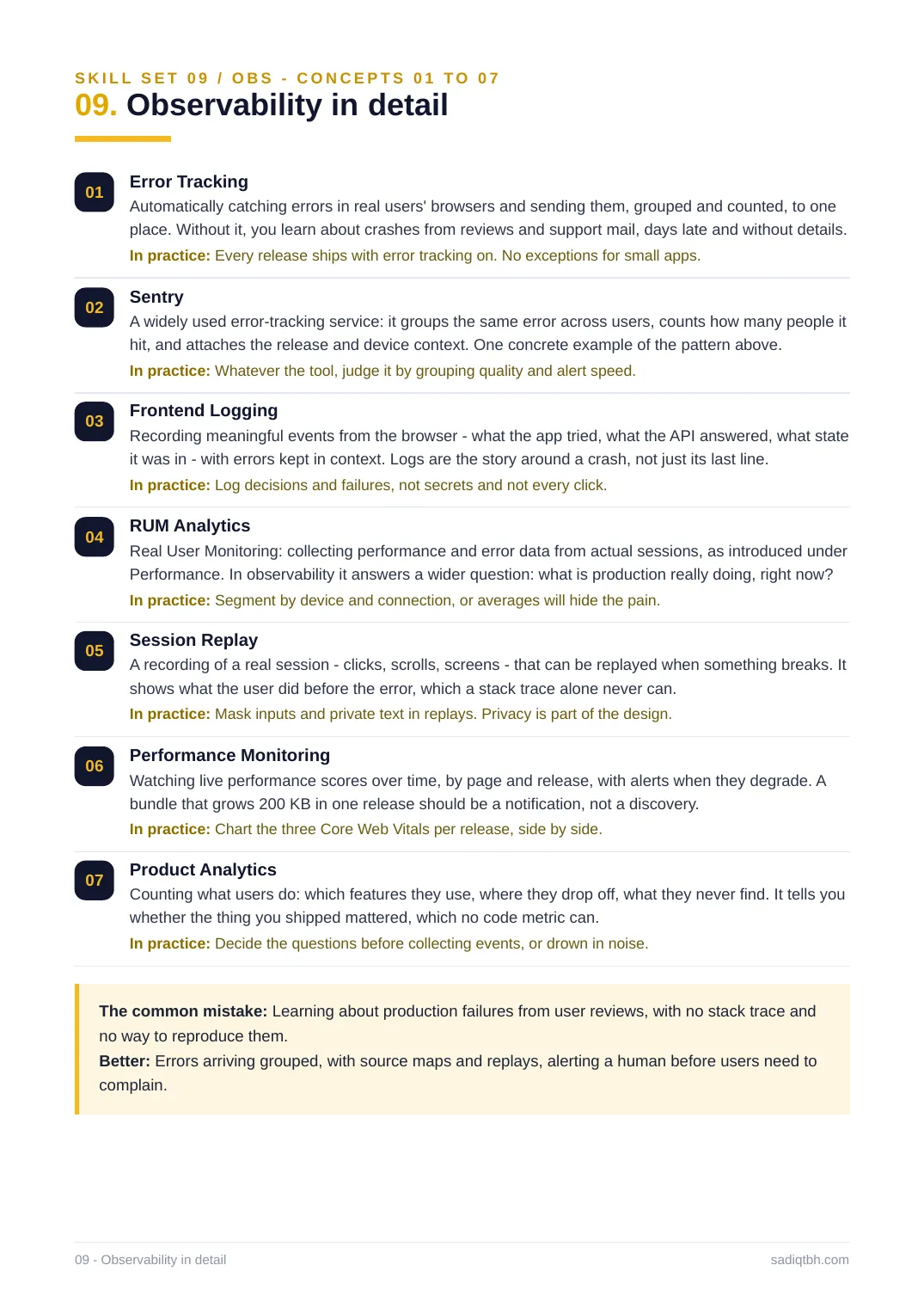
01 Error Tracking
Automatically catching errors in real users' browsers and sending them, grouped and counted, to one place. Without it, you learn about crashes from reviews and support mail, days late and without details. In practice: Every release ships with error tracking on. No exceptions for small apps. 02 Sentry
A widely used error-tracking service: it groups the same error across users, counts how many people it hit, and attaches the release and device context. One concrete example of the pattern above. In practice: Whatever the tool, judge it by grouping quality and alert speed.
03 Frontend Logging
Recording meaningful events from the browser - what the app tried, what the API answered, what state it was in - with errors kept in context. Logs are the story around a crash, not just its last line. In practice: Log decisions and failures, not secrets and not every click.
04 RUM Analytics
Real User Monitoring: collecting performance and error data from actual sessions, as introduced under Performance. In observability it answers a wider question: what is production really doing, right now? In practice: Segment by device and connection, or averages will hide the pain.
05 Session Replay
A recording of a real session - clicks, scrolls, screens - that can be replayed when something breaks. It shows what the user did before the error, which a stack trace alone never can.
In practice: Mask inputs and private text in replays. Privacy is part of the design.
06 Performance Monitoring
Watching live performance scores over time, by page and release, with alerts when they degrade. A bundle that grows 200 KB in one release should be a notification, not a discovery.
In practice: Chart the three Core Web Vitals per release, side by side.
07 Product Analytics
Counting what users do: which features they use, where they drop off, what they never find. It tells you whether the thing you shipped mattered, which no code metric can.
In practice: Decide the questions before collecting events, or drown in noise.
The common mistake: Learning about production failures from user reviews, with no stack trace and no way to reproduce them.
Better: Errors arriving grouped, with source maps and replays, alerting a human before users need to complain.
09 - Observability in detail sadiqtbh.com
SKILL SET 09 / OBS - CONCEPTS 08 TO 14
09. Observability in detail
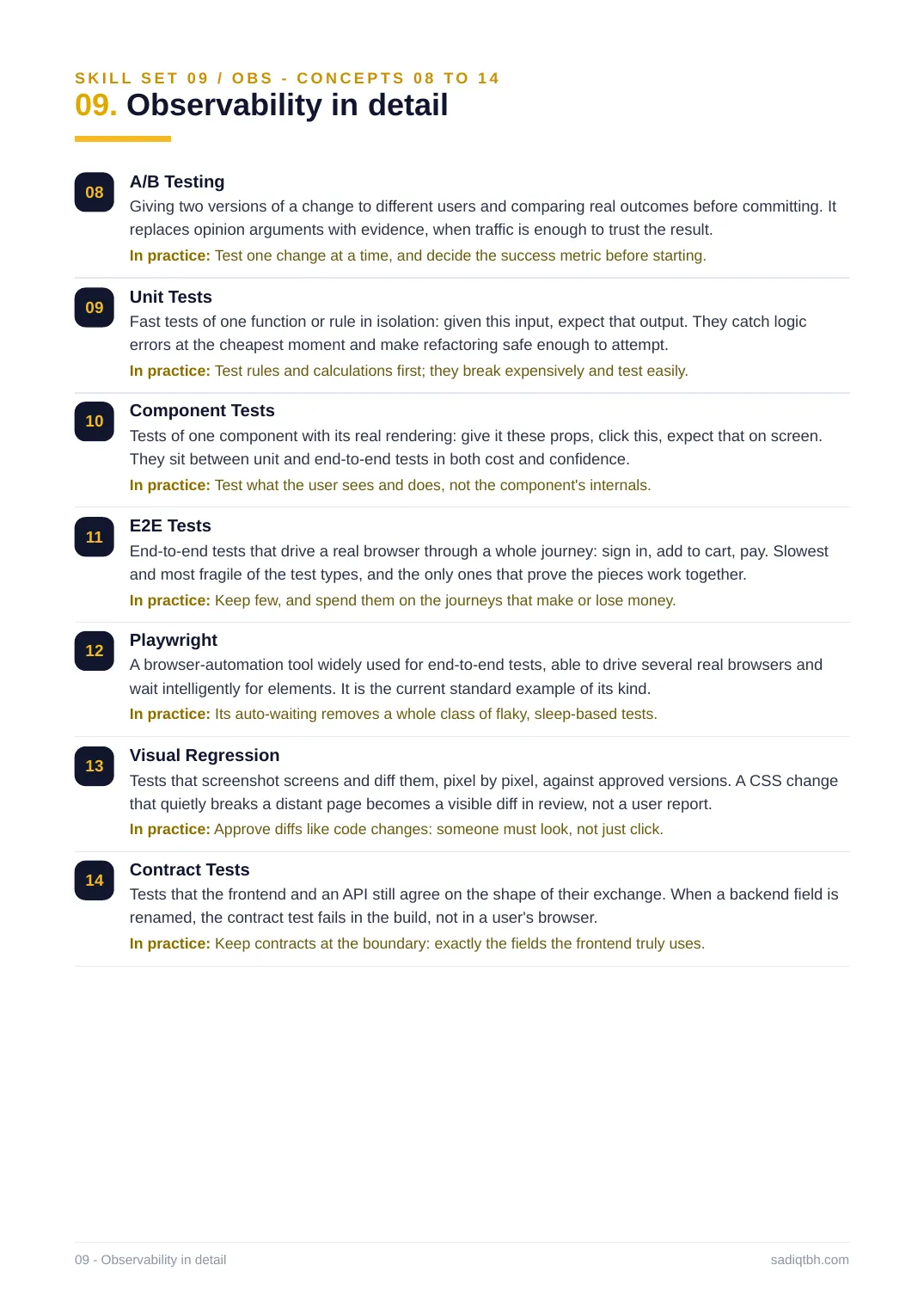
08 A/B Testing
Giving two versions of a change to different users and comparing real outcomes before committing. It replaces opinion arguments with evidence, when traffic is enough to trust the result. In practice: Test one change at a time, and decide the success metric before starting. 09 Unit Tests
Fast tests of one function or rule in isolation: given this input, expect that output. They catch logic errors at the cheapest moment and make refactoring safe enough to attempt.
In practice: Test rules and calculations first; they break expensively and test easily. 10 Component Tests
Tests of one component with its real rendering: give it these props, click this, expect that on screen. They sit between unit and end-to-end tests in both cost and confidence.
In practice: Test what the user sees and does, not the component's internals.
11 E2E Tests
End-to-end tests that drive a real browser through a whole journey: sign in, add to cart, pay. Slowest and most fragile of the test types, and the only ones that prove the pieces work together. In practice: Keep few, and spend them on the journeys that make or lose money.
12 Playwright
A browser-automation tool widely used for end-to-end tests, able to drive several real browsers and wait intelligently for elements. It is the current standard example of its kind.
In practice: Its auto-waiting removes a whole class of flaky, sleep-based tests.
13 Visual Regression
Tests that screenshot screens and diff them, pixel by pixel, against approved versions. A CSS change that quietly breaks a distant page becomes a visible diff in review, not a user report. In practice: Approve diffs like code changes: someone must look, not just click.
14 Contract Tests
Tests that the frontend and an API still agree on the shape of their exchange. When a backend field is renamed, the contract test fails in the build, not in a user's browser.
In practice: Keep contracts at the boundary: exactly the fields the frontend truly uses. 09 - Observability in detail sadiqtbh.com
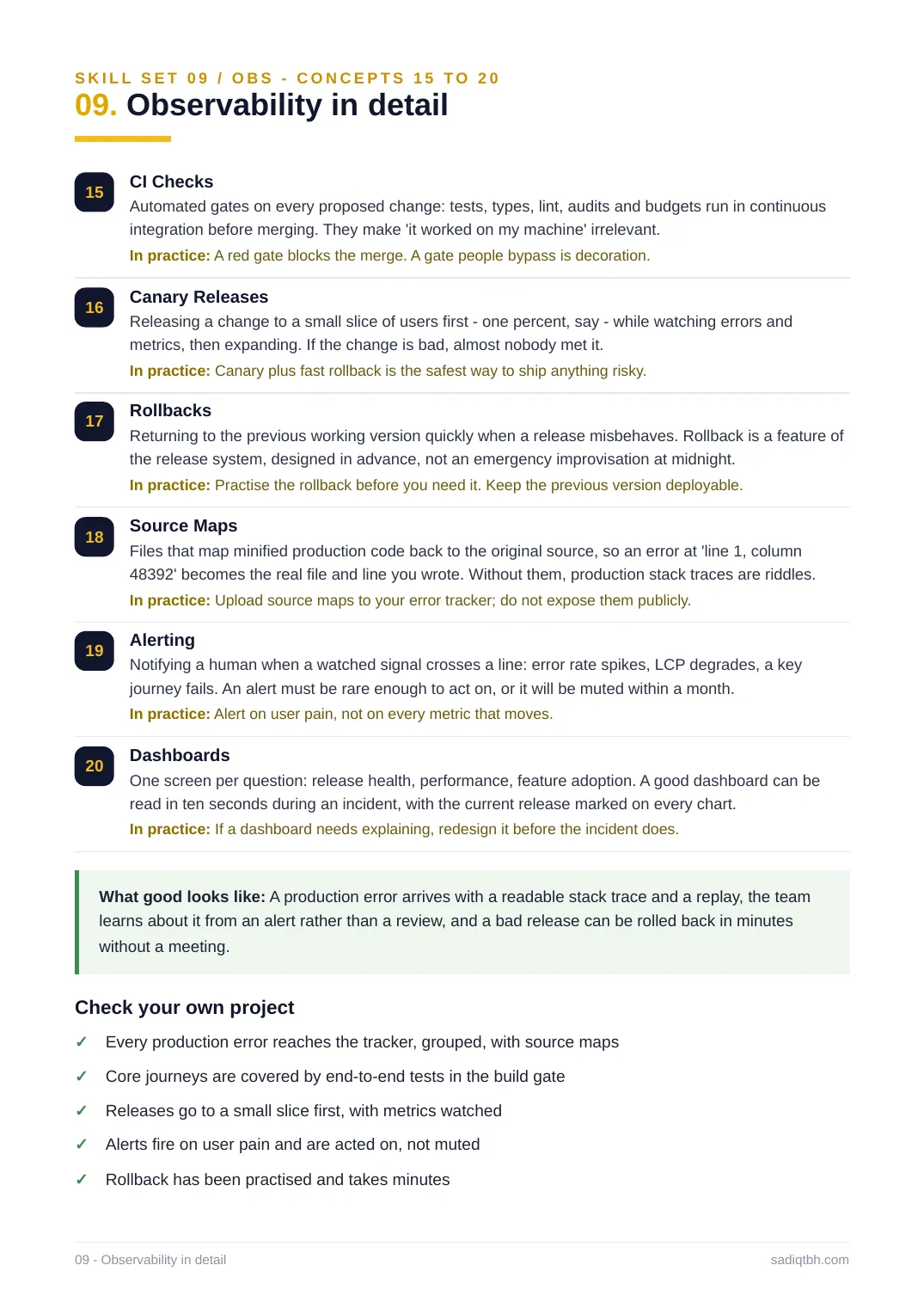
SKILL SET 09 / OBS - CONCEPTS 15 TO 20
09. Observability in detail
15 CI Checks
Automated gates on every proposed change: tests, types, lint, audits and budgets run in continuous integration before merging. They make 'it worked on my machine' irrelevant.
In practice: A red gate blocks the merge. A gate people bypass is decoration.
16 Canary Releases
Releasing a change to a small slice of users first - one percent, say - while watching errors and metrics, then expanding. If the change is bad, almost nobody met it.
In practice: Canary plus fast rollback is the safest way to ship anything risky.
17 Rollbacks
Returning to the previous working version quickly when a release misbehaves. Rollback is a feature of the release system, designed in advance, not an emergency improvisation at midnight.
In practice: Practise the rollback before you need it. Keep the previous version deployable. 18 Source Maps
Files that map minified production code back to the original source, so an error at 'line 1, column 48392' becomes the real file and line you wrote. Without them, production stack traces are riddles. In practice: Upload source maps to your error tracker; do not expose them publicly.
19 Alerting
Notifying a human when a watched signal crosses a line: error rate spikes, LCP degrades, a key journey fails. An alert must be rare enough to act on, or it will be muted within a month. In practice: Alert on user pain, not on every metric that moves.
20 Dashboards
One screen per question: release health, performance, feature adoption. A good dashboard can be read in ten seconds during an incident, with the current release marked on every chart. In practice: If a dashboard needs explaining, redesign it before the incident does.
What good looks like: A production error arrives with a readable stack trace and a replay, the team learns about it from an alert rather than a review, and a bad release can be rolled back in minutes without a meeting.
Check your own project
Every production error reaches the tracker, grouped, with source maps✓
Core journeys are covered by end-to-end tests in the build gate✓
Releases go to a small slice first, with metrics watched✓
Alerts fire on user pain and are acted on, not muted✓
Rollback has been practised and takes minutes✓
09 - Observability in detail sadiqtbh.com
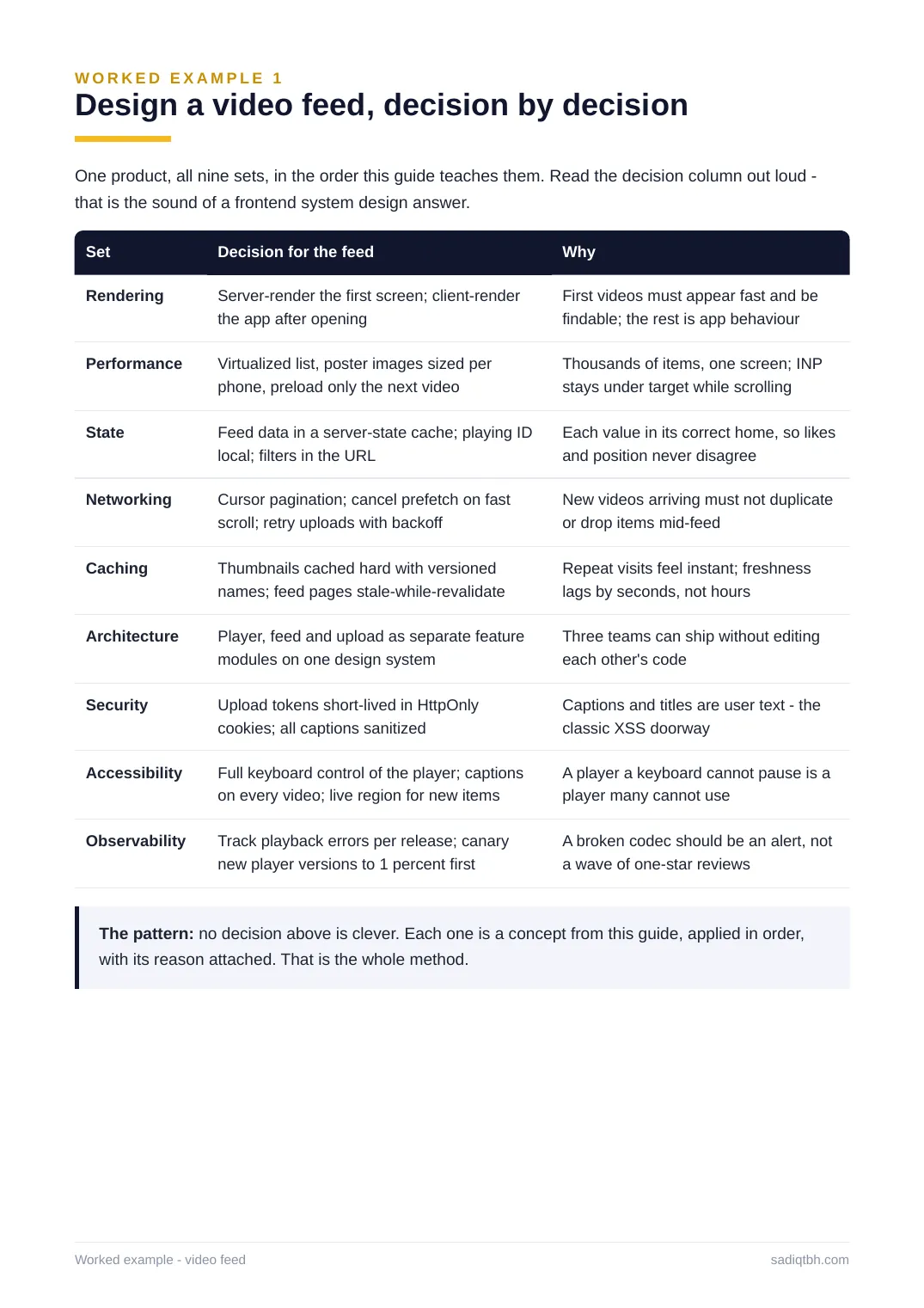
WORKED EXAMPLE 1
Design a video feed, decision by decision
One product, all nine sets, in the order this guide teaches them. Read the decision column out loud - that is the sound of a frontend system design answer.
Set Decision for the feed Why
Rendering Server-render the first screen; client-render
the app after opening
First videos must appear fast and be
findable; the rest is app behaviour
Performance Virtualized list, poster images sized per
phone, preload only the next video
Thousands of items, one screen; INP
stays under target while scrolling
State Feed data in a server-state cache; playing ID
local; filters in the URL
Each value in its correct home, so likes
and position never disagree
Networking Cursor pagination; cancel prefetch on fast
scroll; retry uploads with backoff
New videos arriving must not duplicate
or drop items mid-feed
Caching Thumbnails cached hard with versioned
names; feed pages stale-while-revalidate
Repeat visits feel instant; freshness
lags by seconds, not hours
Architecture Player, feed and upload as separate feature
modules on one design system
Three teams can ship without editing
each other's code
Security Upload tokens short-lived in HttpOnly
cookies; all captions sanitized
Captions and titles are user text - the
classic XSS doorway
Accessibility Full keyboard control of the player; captions
on every video; live region for new items
A player a keyboard cannot pause is a
player many cannot use
Observability Track playback errors per release; canary
new player versions to 1 percent first
A broken codec should be an alert, not
a wave of one-star reviews
The pattern: no decision above is clever. Each one is a concept from this guide, applied in order, with its reason attached. That is the whole method.
Worked example - video feed sadiqtbh.com
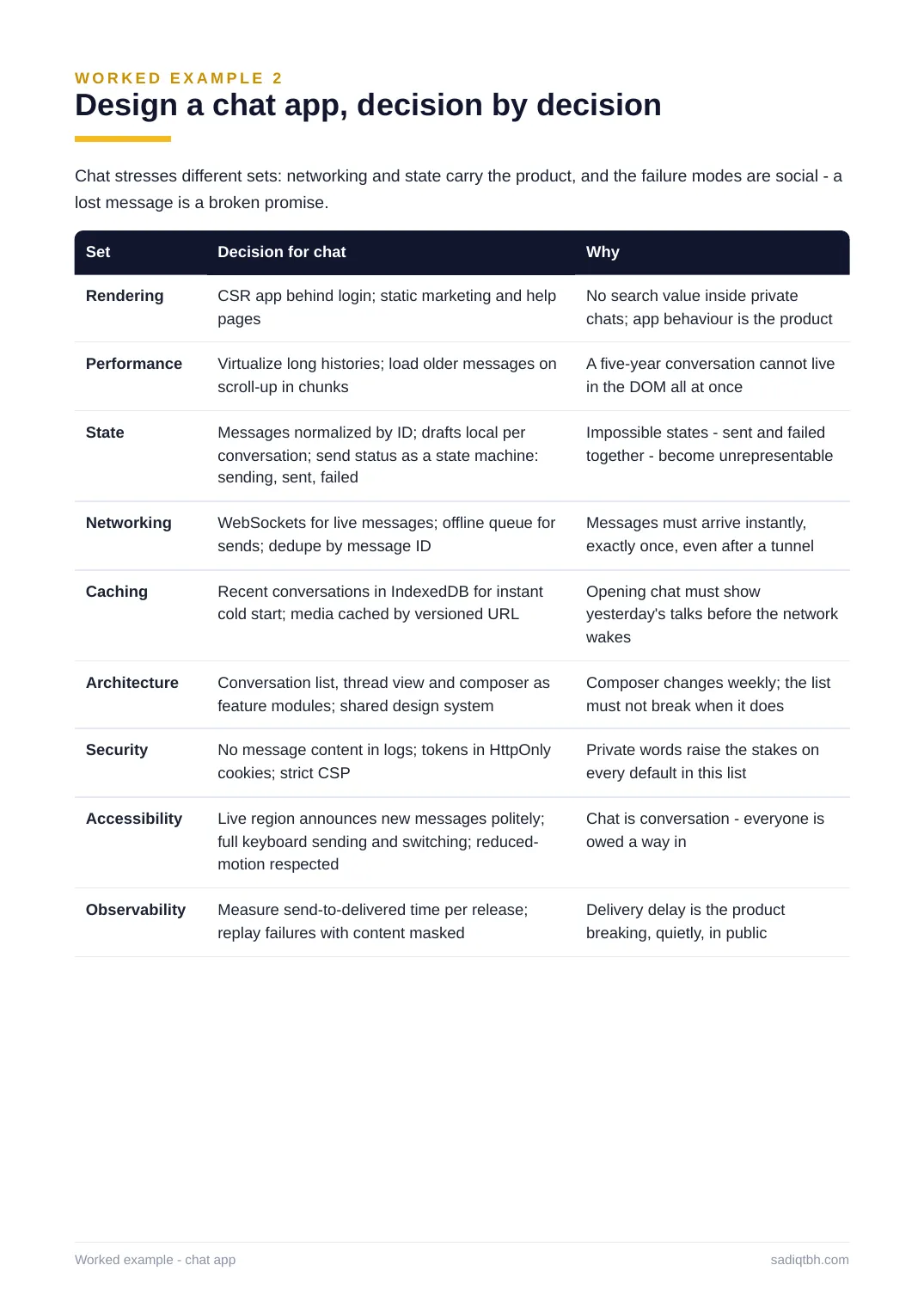
WORKED EXAMPLE 2
Design a chat app, decision by decision
Chat stresses different sets: networking and state carry the product, and the failure modes are social - a lost message is a broken promise.
Set Decision for chat Why
Rendering CSR app behind login; static marketing and help
pages
No search value inside private
chats; app behaviour is the product
Performance Virtualize long histories; load older messages on
scroll-up in chunks
A five-year conversation cannot live
in the DOM all at once
State Messages normalized by ID; drafts local per
conversation; send status as a state machine:
sending, sent, failed
Impossible states - sent and failed
together - become unrepresentable
Networking WebSockets for live messages; offline queue for
sends; dedupe by message ID
Messages must arrive instantly,
exactly once, even after a tunnel
Caching Recent conversations in IndexedDB for instant
cold start; media cached by versioned URL
Opening chat must show
yesterday's talks before the network
wakes
Architecture Conversation list, thread view and composer as
feature modules; shared design system
Composer changes weekly; the list
must not break when it does
Security No message content in logs; tokens in HttpOnly
cookies; strict CSP
Private words raise the stakes on
every default in this list
Accessibility Live region announces new messages politely;
full keyboard sending and switching; reduced-
motion respected
Chat is conversation - everyone is
owed a way in
Observability Measure send-to-delivered time per release;
replay failures with content masked
Delivery delay is the product
breaking, quietly, in public
Worked example - chat app sadiqtbh.com
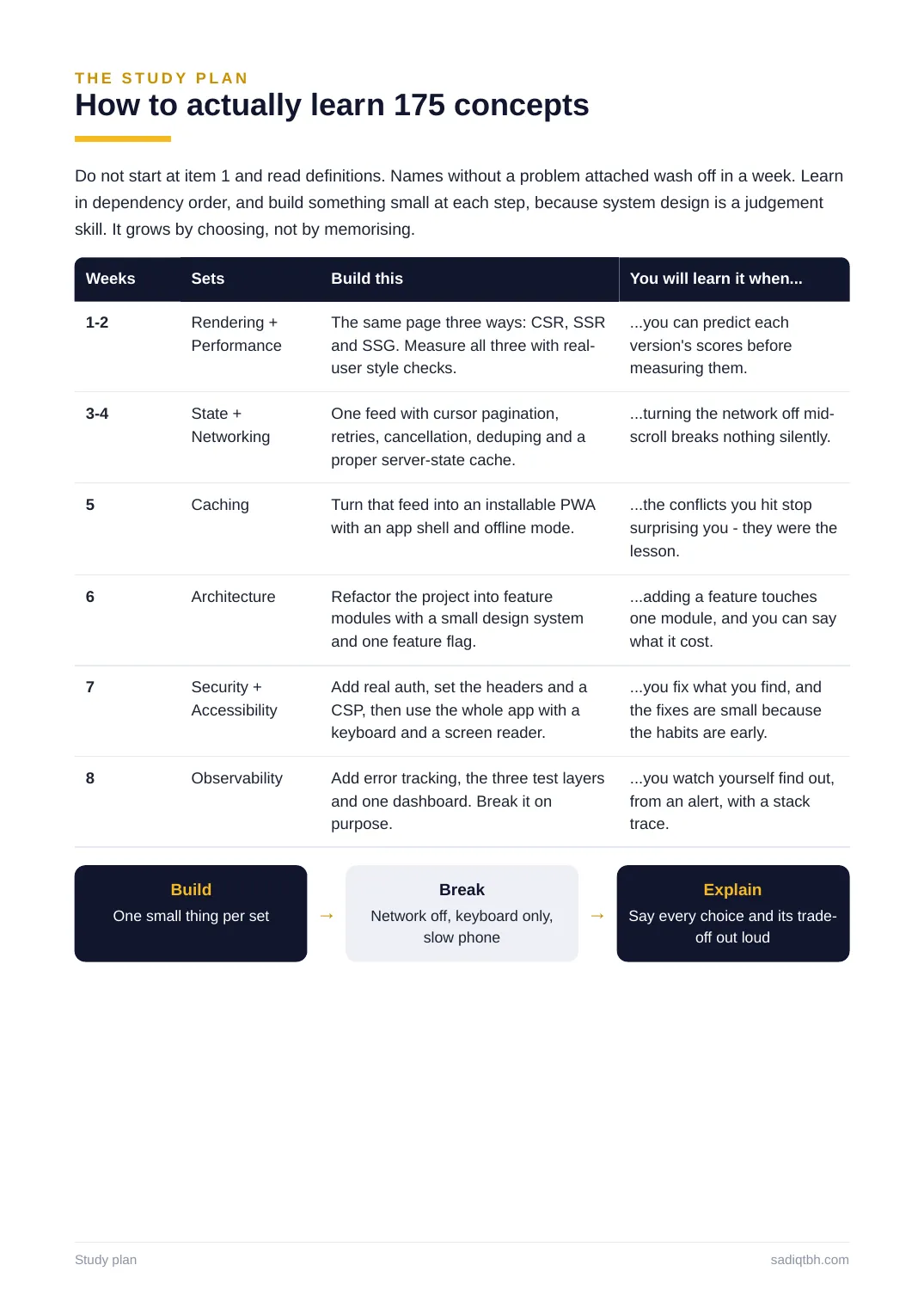
THE STUDY PLAN
How to actually learn 175 concepts
Do not start at item 1 and read definitions. Names without a problem attached wash off in a week. Learn in dependency order, and build something small at each step, because system design is a judgement skill. It grows by choosing, not by memorising.
Weeks Sets Build this You will learn it when...
1-2 Rendering +
Performance
The same page three ways: CSR, SSR
and SSG. Measure all three with real-
user style checks.
...you can predict each
version's scores before
measuring them.
3-4 State +
Networking
One feed with cursor pagination,
retries, cancellation, deduping and a
proper server-state cache.
...turning the network off mid-
scroll breaks nothing silently.
5 Caching Turn that feed into an installable PWA
with an app shell and offline mode.
...the conflicts you hit stop
surprising you - they were the
lesson.
6 Architecture Refactor the project into feature
modules with a small design system
and one feature flag.
...adding a feature touches
one module, and you can say
what it cost.
7 Security +
Accessibility
Add real auth, set the headers and a
CSP, then use the whole app with a
keyboard and a screen reader.
...you fix what you find, and
the fixes are small because
the habits are early.
8 Observability Add error tracking, the three test layers
and one dashboard. Break it on
purpose.
...you watch yourself find out,
from an alert, with a stack
trace.
Build
One small thing per set →
Break
Network off, keyboard only,
slow phone
→
Explain
Say every choice and its trade-
off out loud
Study plan sadiqtbh.com
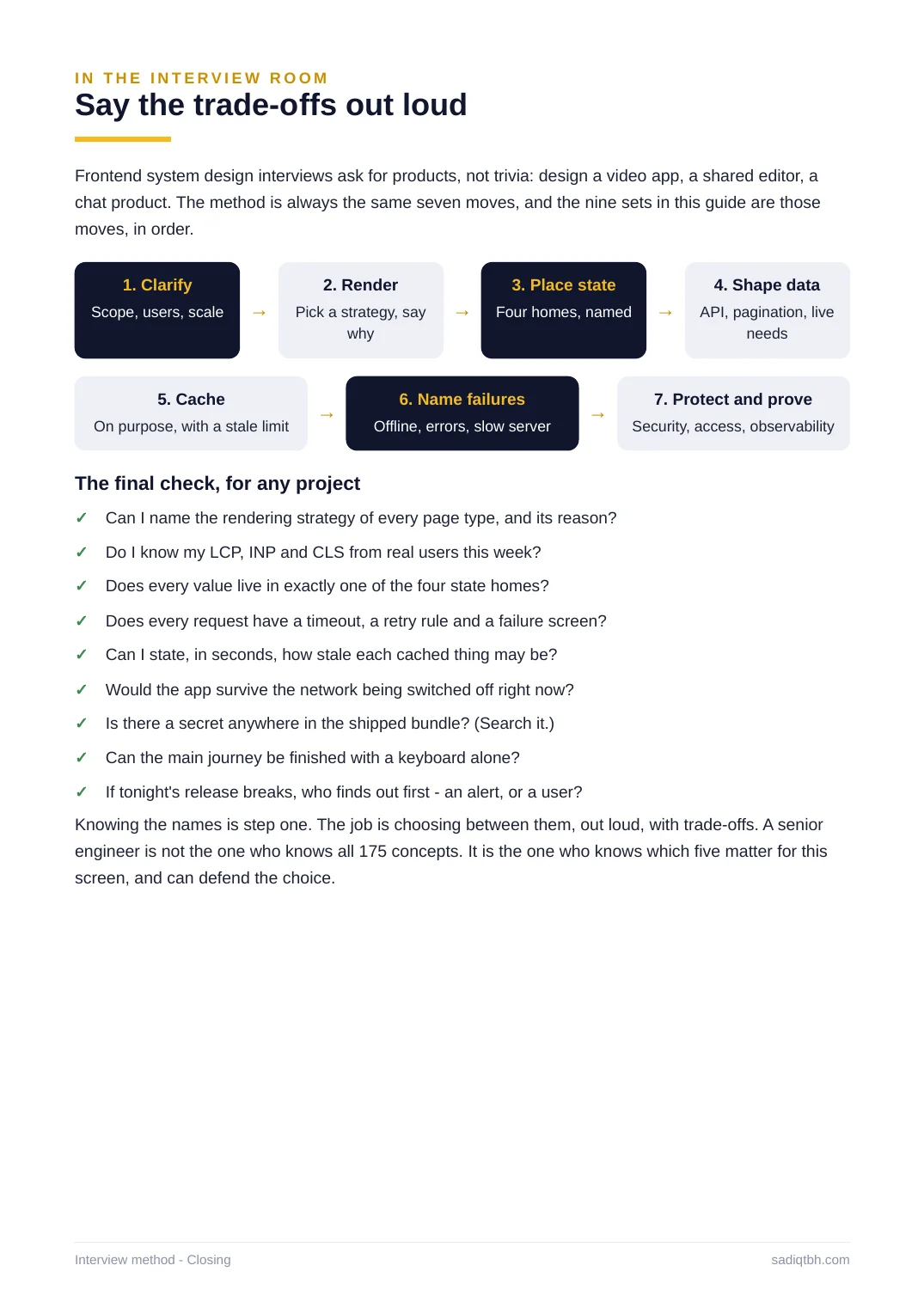
IN THE INTERVIEW ROOM
Say the trade-offs out loud
Frontend system design interviews ask for products, not trivia: design a video app, a shared editor, a chat product. The method is always the same seven moves, and the nine sets in this guide are those moves, in order.
1. Clarify
Scope, users, scale →
2. Render
Pick a strategy, say
why
→
3. Place state
Four homes, named →
4. Shape data
API, pagination, live
needs
5. Cache
On purpose, with a stale limit
→
6. Name failures
Offline, errors, slow server
→
7. Protect and prove
Security, access, observability
The final check, for any project
Knowing the names is step one. The job is choosing between them, out loud, with trade-offs. A senior engineer is not the one who knows all 175 concepts. It is the one who knows which five matter for this screen, and can defend the choice.
Can I name the rendering strategy of every page type, and its reason?✓
Do I know my LCP, INP and CLS from real users this week?✓
Does every value live in exactly one of the four state homes?✓
Does every request have a timeout, a retry rule and a failure screen?✓
Can I state, in seconds, how stale each cached thing may be?✓
Would the app survive the network being switched off right now?✓
Is there a secret anywhere in the shipped bundle? (Search it.)✓
Can the main journey be finished with a keyboard alone?✓
If tonight's release breaks, who finds out first - an alert, or a user?✓
Interview method - Closing sadiqtbh.com